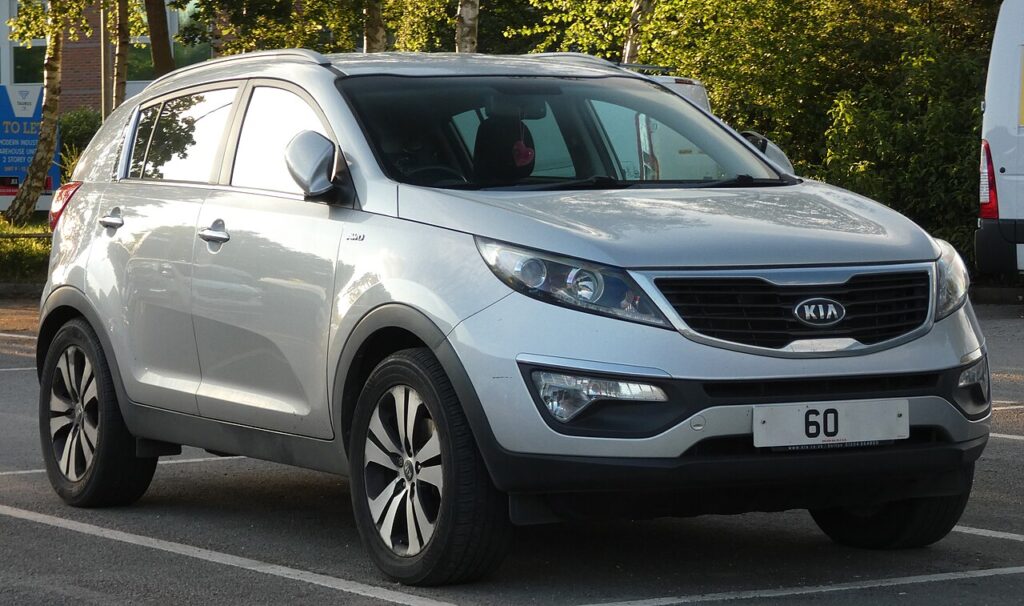
These instructions apply to the Kia Sportage Mk3 (SL) 2010-2016.
For other models, please choose your vehicle here.
The remote for a Kia Sportage Mk3 (SL, 2010–2016) that only works from a step away, drops out intermittently, or has gone completely dead is almost always telling you one thing: the coin cell inside it is flat. On the SL you may have one of two keys — a folding “flip” remote or the smart (keyless-entry) fob — and while both take the same battery, they open differently and the cell even seats the opposite way round. Here is the exact procedure for each, how to tell a dying battery from a genuine fault, and why a brand-new key is the one job you can’t finish on the driveway.
How to Tell the Fob Battery Is Dying
- Shrinking range. You have to stand next to the car — or touch the fob to the door handle — for it to lock or unlock. This is the classic first symptom.
- The fob’s LED stops lighting. On the Sportage SL the remote’s indicator LED will not flash on a button press once the cell voltage drops too low — a quick way to confirm the fob, not the car, is the problem.
- A “key battery low” message. Keyless SL models show a low-key-battery warning in the instrument cluster when the smart fob is weak.
- Buttons work only sometimes. Intermittent response in cold weather is a near-flat cell struggling at low temperature.
A CR2032 in a Sportage remote typically lasts two to four years. If yours is older than that and showing any of the above, fit a fresh cell before suspecting the receiver or immobiliser.
The Battery You Need
Both the folding remote and the smart key use a single CR2032 3-volt lithium coin cell — the most common fob battery there is, sold in any supermarket or hardware shop. Buy a good-quality branded cell; cheap cells sag under the brief high current the transmitter draws and can give short range even when “new”.
Method 1 — Folding “Flip” Remote
- Fold the metal blade closed so the fob is easier to hold.
- Undo the small retaining screw on the back of the fob with a fine cross-head (Phillips) screwdriver, then lift off the battery cover. (Some flip remotes clip rather than screw — if you see no screw, prise the seam open gently.)
- Note which way the old cell sits, then lift it out. On the folding remote the new CR2032 goes in positive (+) side up.
- Refit the cover, drive the screw back in snugly — don’t overtighten, the case is plastic — and test all the buttons.
Method 2 — Smart (Keyless) Fob
- Release the emergency blade: press the small catch on the fob and pull the mechanical key blade straight out.
- Insert a flat plastic tool (or the emergency blade itself) into the seam the blade leaves behind and gently twist to split the two halves of the case.
- Ease out the old cell. On the smart fob the new CR2032 seats positive (+) side down — the opposite of the flip key, so don’t assume.
- Click the halves back together and slide the blade home until it latches.
⚠️ Get the polarity right. Kia’s own guidance warns that a cell fitted the wrong way round will quietly discharge and can leave the key unusable — so always copy the orientation of the cell you removed.
Did It Work?
Stand back a few metres and lock, then unlock, the car. Full range should return immediately. On a keyless SL the “key battery low” message clears the next time the car reads a healthy fob — occasionally after one drive cycle rather than instantly.
If a Fresh Cell Doesn’t Fix It
- Re-check polarity and seating. The two fob types take the cell opposite ways up — the single most common mistake here — and the cell must sit firmly under its clip against clean contacts.
- Wipe the contacts. A smear of finger grease or a little corrosion on the terminals is enough to cause dropouts; clean them with a dry cloth.
- Warning still showing? On some cars the low-key alert only clears once the fob has been read a couple of times. Rarely, a weak car 12 V battery can mimic key faults — if the Sportage itself is slow to wake, see our Sportage Mk3 battery disconnect & reconnect guide.
New Key or Spare — Why It’s a Dealer Job
Swapping the cell keeps the fob’s existing coding, so no reprogramming is needed. Cutting or coding a new key is different: the Sportage’s immobiliser has to be accessed with a diagnostic tool, and blank smart fobs must be ordered against the car’s VIN. That makes adding a spare or replacing a lost key a job for a Kia dealer or an auto-locksmith — so keep your spare’s battery fresh too, and you’re never down to a single working key.
Frequently Asked Questions
What battery does a Kia Sportage Mk3 key take?
A single CR2032 3-volt lithium coin cell — the same size for both the folding remote and the smart keyless fob.
Which way up does the cell go?
It depends on the fob: positive (+) up on the folding remote, positive (+) down on the smart key. Always match the cell you removed — fitting it upside down can flatten it and disable the key.
Do I need to reprogram the key after changing the battery?
No. A battery swap doesn’t touch the coding, so the fob works straight away. Only a brand-new key needs programming.
How long should a Sportage key battery last?
Typically two to four years. Heavy use of the remote — or leaving a keyless fob sitting near the car so it wakes constantly — shortens that.
My key still won’t work after a new battery — is the car broken?
Usually not. Re-check the cell’s polarity and seating first, then the contacts. If the remote’s LED still won’t light with a known-good cell, the fob’s transmitter may have failed and need replacing — but that’s rare compared with a simple flat or upside-down cell.
Can I drive the Sportage if the fob is completely dead?
Yes. Use the mechanical blade hidden in the fob to unlock the driver’s door; the keyless system is designed to still start the car with a flat fob battery, so a dead cell won’t strand you.
If the remote stopped responding suddenly right after the car battery was disconnected — rather than fading gradually — the cause is more likely the pairing than the cell. Check any stored code on autodtcs.com.
Independent guide — not affiliated with Kia. Always follow your official service manual and safety precautions. Read our full disclaimer.