These instructions apply to the Kia Stonic Mk1 (YB) 2017-Present.
For other models, please choose your vehicle here.
When the service reminder shows on your Kia Stonic (YB, 2017–present), it is telling you that the pre-set service interval has elapsed — it is a maintenance prompt, not a fault. The instrument cluster holds a Service Interval counter that measures distance and time, and once an oil-and-filter change has been done that counter needs zeroing so the next reminder lands at the right point. On the Stonic you clear it straight from the dashboard with the steering-wheel button — no diagnostic tool needed. Do the oil and filter change first.
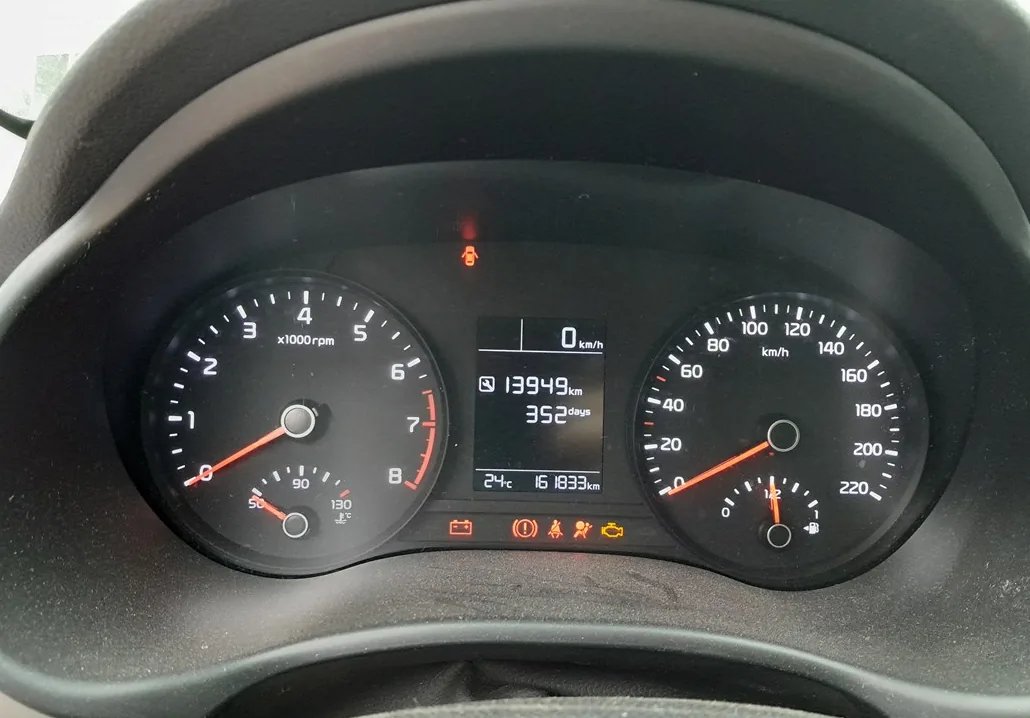
What the Service Reminder Means
The Stonic’s Service Interval reminder is driven by a simple counter, not by any measurement of oil condition. It counts down the distance and time set for the service interval and, when that reaches zero, shows the service message on the cluster. It is not a diagnostic trouble code and it does not point to a mechanical problem — it is the car’s way of scheduling the next service.
Because the counter has no way of knowing whether the oil has actually been changed, it keeps displaying the message until you reset it and starts a fresh countdown once you do. Resetting is therefore the final step of the service: it tells the car the work is done so the next reminder is timed correctly.
Reset After the Service Only
The Service Interval counter just measures distance and time. Reset it once the work is done so the next reminder is right.
First, a Few Checks
- Do the oil and filter change first. The reset only clears the counter; it does nothing to the oil.
- Park safely on level ground with the vehicle stationary and the handbrake applied.
- Ignition on, engine off. The cluster and its message need to be powered up, but the engine should not be running.
- No tools required. Everything is done with the steering-wheel controls.
How to Reset the Stonic Service Reminder
- Turn the ignition on (engine off).
- With the service message showing on the cluster, press and hold the ‘OK’ button for about 1–5 seconds until it resets.
- On some Stonics there’s a separate ‘RESET’ button — hold it for about 5 seconds instead.
When it takes, the service message clears and the counter returns to a full interval.
If It Doesn’t Reset
- You didn’t hold long enough. Keep OK (or RESET) pressed until the reminder actually clears — a quick tap won’t do it.
- The service message must be on screen. Cycle the cluster display so the service item is showing before you press and hold.
- Don’t start the engine mid-reset. Keep it at ignition-on, engine off.
- Cycle the ignition and try again. Switch off, wait a few seconds, switch back on and repeat.
- A different warning is lit? That is a fault, not the service counter, and it stores a code you can look up on autodtcs.com.
Once the Reset Is Done
Once cleared, the service message disappears and the Service Interval counter begins a fresh countdown as you drive. You should see nothing further until the next interval is reached. If the reminder is still there next time you switch on, the reset didn’t register — repeat it, holding the button until the message goes.
Reset Frequency
Reset the counter every time the oil and filter are changed. The exact service interval for your Stonic depends on the engine and the market, so use the schedule in your owner’s handbook as the reference rather than assuming a figure. Whatever that interval is, zeroing the counter after each service keeps the reminder accurate.
Frequently Asked Questions
How do I reset the service light on a Kia Stonic?
Ignition on, then with the service message showing hold the steering-wheel OK button (or the RESET button) for a few seconds until it clears.
Do I need a diagnostic tool?
No — it is done entirely from the dashboard, with no tool and no garage visit.
Does the engine need to run?
No — ignition on, engine off. The cluster only needs to be powered up.
The reminder came back — why?
The reset didn’t register, usually because the button wasn’t held long enough. Repeat it, keeping the button pressed until the reminder clears.
OK or RESET — which button do I use?
Most Stonics reset with a long press of the steering-wheel OK button; some cars have a dedicated RESET button instead. Use whichever your car has, holding it until the message clears.
Should I reset before or after the oil change?
After. The counter measures down to the next service, so resetting before the work is finished would give a false interval.
If a warning light appeared with the service message, look it up on autodtcs.com. After battery work, see our Stonic battery guide.
Independent guide — not affiliated with Kia. Always follow your official service manual and safety precautions. Read our full disclaimer.