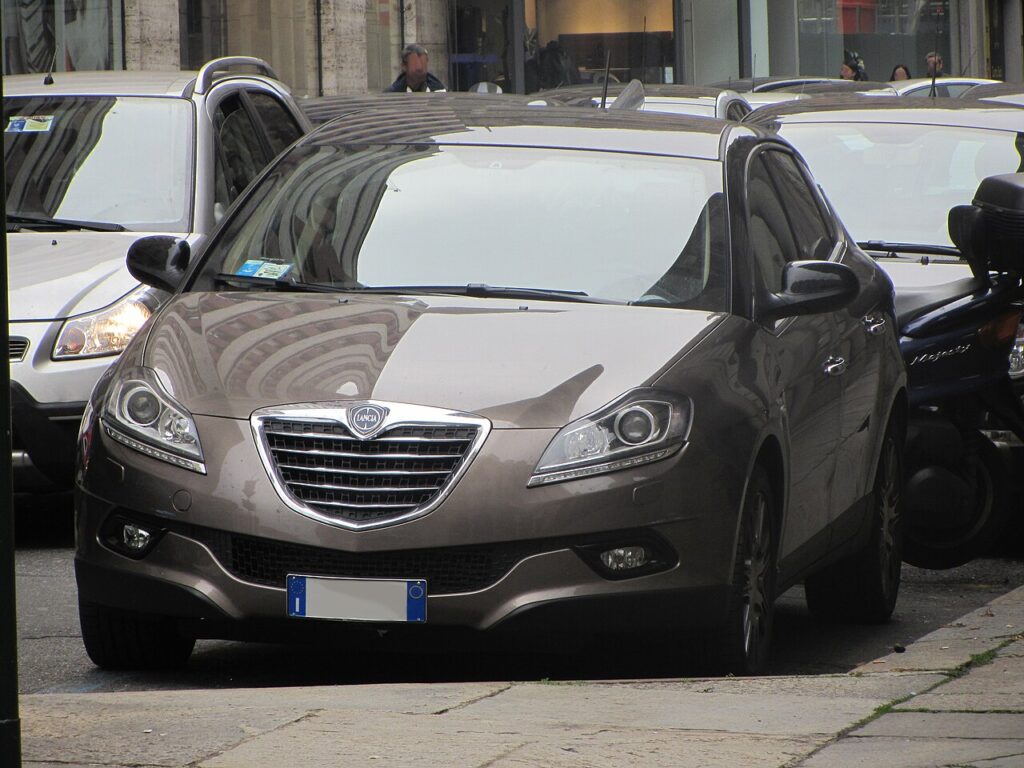
These instructions apply to the Lancia Delta Mk3 (844) 2008-2014.
For other models, please choose your vehicle here.
When the remote for a Lancia Delta III (Type 844, 2008–2014) only locks the car from arm’s length, needs several presses to respond, or has gone silent altogether, the cause is almost always the little coin cell inside it. The Delta uses the familiar Fiat-group folding “flip” key — the same switchblade design shared with the Bravo, Grande Punto, Ypsilon and Musa — where the battery lives in a small holder that slides out near the blade hinge rather than behind a snap-off cover. It is a genuinely easy driveway job once you know that the holder is released, not prised, and that a brand-new key is the only part of this you can’t finish yourself. Here is the exact procedure, how to be sure it’s the battery and not the car, and the reprogramming reality.
How to Tell the Fob Battery Is Dying
- Shrinking range. You have to stand right beside the Delta — or almost touch the fob to the door — for it to lock or unlock. This is the first and clearest warning.
- Several presses needed. The buttons work, but only on the second or third try, as the weak cell struggles to power the transmitter.
- Cold-morning dropouts. A near-flat lithium cell loses voltage in the cold, so the remote that worked yesterday afternoon may do nothing on a frosty start.
- No visible feedback. If the fob gives you no response at all and the mechanical blade is your only way in, the cell is most likely completely dead.
A CR2032 in a Delta key typically lasts two to four years. If yours is around that age and showing any of the above, fit a fresh cell before you suspect the receiver or immobiliser — it is by far the most common fix.
The Battery You Need
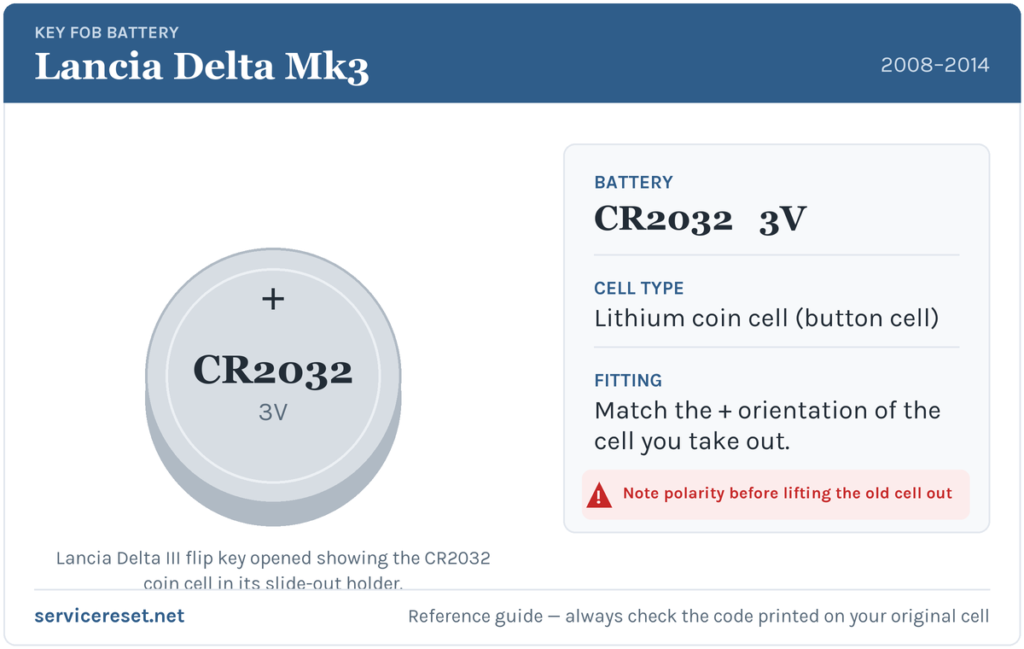
The Delta III flip key takes a single CR2032 — a 3-volt lithium coin cell, 20 mm across — the same battery Fiat and Lancia used across this whole family of switchblade keys. It is the most common fob cell there is, sold in any supermarket, chemist or hardware shop. Buy a good-quality branded cell: cheap ones sag under the brief high current the transmitter draws and can give poor range even when they read as “new.” If you ever want to double-check, the code is printed on the flat face of the cell you remove — match that exactly.
How to Change the Lancia Delta Key Battery
- Fold the metal blade out. Press the release button so the switchblade key springs open; this exposes the base of the fob and makes it easier to hold steady.
- Release the battery holder. Look at the edge of the fob near the blade hinge for the small slotted catch. Slip a fine flat-blade screwdriver into it and give it a gentle quarter-turn — this unlocks the holder rather than levering the case apart. Do not try to crack the two shell halves open; on this key the cell lives in a slide-out tray.
- Slide the tray out. With the catch released, ease the little battery holder out of the fob body. The CR2032 sits in the tray, not loose in the case.
- Swap the cell. Note which way up the old battery sits, lift it out, and drop the new CR2032 into the tray the same way round — the printed “+” face stays as it was, matching the marking in the holder. Handle it by the edges so you don’t leave grease on the contacts.
- Refit and lock. Slide the holder fully back into the fob, then turn the catch back to lock it. Fold the blade closed and test every button.
⚠️ Keep the polarity as you found it. A coin cell fitted upside down won’t power the transmitter and can quietly discharge against the wrong contact — so copy the orientation of the cell you took out rather than guessing. If in doubt, the “+” marking on the battery should face the same way as the one stamped in the plastic tray.
Did It Work?
Stand a few metres back from the Delta and lock, then unlock, the car. Full range should return the instant the fresh cell makes contact — there is nothing to reset or relearn after a simple battery change. If the doors respond crisply from across the car park, you’re done.
If a Fresh Cell Doesn’t Fix It
- Re-seat the holder. If the tray isn’t pushed fully home and locked, the contacts may not meet the cell — slide it right in and turn the catch until it stops.
- Check polarity and cleanliness. Confirm the “+” face is the right way up, and wipe the battery and the tray’s metal tabs with a dry cloth; a smear of finger grease or light corrosion is enough to cause dropouts.
- Try the second key. If your spare works fine with its own battery but the repaired one still won’t, the problem is that fob’s electronics, not the car’s receiver.
- Rule out the car’s own battery. A weak 12 V battery can make the Delta slow to wake and mimic a key fault; if the car itself is sluggish to respond, look there too.
New Key or Spare — Why It’s a Dealer Job
Changing the coin cell keeps the fob’s existing coding, so the remote and the immobiliser transponder carry on working with no programming needed. A new key is a different matter: the blade has to be cut to the car and the transponder married to the Delta’s immobiliser with diagnostic equipment, and blank Lancia keys are ordered against the car’s VIN. That makes adding a spare or replacing a lost key a job for a Lancia/Fiat dealer or an auto-locksmith — so it pays to keep the battery in your spare key fresh too, and never let yourself get down to a single working remote.
Frequently Asked Questions
What battery does a Lancia Delta III key use?
A single CR2032 3-volt lithium coin cell — the same 20 mm battery used across the Fiat and Lancia switchblade keys of this era. You can buy it almost anywhere.
Do I have to split the key case open?
No. On the Delta’s flip key the cell sits in a small tray that you release with a flat screwdriver and slide out near the blade hinge — there’s no need to crack the two shell halves apart.
Which way up does the battery go?
Fit the new cell exactly as the old one sat, with the printed “+” face matching the marking in the tray. Putting it in upside down stops the remote working and can flatten the fresh cell.
Do I need to reprogram the key after changing the battery?
No. A battery swap doesn’t affect the coding, so the remote and immobiliser work straight away. Only a brand-new key needs programming to the car.
How long should a Delta key battery last?
Usually two to four years. Frequent locking and unlocking, or a lot of short trips, will shorten that a little.
Can I still get into the car if the fob is completely dead?
Yes. Press the release and use the mechanical blade folded inside the fob to unlock the driver’s door, then start the car as normal — a flat remote cell won’t strand you.
If the Delta’s remote stopped working suddenly right after the 12 V battery was disconnected — rather than fading gradually over weeks — the fault is more likely a pairing or electrical issue than the coin cell, and it may have logged a code worth reading first at autodtcs.com.
Independent guide — not affiliated with Lancia. Always follow your official service manual and safety precautions. Read our full disclaimer.