These instructions apply to the Lexus ES Mk7 (XZ10) 2018-Present.
For other models, please choose your vehicle here.
If the tyre-pressure warning has come on in your Lexus ES 300h (2018–present) after you’ve adjusted the pressures or changed a wheel, you reset the monitor with the TPMS SET button. Here’s how.
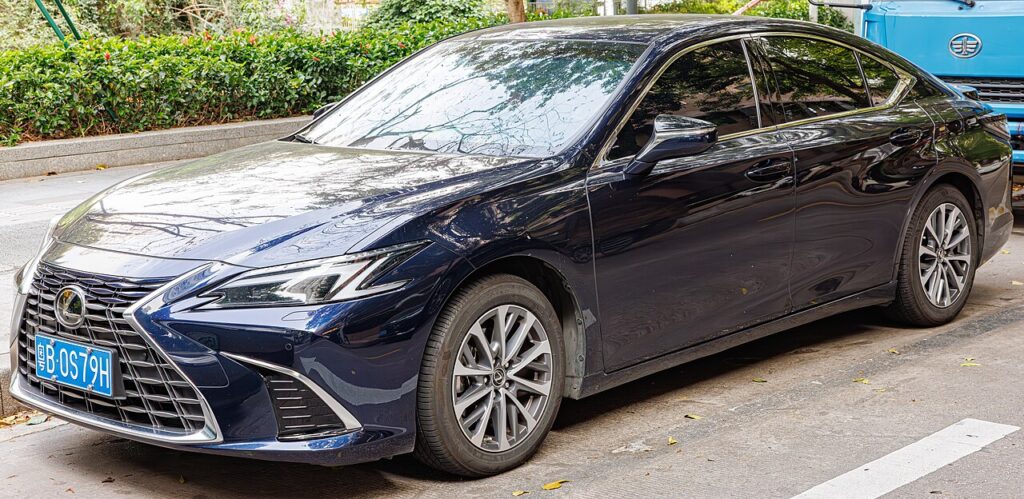
What the warning means on the ES
The amber tyre-pressure symbol on the seventh-generation ES lights up when the monitor sees a pressure that has drifted below its stored reference, or when it has lost the reference altogether. That second case is why the light often appears right after you’ve done something completely correct — topped the tyres up, rotated them, or swapped to a winter set. The car isn’t reporting a fault; it simply no longer knows what “correct” looks like and is waiting for you to teach it the new baseline. Once the pressures are right and you run the SET routine below, the symbol goes out and stays out.
How it works on this model
The ES uses a direct system: each wheel carries its own pressure sensor that transmits a reading to the car, so the display can show falling pressure rather than merely inferring it. Because the values are measured directly, the reset is really a “store these as normal” command — it doesn’t inflate anything or fix a leak. Pressure also rises as the tyres warm on a drive and falls on a cold morning, so the figure you set cold is the one the system should learn.
Before You Begin
- Park on level ground with the car cold — ideally before any driving, or at least three hours after.
- Set every tyre to the pressure on the driver’s door-pillar placard, not a number you half-remember.
- Don’t forget the tyre you just fitted — a fresh or repaired wheel is the usual reason for a reset.
- Have the ignition on but the hybrid system need not be running.
- Check the SET button is within reach before you start — it’s low on the dash by the steering column.
Resetting the System
- Park level and set all four tyres to the correct cold pressures (placard in the driver’s door shut).
- Switch the ignition on (you don’t need to start the hybrid system).
- Press and hold the TPMS ‘SET’ button (low on the dash near the steering column) until the TPMS warning light blinks (typically three times), then release.
- The system learns the current pressures as the new baseline; it finishes after a short drive.
If the warning won’t clear
- Recheck every corner with a gauge — a single tyre a few psi low keeps the light on and blocks the store.
- Hold SET until the light actually blinks — letting go early cancels the routine part-way through.
- Give it a short drive after pressing SET so each sensor wakes and reports its value.
- Remember to redo the reset after any wheel swap — winter wheels or a rotation shift the sensors to new corners.
- If you fitted the space-saver spare, expect the light until the normal wheel is back on and the pressures are stored again.
- A tyre that keeps creeping down points to a slow puncture or leaking valve, not a monitor fault — find and fix the leak first.
- A light that returns with correct pressures can mean a sensor with a flat internal battery; these are sealed and eventually need replacing.
What to expect after
Once the SET routine takes, the amber symbol goes out and the ES treats your cold figures as the new normal for the rest of that trip and beyond. It’s completely normal to see the indicated pressures climb a little as the tyres heat up on the motorway — the system expects that and won’t warn unless a value drops meaningfully below the stored baseline. If the light ever flashes for about a minute and then stays on, that’s the car flagging a sensor communication problem rather than low pressure.
Frequently Asked Questions
How do I reset the tyre pressure light on a Lexus ES?
Set all four tyres cold to the door-pillar figure, switch the ignition on, then press and hold the TPMS SET button low on the dash until the warning light blinks a few times and release. The current pressures become the new reference and the light clears after a short drive.
Where is the TPMS SET button?
It sits low on the dashboard near the steering column, usually within reach of your right knee. It’s a small dedicated button marked with the tyre-pressure symbol rather than a menu item, so you press it directly. Your handbook shows the exact spot for your trim, as minor layout differences exist between markets.
Why won’t the warning clear after I set the pressures?
The two usual causes are a tyre still slightly below spec — even one corner blocks the store — or releasing the SET button before the light blinked. Recheck all four with a gauge when cold, then hold SET until it flashes. If it still won’t clear with correct pressures, suspect a sensor with a depleted battery.
Do I need a diagnostic tool?
No. A normal reset after adjusting pressures or a rotation is done entirely with the SET button. A tool is only needed when a sensor is physically replaced and its ID has to be registered to the car, which is a workshop job rather than an owner task.

Should I set the pressures warm or cold?
Always cold. The placard figure assumes the tyres haven’t been driven on, so set them before a journey or after the car has stood for a few hours. Setting them warm bakes in a pressure that will read low once they cool, and the light may come back the next cold morning.
Why did the light come on in cold weather with nothing wrong?
Air contracts as it cools, so a sharp overnight temperature drop can pull each tyre a psi or two below the stored reference and trip the warning. Check and top up to the placard figure when cold, then run the SET routine. It’s a seasonal quirk of the physics, not a fault with the ES.
If the warning came on alongside other dashboard lights, decode the code on autodtcs.com.
Independent guide — not affiliated with Lexus. Always follow your official service manual and safety precautions. Read our full disclaimer.