These instructions apply to the Mazda 6 (GJ, GL) 2012 - .... For other models, please choose your vehicle here.
Learn how to reset the oil or service reminder on any Mazda 6 from 2012 onwards. This guide covers all available methods — manual reset, diagnostic tool reset, workshop reset without scan tool, and reset via the infotainment display.

When to Perform the Reset
- After changing the engine oil and filter.
- When the oil or maintenance reminder appears on the dashboard.
- After service work if the reminder was not automatically cleared.
Before You Begin
- Park safely and apply the parking brake.
- Follow ignition steps carefully — do not start the engine unless instructed.
- Use the correct terminal when grounding the test connector to avoid damage.
Reset Methods
Method 1 — Manual Reset Using the Trip Button
- Switch the ignition OFF.
- Press and hold the trip / odometer button.
- While holding, switch the ignition ON (do not start the engine).
- Keep holding the button for about 5 seconds until the indicator flashes.
- Release the button — the reset is complete.
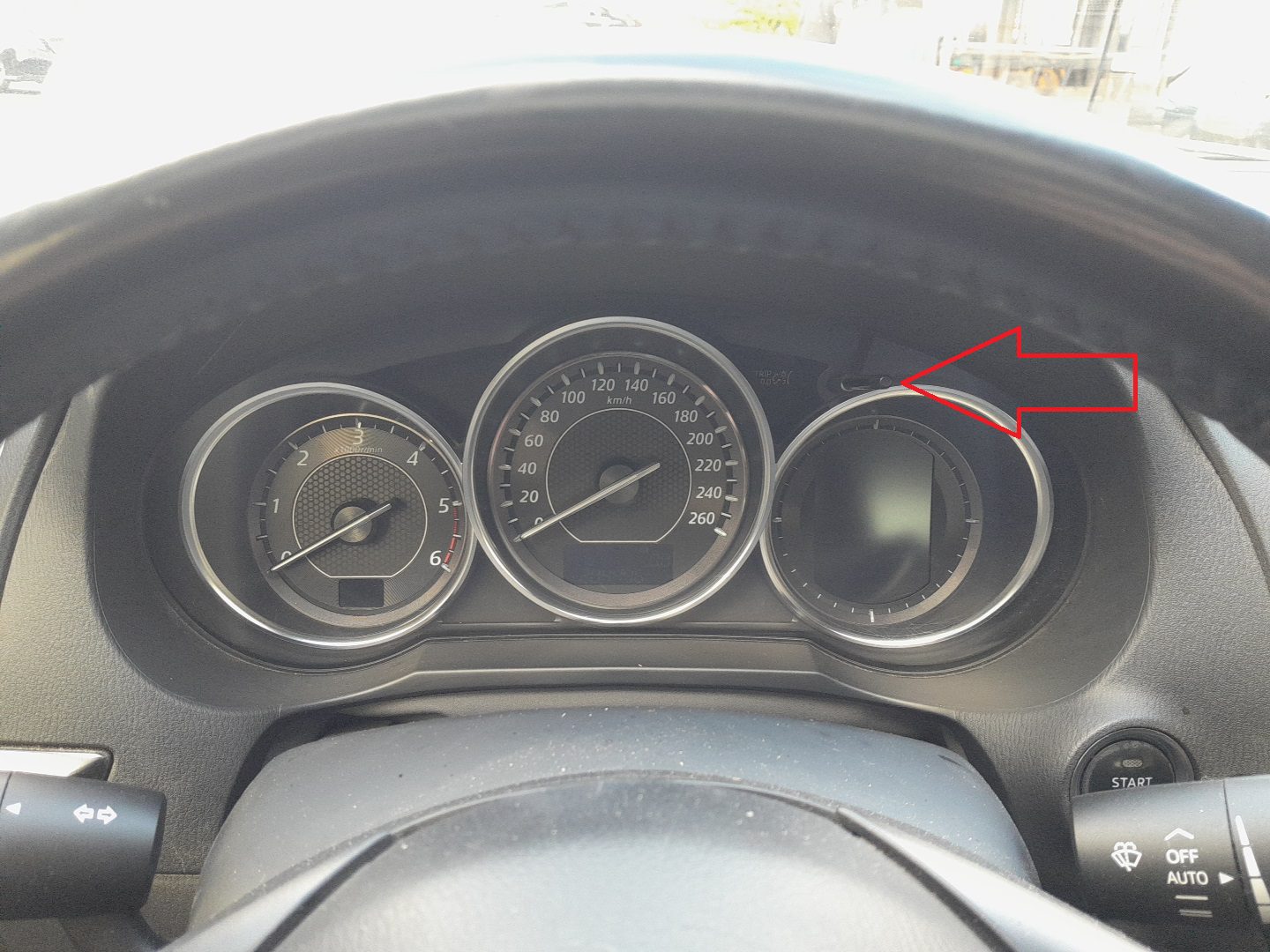
Method 2 — Reset Using Mazda M-MDS Diagnostic Tool
- Connect the diagnostic tool and switch the ignition ON.
- In the menu, select Powertrain.
- Go to Data Reset → Engine Oil.
- Follow the instructions on the tool to complete the reset.
Method 3 — Reset Without Scan Tool (Workshop Method)
- Switch the ignition ON (do not start the engine).
- Ground the test terminal using a jumper wire.
- Press and release the accelerator pedal five times within five seconds.
- The indicator light will flash five times to confirm the reset.
- Remove the jumper wire and turn the ignition OFF.
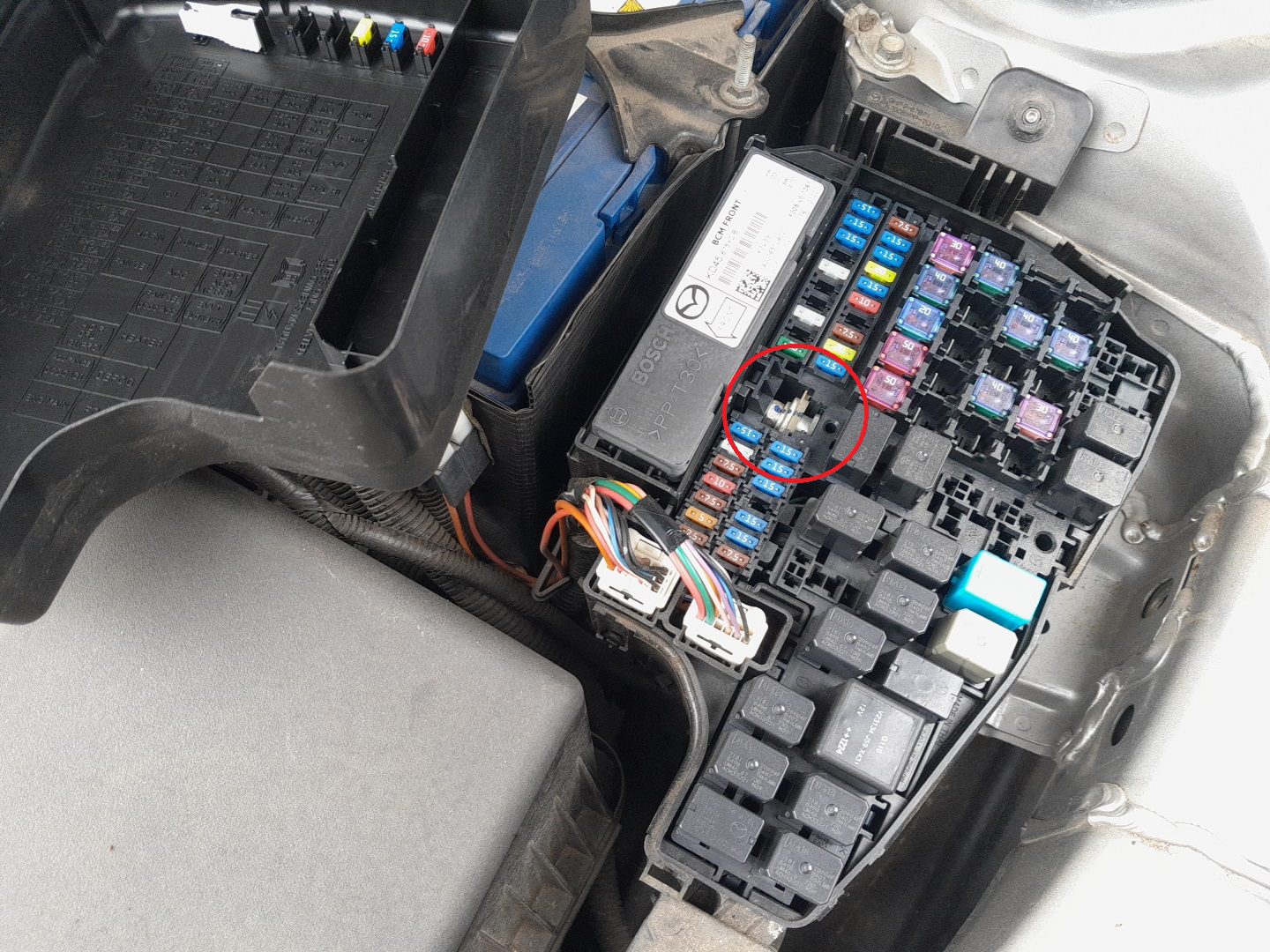
Warning: Only ground the correct test terminal. Incorrect connections may damage the electrical system.
Method 4 — Reset via Infotainment Display
- Switch the ignition ON.
- On the infotainment screen, select Applications.
- Choose Vehicle Status → Maintenance → Oil Change.
- Tap Reset and confirm.

Troubleshooting
- If the reminder returns, repeat the procedure or use Method 2 with the diagnostic tool.
- If no confirmation flashes appear in Method 3, check the test terminal and timing of the pedal presses.
Disclaimer: The information on this page is provided for general guidance only. Always follow your official service manual and safety precautions when working on your vehicle. We are not responsible for errors, omissions, or any damage resulting from the use of this information.
This website is an independent resource and is not affiliated with, endorsed by, or sponsored by Mazda. All trademarks and brand names belong to their respective owners.