These instructions apply to the Mercedes A-Class Mk4 (W177) 2018-Present.
For other models, please choose your vehicle here.
If the tyre-pressure warning is on in your Mercedes A-Class Mk4 (W177, 2018–present) after adjusting pressures or changing wheels, it’s usually the monitor asking to be re-baselined rather than a fault — you need to store the current pressures as the new guideline before it will clear. On the A-Class that’s done in the MBUX/cluster menu, then confirmed with a short drive. Here’s how.
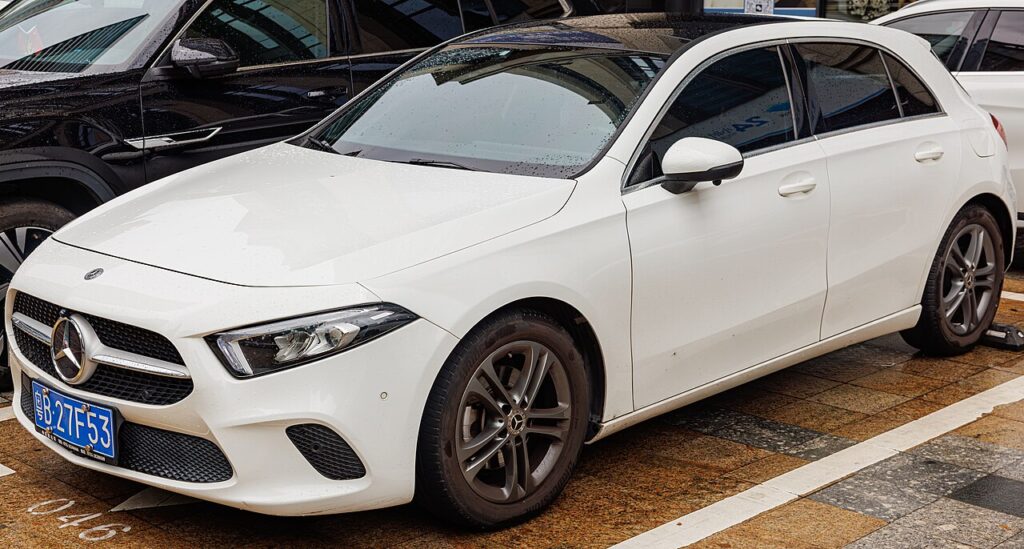
How the A-Class W177 System Works
The A-Class monitors your tyres against a stored set of “guideline” pressures and warns you when a wheel drifts away from them. Rather than a physical reset button, you adopt the current pressures as the new guideline through the menu and then drive a few minutes so the system can confirm them. Because it compares against that saved baseline, topping up a soft tyre alone won’t clear the light — you have to restart monitoring so the corrected pressures become the reference.
Getting Ready
- Check and set pressures cold — before driving, or after a few hours parked. Warm tyres read high.
- Use the label in the driver’s door opening: the A-Class lists pressures by load and speed, so read the correct column for how the car is loaded.
- Set every corner, including the spare if it’s a monitored full-size wheel, before you restart monitoring.
- Switch the ignition on so the vehicle menu is available.
Set the Pressures First
Inflate all four tyres cold to the figure on the label in the driver’s door opening (the A-Class lists pressures by load and speed — use the right column).
How to Reset the A-Class W177 TPMS
- With the ignition on, open the vehicle menu and select ‘Service’.
- Select ‘Tyre pressure’.
- Choose to ‘Adopt current pressures as new guideline values’ (restart monitoring) — the display confirms ‘Tyre pressure monitoring restarted’.
- Drive for about 5 minutes — the new pressures are stored and the warning clears.
If the Warning Stays On
- Re-check every tyre, including the spare if it’s a monitored full-size wheel.
- One tyre keeps dropping — look for a slow puncture; the system is doing its job.
- A steady-flashing TPMS light points to a system fault rather than low pressure — have it scanned.
- Restart monitoring only with cold, correct pressures — adopting warm or soft tyres teaches the wrong guideline.
- Give it the full drive. The reset isn’t finished until you’ve driven a few minutes, so a warning that lingers immediately after restarting may simply need that drive.
- Cold snap overnight? Pressures fall with temperature; top up to the door-label figure and restart monitoring.
- After a wheel change or seasonal swap, always restart monitoring so the new wheels become the reference.
What Happens Next
Once you’ve adopted the current pressures and driven the short confirming stretch, the warning clears and the monitor watches the tyres against the new guideline. It stays off until a tyre genuinely loses pressure or you change a wheel again. If you run winter and summer sets, plan to restart monitoring each time you refit a different set so the reference always matches what’s on the car.
Frequently Asked Questions
Where is the tyre-pressure reset on the A-Class W177?
In the vehicle menu: Service → Tyre pressure → adopt current pressures, then drive ~5 minutes.
Do I need a tool?
Not for a normal reset — set the pressures, restart monitoring in the menu, and drive.
Why did the light come on in the cold?
Pressure drops with temperature. Top up to the door-label figure and re-store.

The light keeps flashing — is that a fault?
A persistent flash usually means a system fault rather than low pressure — have it checked.
Why does the door label list two sets of pressures?
The A-Class quotes different pressures for light and full loads, and sometimes for high-speed running. Pick the column that matches how the car is loaded — solo commuting versus a full car with luggage — and set every tyre to that figure before you restart monitoring, otherwise the guideline you store won’t match how you actually drive.
Do I have to restart monitoring every time I adjust the tyres?
Yes. The system judges your tyres against the guideline it last saved, so simply adding air won’t clear the warning until you adopt the new pressures in the menu and drive the short confirming stretch. It only takes a moment and ensures the monitor is watching against the correct, current values.
If a fault code is stored, look it up on autodtcs.com. To clear a service reminder, see our A-Class W177 service reset guide.
Independent guide — not affiliated with Mercedes. Always follow your official service manual and safety precautions. Read our full disclaimer.