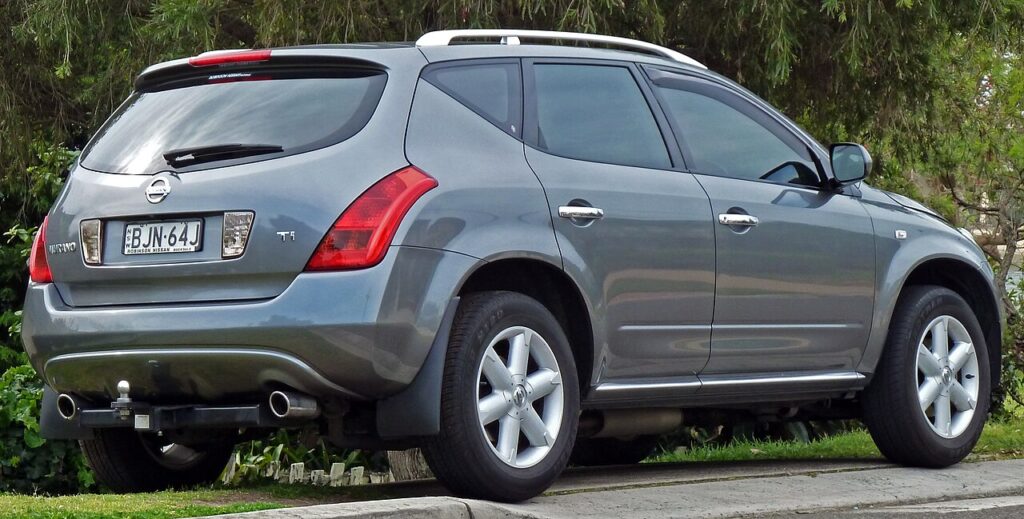
These instructions apply to the Nissan Murano Mk1 (Z50) 2004-2008.
For other models, please choose your vehicle here.
The Nissan Murano (2004–2008, Z50) keeps track of maintenance for you and shows a service reminder on the information display when the next scheduled job is due. It is a mileage-and-time counter, not a fault: nothing has broken, the car is simply telling you that an oil change or another routine item has come around. Once the work is finished you clear the reminder yourself through the onboard menu, so the counter starts again from zero and the message stops appearing every time you drive.
What the Service Reminder Means
The Murano’s maintenance reminder is a fixed-interval system. The vehicle counts the distance driven and the time elapsed since the last reset and, when either reaches the point you (or the previous owner) set for that item, it flags the job on the display. Because it works on a preset counter rather than by measuring the oil itself, the reminder does not know whether the service has actually been carried out — it only knows the counter has run down. That is why it has to be reset by hand after the work is complete. Individual items such as engine oil, oil filter and tyre rotation are tracked separately, so you can clear each one as you complete it rather than resetting everything at once.
When to Reset
- After an oil change or scheduled maintenance.
- After disconnecting and reconnecting the vehicle’s battery.
- If the service interval was adjusted and you want to update it.
Before You Begin
Only reset the reminder after the service has actually been done — resetting early tells the car it has fresh oil when it does not, and the next reminder will arrive at the wrong time. Park on level ground with the transmission in Park and the parking brake applied. You need the ignition switched on but the engine off, so the display and its menus are powered while nothing is running. No tools, scanner or code reader are required; everything happens with the buttons already on the dashboard and the joystick control.
Manual Reset Procedure
- Switch the ignition ON (do not start the engine).
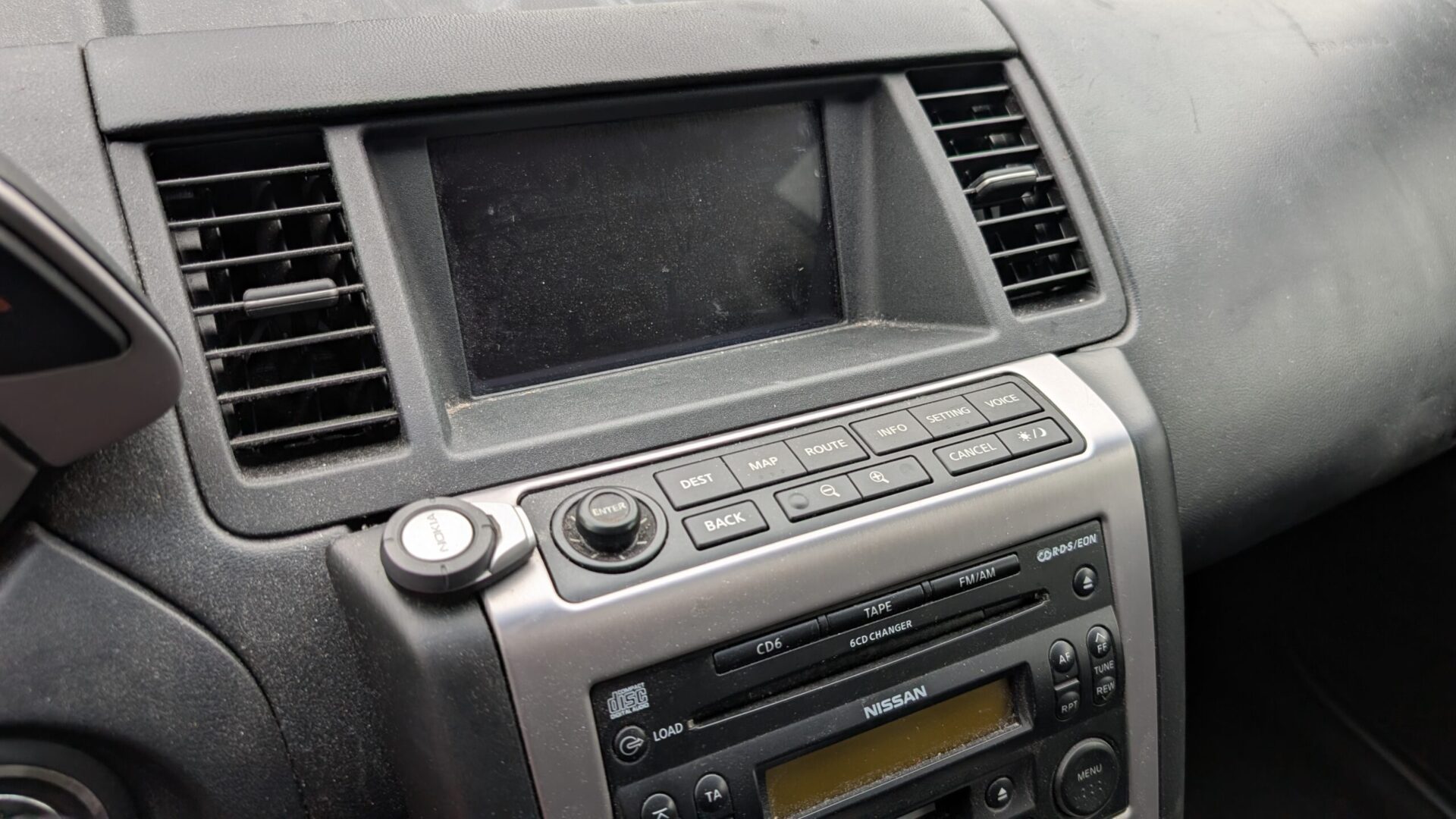
- Press the INFO button on the dashboard to enter the main menu.
- Select MAINTENANCE using the joystick control.
- Press ENTER to confirm.
- Select the desired service item (e.g., engine oil, tire rotation, filter) with the joystick.
- Press ENTER again to confirm your choice.
- Set the new distance until the next service using the joystick.
- Press ENTER to save.
- Press the BACK button to exit.
- The updated interval will be displayed, confirming the reset.
If the Reset Doesn’t Work
- If the indicator does not reset, repeat the process carefully, making sure to confirm each step with ENTER.
- Check you are in the MAINTENANCE section and have highlighted the correct item — oil, filter and tyres are separate entries.
- Keep the ignition on and the engine off throughout; if the engine starts, the display may drop out of the menu.
- Only reset the reminder after completing scheduled service to keep the intervals accurate.
- If it still will not clear, switch the ignition fully off, wait a few seconds, switch back on and work through the menu again.
After the Reset
Once the reset is saved, the display shows the full distance to the next service and the maintenance message stops appearing at start-up. The counter now runs down from the interval you set, so the reminder will reappear only when that distance or time is reached again. Nothing else on the vehicle is affected — the reset only changes the maintenance counter, not the engine, the oil itself, or any other system.
How Often You’ll Need This
Reset the reminder every time you complete the corresponding service — typically at each oil change, and separately when you carry out the other tracked items. The exact distance and time between services depend on how the vehicle is used and the schedule set for it, so follow the maintenance schedule in your owner’s handbook rather than a fixed number quoted online. The reminder’s job is simply to prompt you at whatever interval you have set.
Frequently Asked Questions
How do I reset the service light on a Nissan Murano (2004–2008)?
Switch the ignition on with the engine off, press the INFO button, select MAINTENANCE with the joystick and press ENTER, choose the service item, set the new distance and press ENTER to save, then press BACK to exit.
Do I need a diagnostic tool to reset it?
No. The Murano’s reminder is cleared entirely from the onboard information menu using the INFO button, the joystick and ENTER — no scanner or code reader is needed.
Does the engine need to be running?
No. Switch the ignition on so the display is powered, but leave the engine off. Starting the engine can drop you out of the maintenance menu part-way through.
Can I reset the oil, filter and tyre reminders separately?
Yes. Each item is tracked on its own counter in the MAINTENANCE menu, so you can highlight and reset just the one you have completed.
The reminder came back after I reset it — why?
Usually the change was not confirmed. Make sure you press ENTER to save the new interval before pressing BACK, and check you reset the correct item. If a different warning light is on, that is a stored fault rather than the service counter.
Does resetting the reminder mean the car has been serviced?
No. The reset only zeroes the counter; it does not perform or verify any work. Always do the actual service first, then reset so the next reminder lands at the right time.
If a separate warning light appeared alongside the service message, that points to a stored fault code rather than the maintenance counter — you can look up what it means on our sister site autodtcs.com.
Independent guide — not affiliated with Nissan. Always follow your official service manual and safety precautions. Read our full disclaimer.