These instructions apply to the Skoda Kodiaq Mk1 (NS) 2016-2024.
For other models, please choose your vehicle here.
When the spanner or a “Service” / “Inspection” message appears on your Skoda Kodiaq Mk1 (NS, 2016–2024), a service interval has elapsed. It is the car’s scheduled-maintenance reminder counting down — not a sign of a fault. You can clear it yourself with the trip-reset button — no garage tool needed. Do the oil and filter change first.
What the Kodiaq Service Message Means
The Kodiaq tracks two things separately: an oil-change service and a wider inspection service. Depending on how the car is set up it either follows a fixed interval or a variable, condition-based schedule that stretches or shortens the gap according to how the car is driven. Either way, the cluster shows a spanner and a “Service” or “Inspection” prompt when a counter reaches zero, and often warns you a few hundred miles ahead so you can book the work in.
This is a reminder, not a fault. The car drives exactly as before and nothing has broken. It is worth telling it apart from a real warning: a service prompt is neutral and disappears once reset, whereas a red light, or an amber light for a named system such as engine or oil pressure, is a fault that resetting the service counter will not clear. Check the exact symbol if you are unsure.
Reset Only After the Service
The interval just measures distance and time. Clearing it early hides the reminder while the oil keeps ageing, so reset it once the work is done.
Before you begin, park on level ground, apply the handbrake and have the ignition on with the engine off. No tools are needed — the whole reset is done with the trip button and the ignition. On keyless cars it also helps to have everything shut up (doors, boot and bonnet) so the cluster behaves predictably while you work through the sequence.
How to Reset the Kodiaq Service Indicator
- On keyless cars, close all the doors, the boot and the bonnet first.
- Turn the ignition off.
- Press and hold the reset (0.0) button on the wiper stalk or instrument panel.
- While holding it, turn the ignition on, then release.
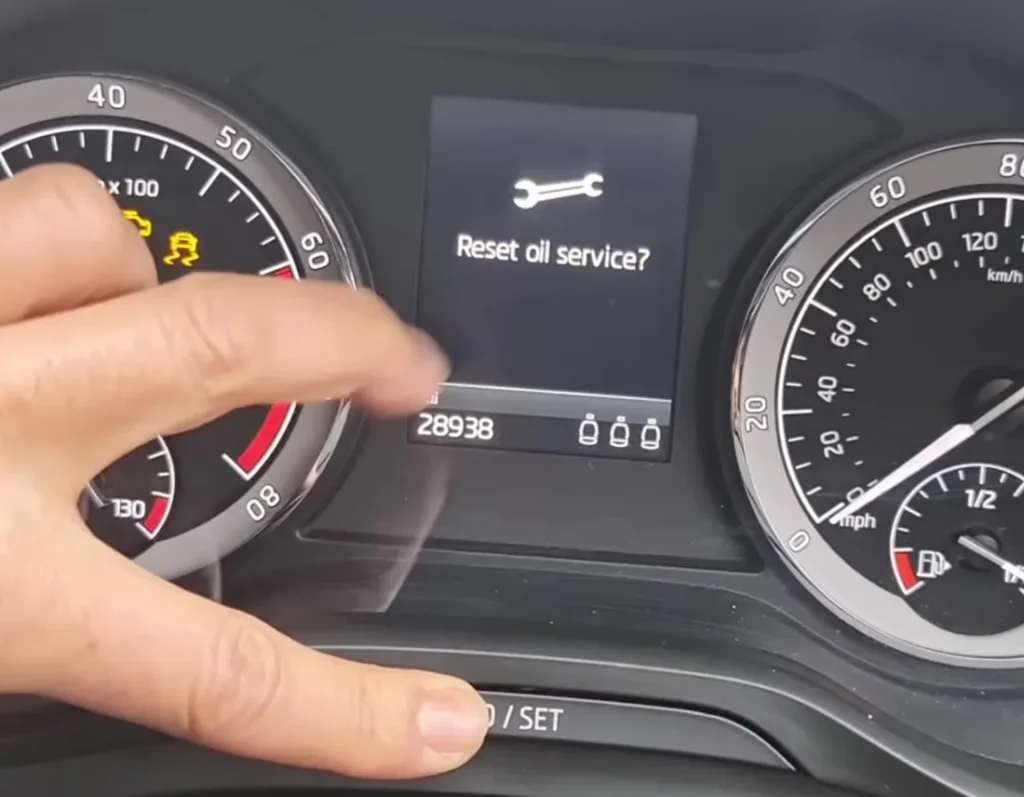
- ‘Reset oil change service?’ appears — press the button again to confirm.
- For the inspection counter, repeat the sequence and confirm at the inspection prompt.
On Kodiaqs with the digital cockpit you can also reset via the cluster/infotainment Settings → Service menu.
If the Reset Doesn’t Work
A reset that will not stick is almost always a timing or sequence slip rather than a fault. Run through these before worrying:
- Hold the button before switching on. The 0.0 button must already be held down as you turn the ignition on, not pressed afterwards.
- Confirm the prompt. When “Reset oil change service?” appears you have to press the button again — if you do nothing the counter is left unchanged.
- Reset the right counter. Oil and inspection are separate; make sure you are confirming the one the display is prompting for.
- Don’t start the engine mid-reset. Keep the car at ignition on until the sequence is complete.
- Cycle the ignition and repeat. Switch everything off, wait a few seconds and run through the steps again from the start.
If the Reminder Returns
- It comes back at start-up — the confirmation wasn’t completed; repeat and confirm.
- A different warning is on — that’s a fault, not the service timer.
What Happens Next
As soon as the reset is confirmed the spanner clears and the counter returns to a full interval. If you reset both the oil and the inspection counters after a full service, each starts its own fresh countdown. Nothing else changes — trip meters, settings and stored data are untouched — and the message will not reappear until the next interval is due.
How Often It Comes Up
Reset the indicator once after every scheduled service, right after the oil and filter have been changed. How often that falls depends on the engine and on whether your car uses a fixed or variable (condition-based) schedule, so follow the plan in your owner’s handbook rather than assuming a mileage. After a full service, remember to clear both the oil and inspection counters if both were prompted.
Frequently Asked Questions
Where is the reset button on the Kodiaq?
The trip-reset (0.0) button on the wiper stalk or instrument panel — the one you use to zero the trip.
Do I need a diagnostic tool?
No — the trip-button method resets it from the dashboard.
Why are there two resets (oil and inspection)?
Skoda tracks oil-change and inspection intervals separately. Reset whichever the display prompts; do both after a full service.
Does the engine need to run?
No — ignition on, engine off. In fact the sequence starts with the ignition off and the reset button held.
Why does my keyless Kodiaq want the doors and bonnet shut?
With everything closed the cluster stays in its normal display so the reset sequence runs cleanly. An open door or bonnet can put a message on screen and interrupt it.
Can I reset it through the digital cockpit instead?
Yes — cars with the digital cockpit offer a Settings → Service option that resets the counter without the button sequence.
If a warning light appeared with the service message, look it up on autodtcs.com. After battery work, see our Kodiaq battery guide.
Independent guide — not affiliated with Skoda. Always follow your official service manual and safety precautions. Read our full disclaimer.