These instructions apply to the Skoda Kodiaq Mk1 (NS) 2016-2024.
For other models, please choose your vehicle here.
The Skoda Kodiaq Mk1 (NS, 2016–2024) has an automatic engine start/stop system that switches the engine off at a standstill to save fuel and cut emissions. As you come to rest with your foot on the brake, the engine stops; lift off (automatic/DSG) or dip the clutch (manual) and it restarts instantly. That restart is by design, not a fault. If you’d rather keep the engine running — in stop-go traffic, on a hot day, or before working in the engine bay — you switch it off with one button.
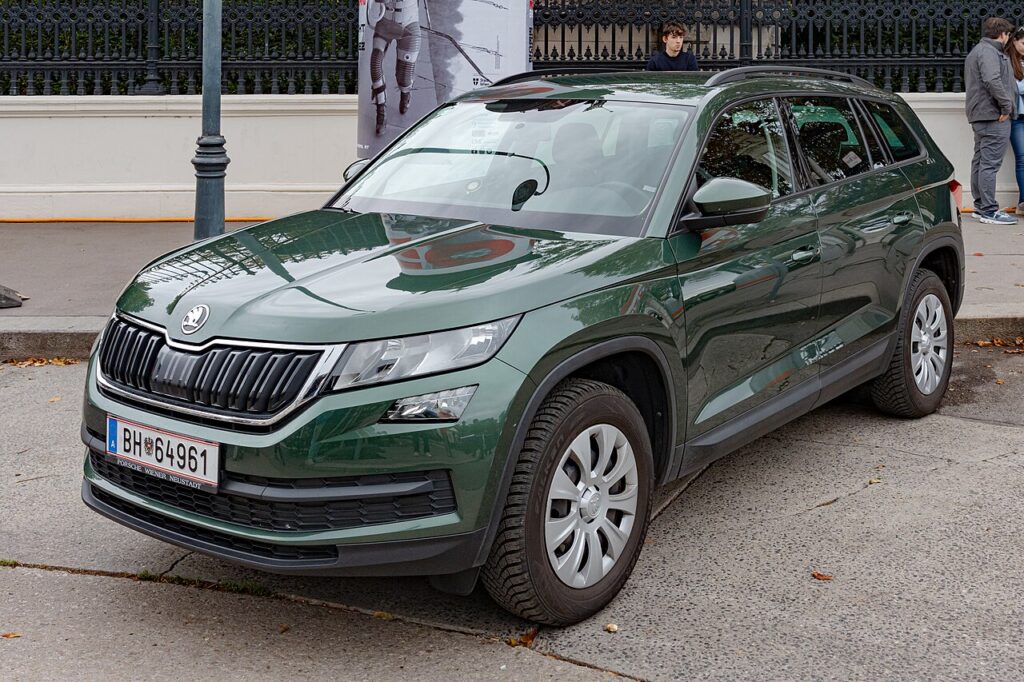
How Start/Stop Works on the Kodiaq
The Kodiaq only cuts the engine when its conditions are satisfied: the 12 V battery must hold enough charge, the engine must be warm, the cabin at your set temperature, and the car genuinely stopped with the brake held. When those line up, the engine stops and the AⓇ symbol appears in the cluster. If any one isn’t met — a cold engine, a hungry battery, the climate working hard — it leaves the engine idling instead. That’s why it can feel like it works some days and not others.
First, a Few Checks
- You only need the ignition on to change the setting — no need to be moving.
- The button sits near the gear selector or on the dashboard; a light shows the current state.
- The change applies to this journey only — it reverts to on when you next start the car.
- Planning engine-bay work? Switch it off first so the engine can’t restart while the bonnet is up.
How to Turn Off Start/Stop
- Find the AⓇ (A with a circular arrow) button near the gear selector or on the dashboard.
- Press it once — the indicator shows the system is off, and the engine will keep running when you stop.
It Resets Every Drive
Like nearly every car with this feature, the Kodiaq re-enables start/stop each time you switch the ignition off and on. There’s no permanent factory ‘off’ — press the button once per journey if you don’t want it.
If the Engine Won’t Stop (Even With the System On)
If start/stop is on but the engine never cuts at a standstill, an inhibit condition is almost certainly being met. Check these before suspecting a fault:
- A weak or ageing 12 V battery — the most common cause; the Kodiaq needs healthy charge to guarantee a restart. A battery a few years old, or a diet of short trips, stops it cutting out.
- The cabin isn’t at temperature — on a hot or cold day the climate control keeps the engine running.
- The engine is still cold — it won’t stop until warmed to operating temperature.
- You’re on a slope — on a gradient it often stays running so hill-hold behaves predictably.
- The car isn’t fully stopped or the brake isn’t firm — a slight creep, or easing the pedal, cancels the stop.
- A door or the bonnet is open, or the belt is unbuckled — these safety interlocks hold the engine on.
Once It’s Done
After a single press, the indicator confirms start/stop is off and the engine idles normally at every stop for the rest of the trip. Nothing else changes and no warning stays lit. Next time you start the Kodiaq it defaults back to on, so repeat the press if you want it off again. There’s no reset procedure to run and no menu to dig through.
Frequently Asked Questions
How do I turn off auto stop/start on a Skoda Kodiaq?
Press the AⓇ button near the gear selector or on the dashboard once. The indicator in the button or cluster confirms it’s off, and the engine keeps idling at the next stop. It’s a single press — no menu to open unless your trim also lists it on the infotainment screen.
Can I disable it permanently?
No — the Kodiaq resets start/stop to on at every ignition cycle. There’s no factory setting to keep it off for good, so you press the button once each time you set off. Aftermarket modules exist but sit outside the car’s standard controls.
Why did start/stop come back on?
Switching the ignition off and on re-enables it automatically. However you left the button, a fresh start returns the setting to on. This is expected and doesn’t mean the switch or system has failed — it’s simply how the default is designed.
Why won’t the engine stop sometimes?
A low battery, high climate demand, a cold engine, or a gradient will each hold the engine running — all by design. Once the engine warms up, the cabin reaches temperature and the battery is charged, you’ll usually see it start cutting out again at stops.
Does start/stop wear out the battery or starter?
No — the Kodiaq uses an uprated starter and a battery built for frequent cycling, so normal use won’t wear them prematurely. If anything, a battery that’s already tired shows up as start/stop refusing to work, rather than start/stop wearing it out.
Is it safe to leave start/stop on all the time?
Yes. The system is designed to run continuously and simply saves fuel in traffic. Turning it off is preference — smoother creeping in queues, maximum cabin cooling — or a safety step before you open the bonnet.
If a start/stop fault light shows instead of the normal indicator, look it up on autodtcs.com — a tired 12 V battery is the usual cause. See our Kodiaq battery guide.
Independent guide — not affiliated with Skoda. Always follow your official service manual and safety precautions. Read our full disclaimer.