These instructions apply to the Skoda Scala Mk1 (NW1) 2019-Present.
For other models, please choose your vehicle here.
A “Service” or “Inspection” message on your Skoda Scala (NW, 2019–present) means a maintenance interval has elapsed. On cars with a fixed service schedule you can clear it yourself with the 0.0 / SET trip button; cars on the flexible “longlife” schedule need a dealer tool (see below). Do the oil and filter change first.
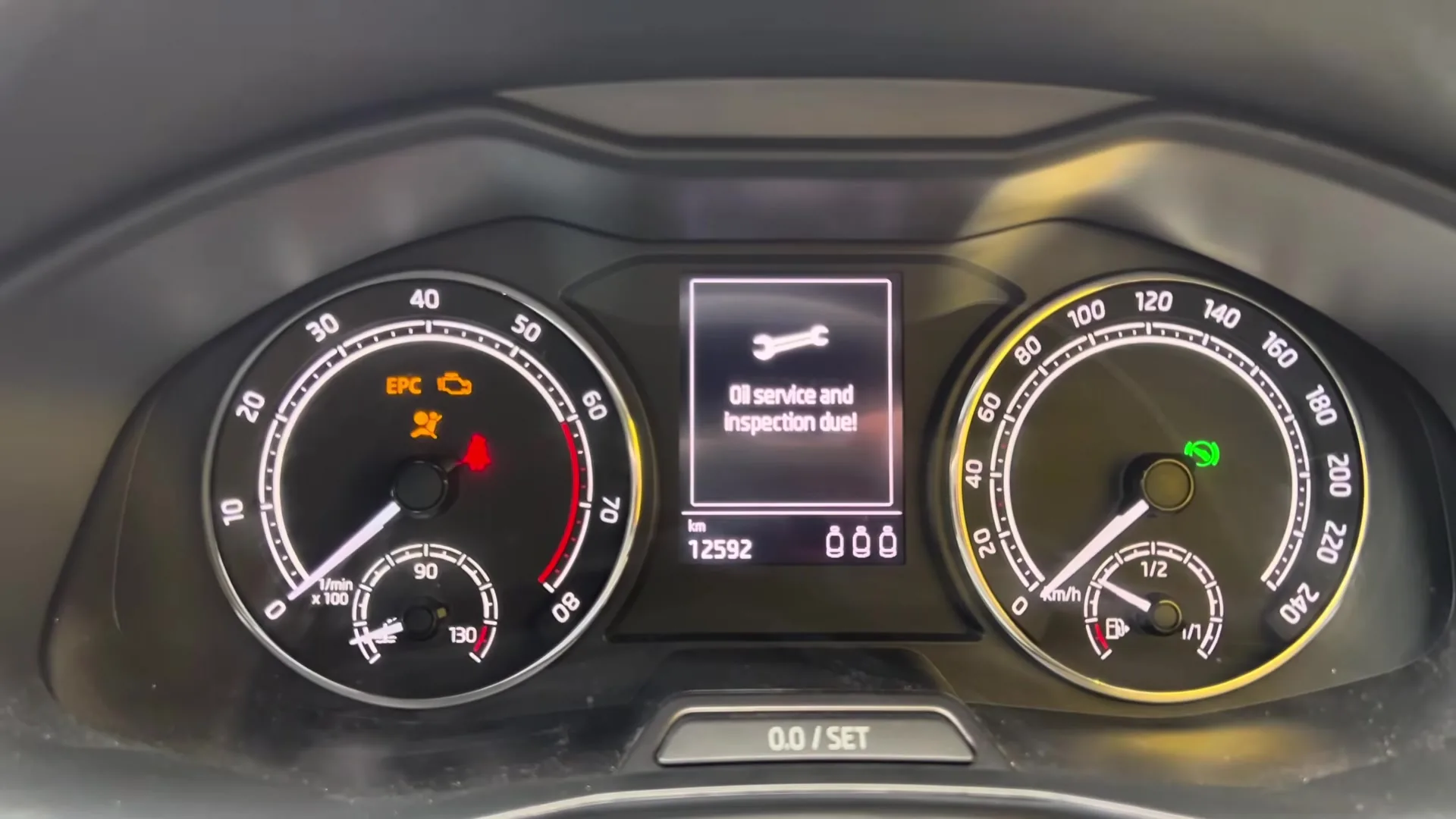
The Scala uses the Volkswagen Group service-reminder system, which runs two independent counters: the oil-change service and the wider inspection. The display may prompt one, the other, or both — each is reset separately. It is a maintenance reminder, not a fault.
Fixed or Longlife? It Decides Whether You Can DIY
On a fixed (time/distance) schedule — oil service every 15,000 km / 12 months — the button reset below works. On the flexible “longlife” schedule (oil service up to 30,000 km / 24 months, adjusted to how you drive) the counter can only be reset with a diagnostic tool at a garage; resetting it by hand can set the intervals wrongly, which is why Skoda advises against it. If you are unsure which your car has, it is on the service record.
Before You Start
- Finish the service first — oil, filter and any scheduled items; resetting early just hides the reminder while the oil keeps aging.
- Close everything — on keyless cars, shut all doors, the tailgate and the bonnet, or the reset menu may not appear.
- No tools required — the button method uses only the 0.0 / SET trip button and the ignition.
How to Reset the Scala Service Indicator (Analog Cluster, Fixed Schedule)
- Turn the ignition off.
- Press and hold the 0.0 / SET button — the trip-reset button below the central display.
- Keeping it held, switch the ignition on, then release. The service menu appears — select the counter to reset (oil service or inspection).
- A prompt appears — ‘Reset oil change service?’ for the oil counter (or ‘Delete inspection?’ for the inspection). Press and hold the button again to confirm, and the message clears.

The cluster confirming the service interval reset. The exact wording varies by software version (‘Service interval reset’ / ‘Reset oil change service?’). - If both counters were due, repeat the whole sequence for the second counter so the display clears completely.

On cars with the digital Virtual Cockpit it is the same reset, just shown graphically: the sequence opens a Service menu on the cluster (reached with the steering-wheel menu controls), where you pick the oil-change or inspection counter and confirm — instead of a text prompt on the Maxi-DOT. There is no separate infotainment menu for it; the reset lives in the cluster either way.
If the Reminder Returns
- It reappears at start-up — the confirmation wasn’t completed; run it again and press 0.0 / SET a second time at the prompt.
- Nothing happens with the button — your car is likely on the longlife schedule; that resets only with a diagnostic tool.
- Only one counter cleared — the oil-change and inspection reminders are separate, so reset whichever is still showing.
- It’s a different symbol — that’s a fault, not the service timer, and the reset won’t clear it.
Frequently Asked Questions
Why won’t the button reset work on my Scala?
The manual button reset only works on cars with a fixed service schedule. If yours is on the flexible longlife schedule, the counter can only be reset with a dealer diagnostic tool.
Why two separate resets?
Skoda counts the oil-change and inspection intervals independently; reset whichever is prompted, and run the sequence twice after a full service if both are shown.
Does the engine need to be running?
No — the button method only uses the ignition, not the engine. You hold the button, switch the ignition on, then confirm.
If a warning light came on with the service message, identify it on autodtcs.com. After battery work, see our Scala battery guide.
Independent guide — not affiliated with Skoda. Always follow your official service manual and safety precautions. Read our full disclaimer.