These instructions apply to the Smart Fortwo Mk2 (W451) 2007-2015.
For other models, please choose your vehicle here.
The key for a Smart ForTwo (W451, 2007–2015) — the Mercedes/Daimler-era city car built before the Renault-based W453 replaced it — is one of the more distinctive remotes on the road. Instead of a folding flip key or a separate smart fob, the W451 uses a single moulded plastic key with the metal blade, transponder and remote buttons all built into one wand-shaped body. When it stops locking the car from more than an arm’s length away, flashes the indicators oddly, or dies altogether, the cause is nearly always the coin cell inside. Here is the exact battery it takes, how to open the case without snapping it, and why a new key is the one job you can’t finish at home.
How to Tell the Fob Battery Is Dying
- Shrinking range. You have to stand right next to the ForTwo — sometimes almost touching the door — before it will lock or unlock. This is the first and clearest sign.
- The indicators flash several times fast. A well-known W451 quirk: when the key battery is getting weak, the hazard/indicator lights blink rapidly a number of times as you lock or unlock, instead of the normal single confirming flash. Treat that stutter as a low-battery warning.
- Buttons only respond now and then. Intermittent locking, worse on a cold morning, is a near-flat cell struggling to push out enough current.
- Nothing at all from the buttons. A completely dead cell means no response and no indicator flash — though, as below, you can still get into the car and drive it.
A coin cell in a W451 key typically lasts two to four years. If yours is around that age and doing any of the above, fit a fresh cell before you start suspecting the receiver or the immobiliser.
The Battery You Need
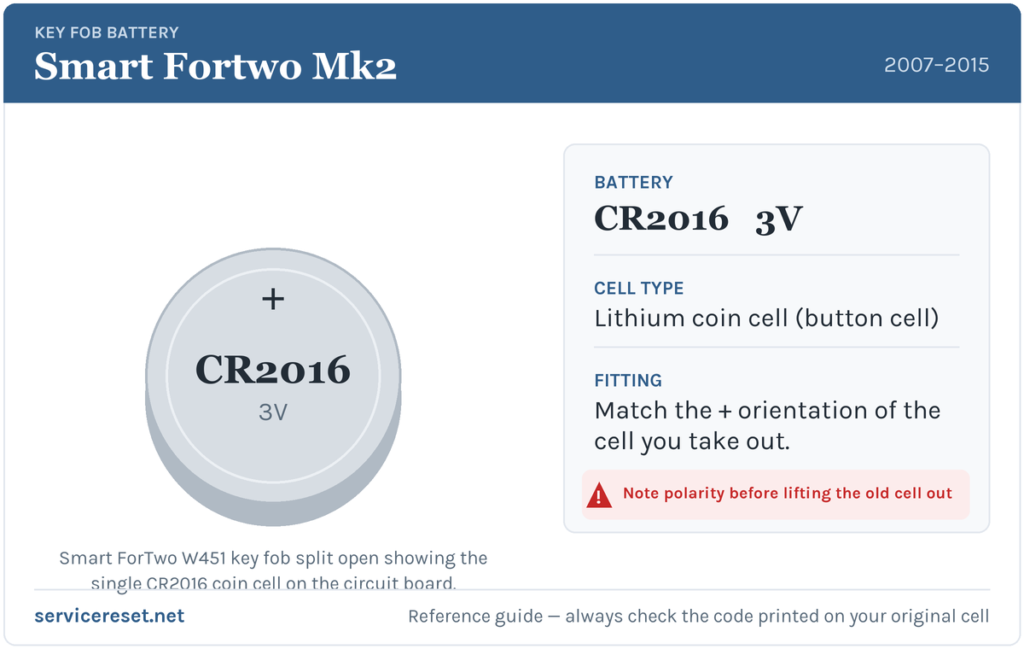
The W451 key takes a single CR2016 3-volt lithium coin cell. This is worth stressing: the earlier ForTwo (the 450, up to 2007) used two stacked coin cells, while this 451 generation switched to one CR2016. The CR2016 is the thinner cousin of the familiar CR2032 — same 20 mm diameter, but about half the thickness — so don’t grab a CR2032 out of habit; it’s too thick to seat correctly. Buy a good branded cell, as cheap ones sag under the brief transmit current and give poor range even when fresh.
How to Open the W451 Key and Change the Cell
- Take everything off the keyring first. You’ll be prying at the seam near the keyring hole, so clear it. Interestingly, the flat metal tab on a genuine Smart keyring is the ideal tool for the next step.
- Find the split line. The plastic key body is made of two halves that clip together around a seam running along its edge. At the end opposite the blade — around the keyring hole — there is a small gap in that seam to start from.
- Twist, don’t stab. Slip a thin flat tool (a small flat-blade screwdriver, a plastic pry tool, or that keyring tab) into the seam and gently twist to lever the two halves apart. Work along the seam rather than forcing one spot — the clips let go with a little persuasion.
- Lift out the old cell. Note which way up it sits before you remove it: the cell is held against the circuit board by small metal contact prongs and a flat contact pad. Copy that orientation exactly with the new one.
- Fit the fresh CR2016 the same way round as the one you took out, making sure it sits flat under the contacts and isn’t bridging anything it shouldn’t.
- Clip the case shut. Line up the two halves and press them together until the seam closes with a click all the way round. Refit the keyring and test every button.
⚠️ Match the polarity of the cell you removed. The correct orientation is whichever way the old cell was sitting — a coin cell fitted upside down won’t make proper contact and can drain, so don’t guess, copy. While the case is open it’s also worth wiping the contact prongs and pad clean, as a smear of grease or light corrosion there causes exactly the same weak-range symptoms as a flat battery.
Make Sure It Took
Stand back a few metres and lock, then unlock, the ForTwo. Full range should return straight away, and the indicators should give the normal single confirming flash rather than the rapid low-battery stutter. If range is back to normal, you’re done — no resyncing or relearning is needed after a simple cell swap on this key.
If a Fresh Cell Doesn’t Fix It
- Re-check the seating and orientation. The commonest mistake is a cell that’s upside down, not quite flat, or sitting slightly off its contacts. Open it back up and make sure it’s snug and the right way round.
- Clean the contacts. Wipe the prongs and the gold-coloured pad with a dry cloth; poor contact mimics a dead battery perfectly.
- Rule out the car. Rarely, a weak vehicle 12 V battery makes the central locking behave oddly. If the locks are erratic with a known-good key, have the car battery checked.
- Still no response with a known-good cell? The transmitter or a worn button contact inside the key may have failed — uncommon, but it happens on well-used keys, and the key head then needs repair or replacement.
New Key or Spare — Why It’s a Dealer Job
Changing the battery keeps the key’s existing coding, so the remote and the immobiliser both carry on working with no programming. A genuinely new key is a different matter. The W451’s blade has to be cut to the car, and the transponder chip has to be coded to the immobiliser using diagnostic equipment and the car’s VIN — something only a Smart/Mercedes dealer or a proper auto-locksmith can do. That’s why adding a spare or replacing a lost key isn’t a driveway job, so keep the battery in your spare key fresh too and you’re never down to a single working key.
Frequently Asked Questions
What battery does a Smart ForTwo W451 key take?
A single CR2016 3-volt lithium coin cell. Note this is different from the older 450-generation Smart, which used two stacked cells — the 451 uses just one CR2016.
Can I use a CR2032 instead of a CR2016?
No. A CR2032 is the same width but about twice as thick, so it won’t seat properly in the W451 key. Stick to the CR2016 the key is designed for.
Which way up does the cell go?
Fit it the same way round as the cell you removed — copy the orientation exactly. The battery is held by small contact prongs and a flat pad, and an upside-down cell won’t make proper contact.
Do I need to reprogram the key after changing the battery?
No. A battery swap doesn’t affect the coding, so the remote works immediately. Only cutting and coding a brand-new key requires programming at a dealer or locksmith.
Why do the indicators flash several times when I lock the car?
On the W451 that rapid multiple flash, instead of the usual single confirming blink, is the car’s way of telling you the key battery is getting low. Fitting a fresh CR2016 normally restores the normal single flash.
Can I still drive the ForTwo if the key battery is completely dead?
Yes. The W451 uses a physical bladed key you insert to unlock the door and start the car, and the immobiliser transponder is powered by the ignition ring rather than the coin cell. So a dead remote battery only stops the buttons working — you can still get in and drive normally.
If the remote stopped responding suddenly — particularly just after the car’s 12 V battery was disconnected — rather than fading gradually, the pairing or a stored fault is a more likely culprit than the cell; you can check any logged code for context on autodtcs.com.
Independent guide — not affiliated with Smart. Always follow your official service manual and safety precautions. Read our full disclaimer.