These instructions apply to the Subaru Levorg Mk1 (VM) 2014-Present.
For other models, please choose your vehicle here.
If the remote on your Subaru Levorg (2014 onward) has become a stand-right-next-to-it affair, or the push-button start has begun grumbling, the fix is usually the cheapest one going: a new coin cell in the fob. The Levorg — Subaru’s sporty turbo estate, launched on the VM platform in 2014 and carried into the current VN generation — is sold with keyless-access smart entry on the great majority of trims, the fob you can leave in a bag while the car unlocks as you reach for the handle. This guide covers the exact battery, how to crack the case open without marking it, and why swapping the cell is a driveway job but cutting a new key isn’t.
How to Tell the Fob Battery Is Dying
- Your working range keeps shrinking. Having to close right in on the car before it responds is the first and clearest hint the cell is fading.
- A low-key message pops up. The Levorg’s display warns when the smart-key battery is weak, and the car may ask you to press the fob to the start switch to get going.
- The indicator LED stays dark. That small light should flash on every press; when it won’t, the battery has usually dropped below transmitting voltage.
- It falters in the cold. A near-flat lithium cell loses punch at low temperature, so intermittent trouble on cold mornings points straight at the battery.
Expect somewhere between two and four years of service from a fob cell. A smart key kept close to the car overnight wakes repeatedly to hunt for it, and that steady nibbling shortens the life.
The Battery You Need
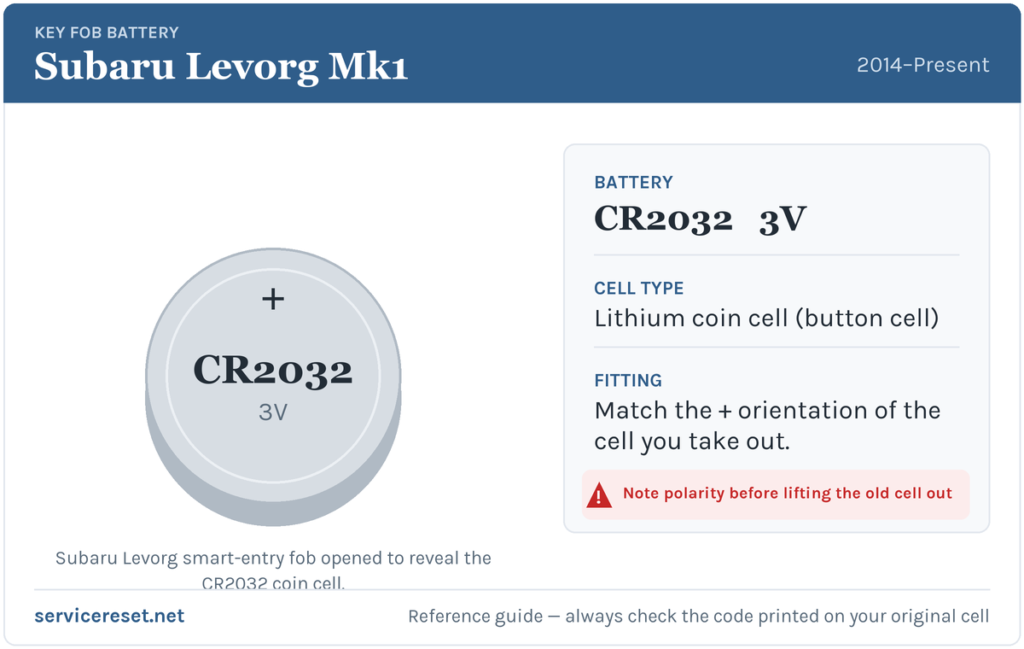
The Levorg’s keyless fob is powered by a single CR2032 — the everyday 3-volt, 20 mm lithium coin cell you’ll find at any supermarket or hardware counter. Spend the extra few pence on a quality branded cell: the fob’s transmitter demands a brief high-current pulse each time you press it, and a weak budget cell can sag under that and leave you with feeble range even when it’s brand new.
How to Change the Levorg Fob Battery
- Slide the release catch on the side of the fob and pull the emergency key blade clear. That blade is both your door-of-last-resort and the lever point for opening the case.
- Insert a flat plastic tool — or the blade you just removed — into the slot the blade left behind, or into the seam running around the body, and twist gently until the two halves part. It should give with almost no pressure.
- Prise out the spent CR2032, taking a second to note how it sat. Fit the new one positive (+) side up, facing the rear shell of the fob.
- Press the case back together until it clicks evenly all the way around, then push the blade home until it latches.
⚠️ Watch the orientation. A CR2032 installed upside down won’t power the fob and can slowly drain itself flat while it sits in there wrongly connected. The Levorg fob wants the plus face upward — and if you didn’t note it, simply match whichever way the old cell was pointing.
Check It Worked
Move back several metres and lock, then unlock, the car. Range should return immediately and the LED should blink crisply on each press. If the display had been nagging about a low key battery, it clears once the car reads a strong fob again — now and then only after you’ve completed a drive cycle.
If a Fresh Cell Doesn’t Fix It
- Reseat the battery. It has to sit flat and firm beneath its clip; a cell held slightly high makes flaky contact and mimics a flat one.
- Clean the contacts. A little finger grease or tarnish on the terminals dampens the signal — buff them with a dry cloth.
- Check the car’s 12 V battery. If the Levorg is slow to wake or the lights look dim, a tired main battery can cause key-detection glitches that a fresh fob cell won’t cure.
- Cross-check with the spare. Two fobs misbehaving the same way after new cells points at the car’s receiver rather than the remotes.
New Key or Spare — Why It’s a Dealer Job
Because a battery swap never touches the fob’s coding, there’s nothing to reprogram — the remote is live again the instant the case shuts. A truly new key is a bigger ask: the Levorg’s immobiliser has to be paired to the fresh fob with diagnostic gear, and blank smart fobs are ordered against the car’s VIN and cut to suit. That work belongs with a Subaru dealer or a capable auto-locksmith, so it’s worth keeping the cell in your spare fob fresh too — you never want to be down to a single working key.
Frequently Asked Questions
What battery does a Subaru Levorg key fob use?
A single CR2032 3-volt lithium coin cell — the standard cell across the Levorg’s keyless-access range.
Which way up does the cell go?
The positive (+) side faces up, toward the back of the fob. If you’re not certain, fit the new cell the same way the old one was sitting; upside down leaves the key dead and drains the battery.
Do I need to reprogram the Levorg after a battery change?
No. The coding is untouched by a battery swap, so the fob keeps working with the car straight away. Programming is only needed for a brand-new key.
How long should a Levorg fob battery last?
Around two to four years for most drivers. Keeping the fob right next to the car overnight makes it wake more often and can trim that a little.
I’ve fitted a new cell and it still won’t respond — why?
Recheck the polarity and that the cell is seated firmly, then clean the terminals. If the LED still won’t light with a known-good battery, the fob’s transmitter may have failed — rare next to a flat or reversed cell, but possible.
Can I still start the Levorg if the fob battery is dead?
Yes. Let yourself in with the emergency blade, then hold the fob against the push-button start so the car can read it directly, and press the brake to start. A dead cell won’t leave you stranded.
If the remote cut out suddenly just after the 12 V battery was disconnected — rather than tailing off over time — the pairing is the more likely cause than the cell, and a stored fault code could be behind it. You can check what one means on autodtcs.com.
Independent guide — not affiliated with Subaru. Always follow your official service manual and safety precautions. Read our full disclaimer.