These instructions apply to the Toyota RAV4 Mk2 (XA20) 2000-2005.
For other models, please choose your vehicle here.
The wireless remote on a second-generation RAV4 handles central locking, and you can register a replacement or spare yourself using a door-and-ignition sequence — no dealer visit needed. Up to four remotes can be paired to the car, so this is the job to do after buying a used fob or losing one.
Before you start, sit in the driver’s seat with the driver’s door open and unlocked, all other doors closed, and the key out of the ignition.
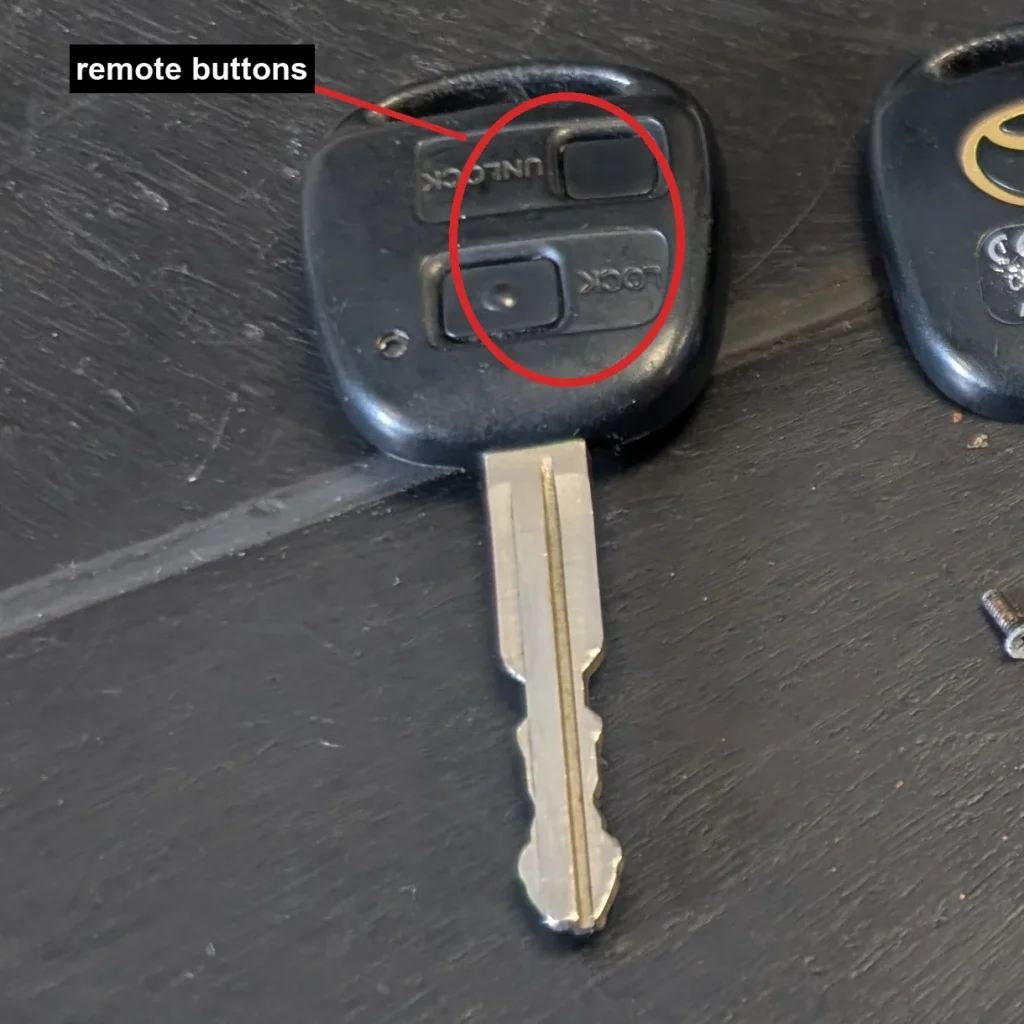
- Insert the key into the ignition and pull it back out — do this twice within five seconds.
- Open and close the driver’s door twice.
- Insert the key into the ignition and pull it out once.
- Open and close the driver’s door twice.
- Insert the key into the ignition and close the driver’s door.
- Turn the ignition from LOCK to ON and back to LOCK once, at roughly one-second intervals. A single ON cycle selects Add mode, which keeps the remotes already paired.
- Remove the key. The door locks will lock and unlock once to confirm the car has entered Add mode.
- Within 40 seconds, press the remote’s LOCK and UNLOCK buttons together for about 1.5 seconds, then press LOCK once on its own.
- The door locks cycle once to confirm the remote is registered. If they cycle twice, registration failed — start again from the beginning.
- To add another remote, repeat the button sequence on it within 40 seconds. When you have finished, open the driver’s door to exit programming.
Good to know
The number of ON cycles at step 6 chooses the mode. One cycle is Add mode, which registers a new remote alongside the existing ones. Two cycles is Rewrite mode, which erases all paired remotes first — use it when you have lost a fob and want to bar it, then re-register the ones you still hold.
Timing is tight throughout: each stage has roughly a 40-second window before the car drops out of programming, so keep moving and have every remote ready before you begin.
This sequence only pairs the wireless locking function. Cutting a new mechanical key blade or matching a key’s immobiliser chip to the car still needs a Toyota dealer with the correct diagnostic tool.
FAQ
Can I programme a RAV4 remote myself?
Yes. The door-and-ignition sequence above registers the wireless remote without any dealer equipment, as long as you have the key and are sitting in the car.
How many remotes can I pair?
Up to four remotes can be registered to the car at once.
How do I erase a lost remote?
Use Rewrite mode: two ON cycles at step 6 instead of one. This clears every paired remote, so afterwards you re-register only the fobs you still have, leaving the lost one locked out.
Does this cut or programme a new key?
No. It pairs the wireless locking only. A new mechanical key or a matching immobiliser chip has to be cut and coded by a Toyota dealer using a diagnostic tool.
Independent guide — not affiliated with Toyota. Always follow your official service manual and safety precautions. Read our full disclaimer.