These instructions apply to the Volvo S60 Mk3 (225) 2018-present.
For other models, please choose your vehicle here.
Your Volvo S60 (225, 2018–present) shuts the engine off at a standstill to save fuel and reduce emissions in stop-go driving. When you’d rather keep it running — crawling traffic, a hot day, or before any under-bonnet work — you can switch the auto stop/start off. It’s a comfort preference rather than a fault: the engine cutting out at a red light means the system is working normally, and switching it off does the car no harm.
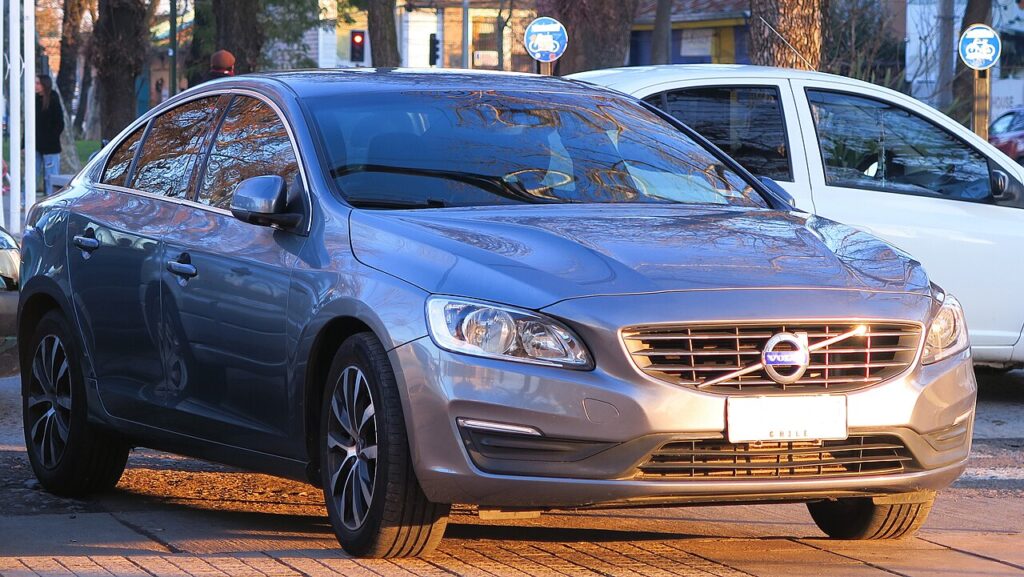
How Auto Stop/Start Works on This Model
On the S60 the system continuously checks several conditions before it will cut the engine. It monitors the 12 V battery’s state of charge, the engine coolant temperature, cabin heating or cooling demand, whether you’re on an incline, and how firmly the brake is held with the car fully stopped. Only when all of these are satisfied does it shut the engine down, restarting the instant you lift off the brake. Each restart draws on the battery, so a healthy 12 V unit is central to the feature behaving smoothly.
First, a Few Checks
- Have the engine running and the car at a standstill — you set this during a normal drive, not with the ignition off.
- Decide whether you’ll use the physical button or the touchscreen setting; both do the same job.
- If you’re disabling it for engine-bay work, switch the ignition fully off so the engine can’t auto-restart.
- Expect to repeat this each drive — the setting doesn’t carry over between trips.
Turning It Off
- Look for the start/stop (auto-stop) button — often marked with an A and an arrow — near the gear selector, and press it once.
- If your S60 has no physical button, open the centre touchscreen → Settings and switch ‘Automatic engine start/stop’ off.
Why It Returns Each Drive
The S60 re-enables auto stop/start every time you start the car. There’s no permanent off — switch it off again at the start of each drive if you prefer it disabled.
If the Engine Won’t Stop at Idle
If the system is on but the engine keeps running, it’s almost always an inhibit condition, not a fault. Common reasons on the S60:
- The 12 V battery charge is low — an ageing or under-charged battery is the usual cause.
- The cabin still needs heating or cooling, so the engine keeps the climate system fed.
- The engine hasn’t reached normal temperature yet on a cold morning or short trip.
- You’re stopped on a gradient, or the brake isn’t held firmly enough.
- The bonnet is open, or outside temperatures are very high or very low.
- On mild-hybrid (B-badged) S60s the engine is managed by the electrical system and won’t behave like a plain petrol.
Once It’s Done
Once switched off, the system stays off and the engine keeps running at every stop for the rest of the drive. Fuel use rises slightly in heavy traffic, which is the trade-off. Because the setting resets, the S60 arms it again next time you start the car, so repeat the button press or menu change if you want it off.
Frequently Asked Questions
How do I turn off auto stop/start on a Volvo S60?
Press the auto-stop button by the gear selector, or switch ‘Automatic engine start/stop’ off in the centre touchscreen settings. Either method disables it for the current drive. The engine will then keep running at every stop until you switch the car off, when the system resets to on again.
Can I disable it permanently?
No — the S60 re-arms auto stop/start at every engine start, so there is no built-in permanent-off setting. You need to switch it off at the start of each drive. Aftermarket memory modules exist to hold the setting, but that’s outside standard owner use and can affect warranty cover.
Why didn’t the engine stop today?
Low 12 V battery charge, ongoing climate demand, a cold engine, a gradient, or a brake pedal not held firmly will all keep the engine running. This is deliberate — the system only cuts the engine when conditions are comfortable, so days where it barely stops are normal rather than a fault.
Does leaving it on harm the car?
No — the starter and battery are specified for the constant cycling, so leaving it enabled is fine. The main caveat is the 12 V battery: as it ages the system can turn erratic, stopping less often or not at all, which usually means the battery needs checking rather than a fault in the feature.
Do the mild-hybrid S60s behave differently?
Yes — on B-badged mild-hybrid S60s the electrical system manages the engine and can coast or restart in ways a plain petrol won’t. The stop/start behaviour is more integrated with the hybrid system, so the button and menu still apply but the exact engine behaviour differs from the pure combustion cars.
Should I switch it off before working under the bonnet?
Yes — if you’ll be near belts or moving parts, switch the ignition fully off rather than just disabling stop/start. Turning the feature off still leaves the engine live and able to run, so shutting the car down completely is the safe approach for any engine-bay work.
If a stop/start fault shows, it usually points to the 12 V battery — see our S60 battery guide, or look the code up on autodtcs.com.
Independent guide — not affiliated with Volvo. Always follow your official service manual and safety precautions. Read our full disclaimer.