These instructions apply to the Nissan Pulsar C13, C12, B17 (2014 - 2018). For other models, please choose your vehicle here.
The maintenance indicator in the Nissan Pulsar reminds you when service is due. After completing oil changes or routine maintenance, the reminder must be reset. The process differs slightly depending on whether your vehicle has a keyless entry system.
Vehicles Without Keyless Entry
Turn the ignition ON (do not start the engine).
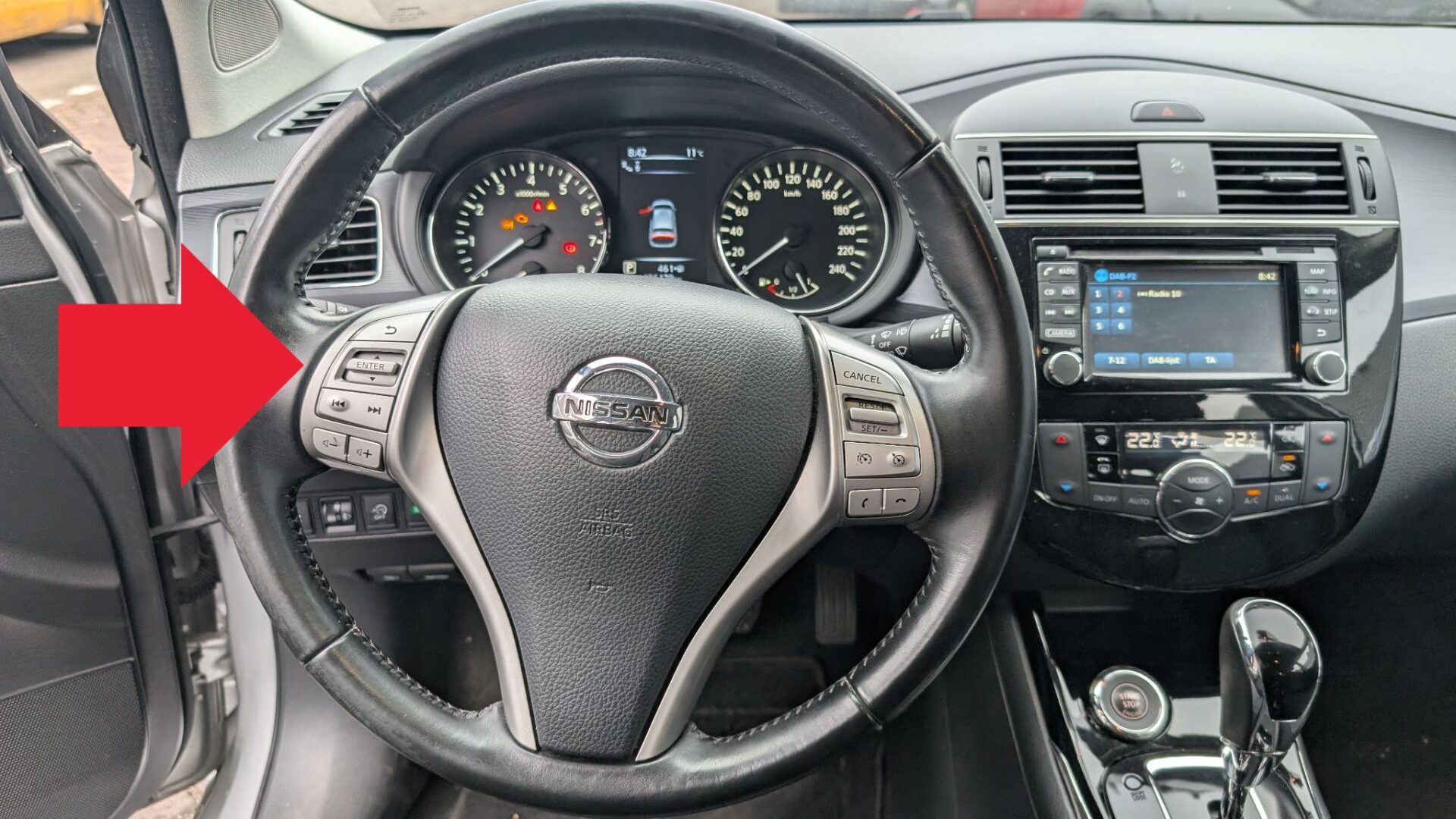
Use the display controls to navigate through the menu.

Select Maintenance.
Scroll until you see Service Menu.
Choose Reset.
Confirm by pressing ENTER on the joystick.
Switch the ignition OFF.
Vehicles With Keyless Entry
Do not press the brake or clutch pedals.
Press the Start/Stop button twice (without starting the engine).
Navigate the display menu using the same steering wheel control button shown in the image above, and select Maintenance.
Scroll until the Service Menu appears.
Choose Reset and confirm with ENTER.
Switch the ignition OFF.
⚠️ Tip: Only reset the maintenance indicator after completing the required service to keep your schedule accurate.
Disclaimer: The information on this page is provided for general guidance only. Always follow your official service manual and safety precautions when working on your vehicle. We are not responsible for errors, omissions, or any damage resulting from the use of this information.
This website is an independent resource and is not affiliated with, endorsed by, or sponsored by Nissan. All trademarks and brand names belong to their respective owners.