These instructions apply to the Kia Venga Mk1 (YN) 2010-2019.
For other models, please choose your vehicle here.
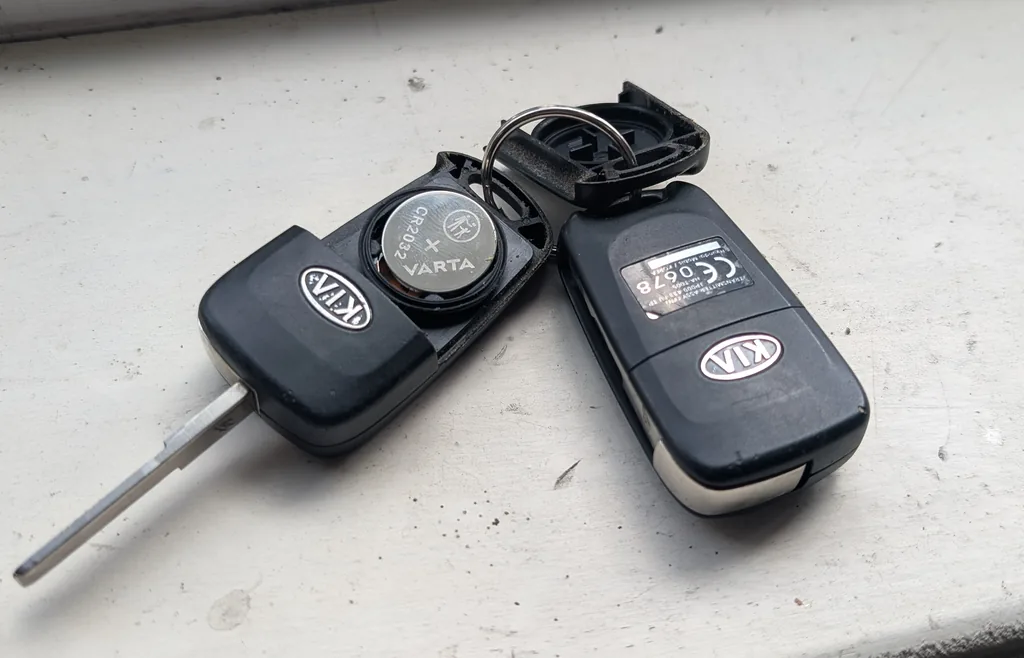
A weak remote on the Kia Venga (YN, 2010–2019) — where you have to stand close to lock or unlock — usually just needs a fresh coin cell. It’s a two-minute job with a small screwdriver, and no re-programming is needed afterwards. The Venga came with two key styles, so check which you have first.
Which Key Do You Have?
Both keys use a CR2032 3 V lithium coin cell, but the cell sits differently:
- Remote-head key (buttons and a fixed blade in one piece) — the cell fits positive (+) side up.
- Flip / switchblade key (blade folds out of the fob) — the cell fits positive (+) side down.
Remote-Head Key (positive up)
- Insert a small flat screwdriver into the case seam and gently prise the two halves apart.
- Lift out the old CR2032.
- Fit the new cell positive (+) up, then clip the case back together.
- Check the remote locks and unlocks the car.
Flip Key (positive down)
- Remove the transmitter unit from the key body (fold the blade and release it), then split the case.
- Lift out the old CR2032.
- Fit the new cell positive (+) down, reassemble and refit the blade.
- Check the remote locks and unlocks the car.
If you are unsure, note which way the old cell sat and fit the new one the same way.
Does It Need Programming?
No — a battery swap doesn’t affect pairing, so the remote keeps working immediately. A lost or additional key can only be cut and programmed by a Kia dealer with a diagnostic tool; there is no owner on-board procedure for the Venga.
Frequently Asked Questions
What battery does the Kia Venga key take?
A single CR2032 3 V lithium coin cell. It fits positive-up in the one-piece remote-head key and positive-down in the flip key.
My remote still won’t work with a fresh cell.
Re-open it, check the cell orientation and that the contacts are clean. If it’s still dead the transmitter may have failed and need replacing and programming by a dealer.
For fault codes, look them up on autodtcs.com.
Independent guide — not affiliated with Kia. Always follow your official service manual and safety precautions. Read our full disclaimer.