These instructions apply to the Kia Venga Mk1 (YN) 2010-2019.
For other models, please choose your vehicle here.
If the one-touch (AUTO) windows on your Kia Venga (YN, 2010–2019) stop closing on a single press — usually after a flat battery or a disconnect — each window needs re-initialising so it relearns its fully-closed position. No tools, about a minute.
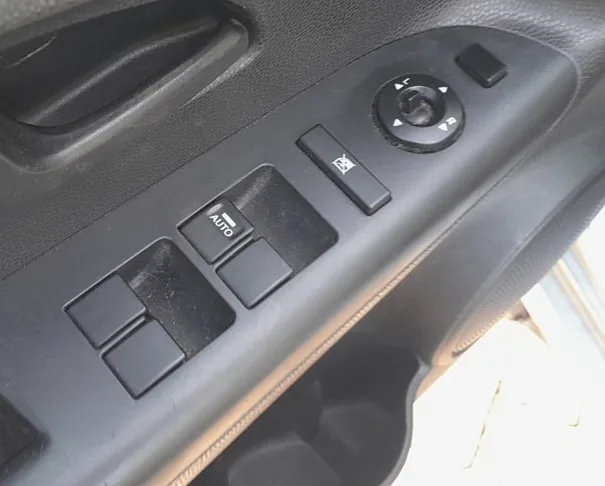
Where the Switches Are
The window switches are on the driver’s-door armrest; the driver’s window has one-touch AUTO.
How to Re-initialise Each Window
- Turn the ignition ON.
- Pull and hold the switch UP until the window is fully closed, then keep holding for about one second after it stops.
- Release the switch.
- Check one-touch AUTO now works, and repeat for the passenger window.
Frequently Asked Questions
Why did my Venga windows lose one-touch?
The motor stores its fully-closed position. Losing 12 V power — a flat or disconnected battery, or a blown fuse — erases it, so one-touch and auto-reverse stop working until you re-teach the window.
One-touch still won’t work.
Repeat the hold-closed step and hold a little longer after the glass stops. If it still fails, check the window fuse and that the glass moves freely in its runs.
For related fault codes, see autodtcs.com.
Independent guide — not affiliated with Kia. Always follow your official service manual and safety precautions. Read our full disclaimer.