These instructions apply to the Toyota RAV4 Mk2 (XA20) 2000-2005.
For other models, please choose your vehicle here.
When your RAV4 remote only works up close, or the lock and unlock buttons stop responding altogether, the coin cell inside the fob has gone flat. Fitting a fresh battery restores the range and does not unpair the remote, so it keeps working straight away with no reprogramming.
- If the remote is built into the key as a flip or integrated unit, release and remove the mechanical key blade first by pressing the release catch.
- Work a small flat screwdriver into the seam and gently prise the two halves of the fob case apart. Take care not to crack the case, and do not touch the circuit board or the metal terminals.
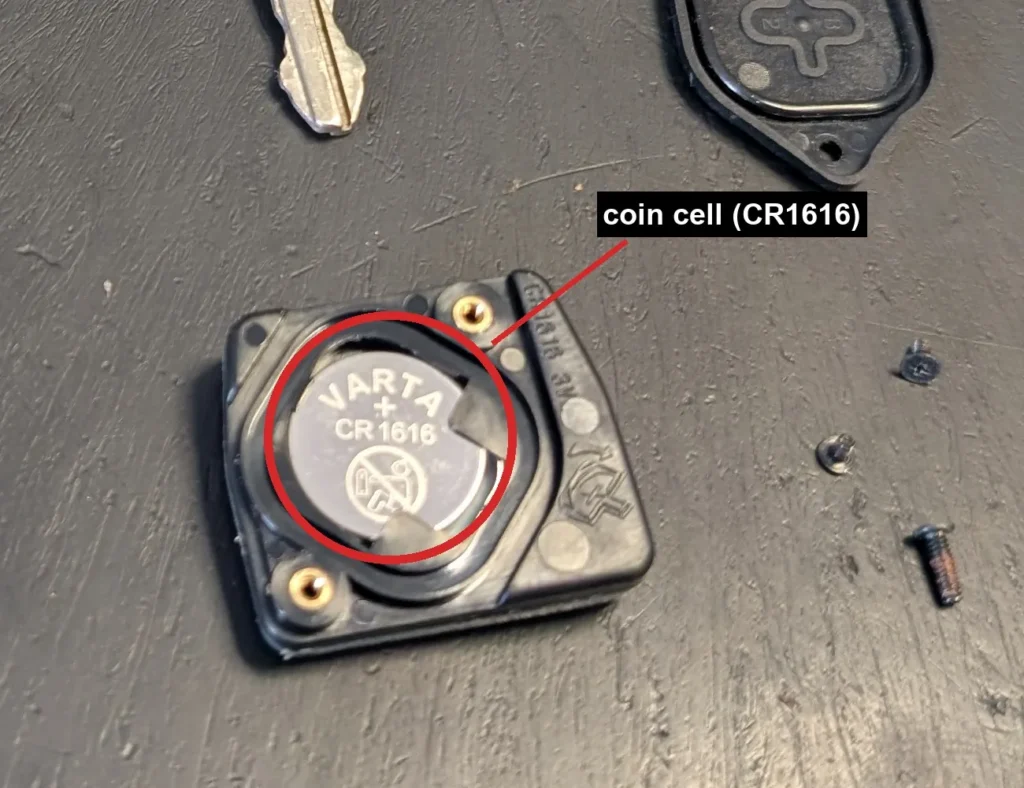
- Note which way round the old coin cell sits in its holder, then lift it out.
- Check the marking on the old cell for the exact type, then fit a fresh coin cell of the same type the same way round, with the positive side usually facing up. These remotes typically take a CR1616 or CR2016.
- Clip or press the case back together, refit the key blade, and press a button to confirm the remote locks and unlocks the car.
Good to know
A flat remote does not stop you using the car. The cut mechanical key still unlocks the door and starts the engine, so a dead fob battery never leaves you stranded.
Replacing the cell is a battery change only. It does not clear the remote’s pairing, so no reprogramming or re-registering is needed afterwards.
FAQ
What battery does the RAV4 remote take?
A small coin cell, commonly a CR1616 or CR2016. The safest way to be sure is to read the marking printed on the old cell before you buy a replacement.
Do I need to reprogramme the remote after changing the battery?
No. A battery change keeps the existing pairing intact, so the remote works as soon as the fresh cell is fitted.
The remote still does not work after a new battery. What now?
Check that the cell is the right way round and that the contacts are clean and springy. If the remote was already faulty before the battery went flat, it may need re-registering, but a straightforward battery swap does not.
Can I still drive with a dead remote battery?
Yes. Use the mechanical key to unlock the door and start the engine, then replace the coin cell when convenient.
Independent guide — not affiliated with Toyota. Always follow your official service manual and safety precautions. Read our full disclaimer.