These instructions apply to the Kia Sorento Mk2 (XM) 2009-2014.
For other models, please choose your vehicle here.
If your electric windows have stopped rising in one touch, they usually just need re-initialising. The Sorento loses the window settings after a battery disconnect or a flat battery, which disables the one-touch and anti-pinch functions until each window is taught its fully closed position again.
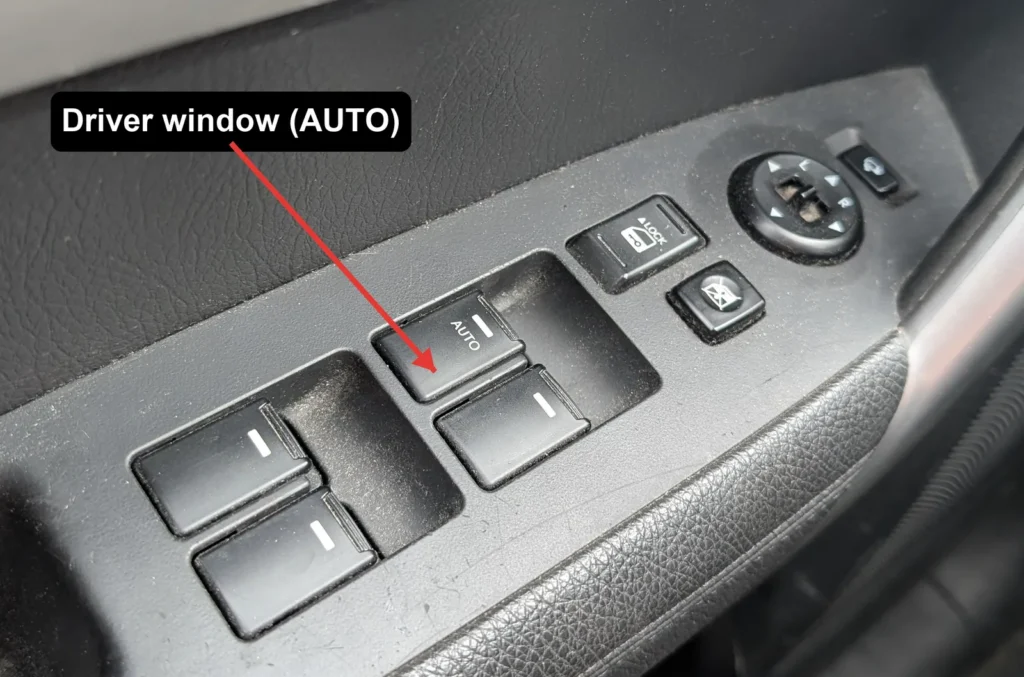
- Turn the ignition on.
- Fully close the driver’s window, then press and hold the power-window switch in the CLOSE (up) position.
- Keep holding the switch for about 3 seconds after the window is fully shut.
- Release the switch.
- Check that one-touch up and down both work correctly, then repeat the procedure for the passenger’s window and any other one-touch windows.
Good to know
This is the normal fix straight after you disconnect and reconnect the 12V battery, so it is worth doing as soon as the battery work is finished. If you have just changed or reconnected the battery and the windows are behaving oddly, re-initialising each one usually clears it.
If one-touch still will not work after re-initialising, the fault is no longer the setting. In that case the power-window switch or the window motor may need checking.
FAQ
Why did my Sorento windows stop going up in one touch?
They lost their initialisation. A battery disconnect or a flat battery wipes the stored closed position, so the window still moves manually but the one-touch and anti-pinch functions switch off until you re-initialise it.
How do I fix one-touch windows?
Re-initialise the window: with the ignition on, fully close it and keep holding the switch in the up position for about 3 seconds after it has shut, then release. Repeat for each one-touch window.
Do I need any tools?
No. The whole procedure is done with the window switches and the ignition on, so no tools are required.
It still will not auto-close after re-initialising.
If one-touch up still fails once the window has been re-initialised, have the power-window switch and the window motor checked, as one of those is the likely cause.
Independent guide — not affiliated with Kia. Always follow your official service manual and safety precautions. Read our full disclaimer.