These instructions apply to the Nissan Qashqai Mk3 (J12) 2021-Present.
For other models, please choose your vehicle here.
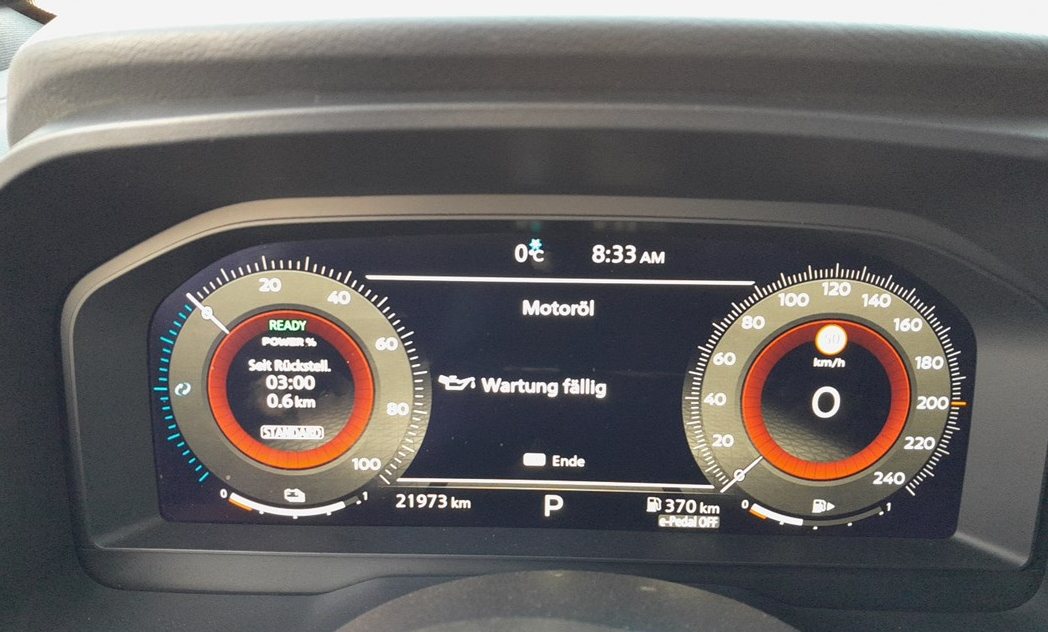
When the spanner (service) symbol or a maintenance message appears on your Nissan Qashqai J12 (2021–present), it means the service interval has elapsed and a routine service is due. After the work is done you can clear it yourself from the driver display using the steering-wheel controls — no diagnostic tools and no dealer visit.

What the Service Reminder Means
The service reminder on the third-generation Qashqai is a maintenance prompt, not a fault warning. The car keeps a running count of the distance driven and the time passed since the reminder was last cleared, and once that budget runs out it displays the spanner symbol or a service message at start-up to tell you a routine service is due. It cannot detect that the oil has actually been changed — it is simply a timer, so it will keep showing until the menu reset below tells the system to begin a fresh interval.
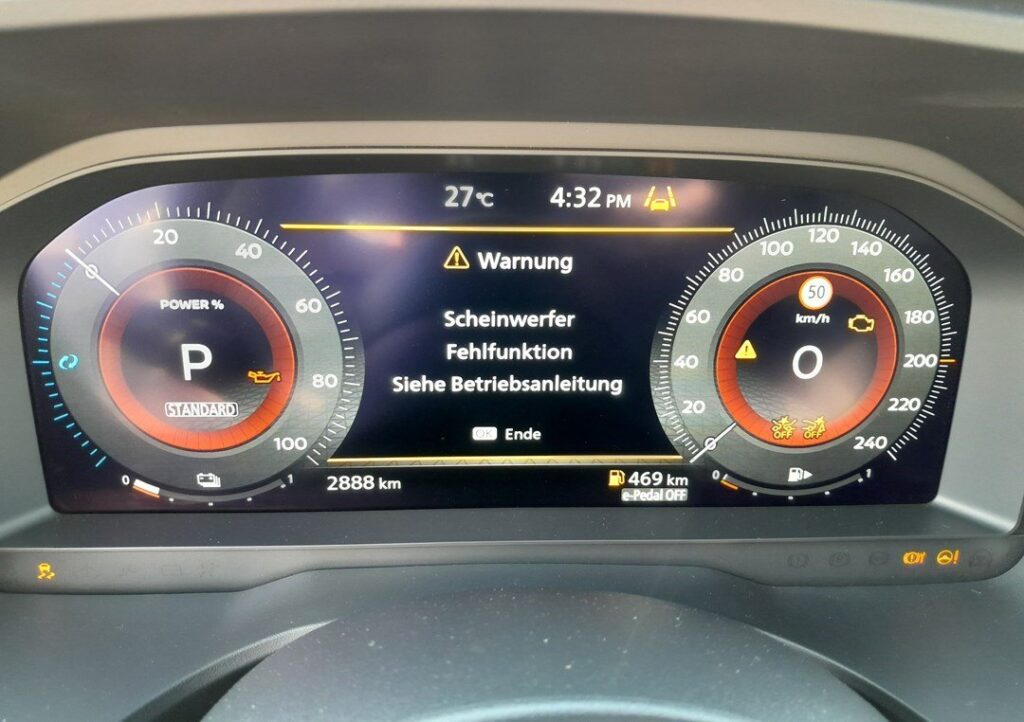
Because it is only a counter, the reminder says nothing about the mechanical health of the car. It behaves identically whether or not the service has been carried out, so treat it as a scheduling nudge rather than a warning that something is wrong. If instead you see a separate, dedicated warning symbol — engine management, oil pressure, brake, charging — that is a genuine fault, and it will not clear with the service reset described here.
Getting Ready
- Park the car safely and make sure it is stationary, handbrake applied, on level ground.
- Do not start the engine — the ignition should be switched to the ON position only, so the driver display is powered up but the engine is not running.
- Ensure all routine maintenance has been carried out before performing the reset; clearing it early just hides the reminder while the oil and filters keep ageing.
- No tools are needed — the whole procedure is done from the car’s own display with the steering-wheel buttons.
Manual Reset Procedure
- Switch the ignition to the ON position (do not start the engine).
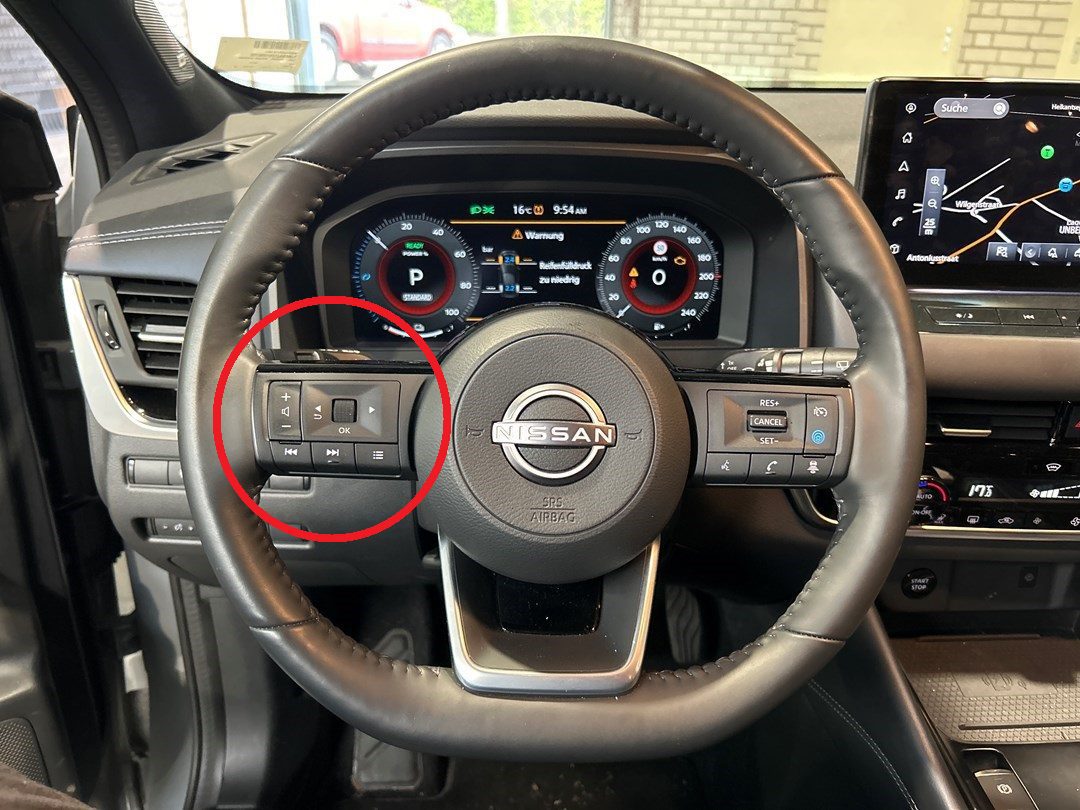
- Using the multifunction steering wheel controls, scroll through the menu on the driver display.
- Select Settings from the menu.
- Navigate to Maintenance.
- Choose Service.
- Select Reset to clear the service reminder.
- The reset is now complete — the service indicator will be cleared until the next scheduled interval.
The important detail is the final Reset confirmation: the Qashqai asks you to confirm before it clears the counter, so if you leave the menu without confirming, the reminder is left untouched. Step all the way through until the display acknowledges that the service has been reset.
Troubleshooting & Tips
- If the service light does not clear, repeat the procedure carefully — moving through the menu too quickly, or backing out before the Reset is confirmed, can cause the reset to fail.
- Make sure the ignition is in the ON position and the engine is not running; the reset will not complete if the car is started.
- Check you are in the right menu — Settings → Maintenance → Service → Reset. A similar-looking display item elsewhere in the menus will not clear the service counter.
- Cycle the ignition fully off, wait a few seconds, switch back to ON and work through the menu once more.
- Only reset the reminder after the scheduled maintenance has been completed. Resetting early will result in incorrect service intervals.
- If the indicator continues to display even after several attempts, or a different warning light is on, there may be a fault that requires inspection by a professional.
What Happens Next
Once you confirm the reset, the spanner symbol or service message clears and the maintenance counter restarts from a full interval. The setting is stored immediately, so the reminder should stay off through the next start-up and will not reappear until the new interval is used up. If the display is clean the next time you switch on, the reset has taken and there is nothing more to do.
How Often It Comes Up
Reset the reminder once after every service, straight after the oil and filter change, and not before. The Qashqai J12’s interval is based on both distance and elapsed time, so on a low-mileage car the time limit can trigger the reminder before the mileage does — that is normal. For the exact service interval that applies to your car and how you drive it, follow the schedule in your owner’s handbook rather than a figure from memory.
Frequently Asked Questions
How do I reset the service light on a Nissan Qashqai J12?
With the ignition on and the engine off, use the steering-wheel controls to go to Settings → Maintenance → Service → Reset, then confirm.
Do I need a diagnostic tool?
No — the reset is done entirely from the driver display using the steering-wheel buttons.
Does the engine need to be running?
No — the ignition must be in the ON position with the engine off. If the car starts, the reset will not complete.
The reminder came straight back — why?
Usually the Reset wasn’t confirmed. Repeat the menu steps and complete the confirmation so the counter actually clears.
Will resetting change any of my other settings?
No — it only restarts the service-interval counter and leaves your other vehicle settings alone.
The spanner is still on after resetting — is it a fault?
If it’s the service reminder and it won’t clear, the reset probably wasn’t confirmed. A separate, dedicated warning light is a fault that needs diagnosis rather than a reset.
If a separate warning light appeared alongside the service message, our sister site autodtcs.com can help you identify it.
Independent guide — not affiliated with Nissan. Always follow your official service manual and safety precautions. Read our full disclaimer.