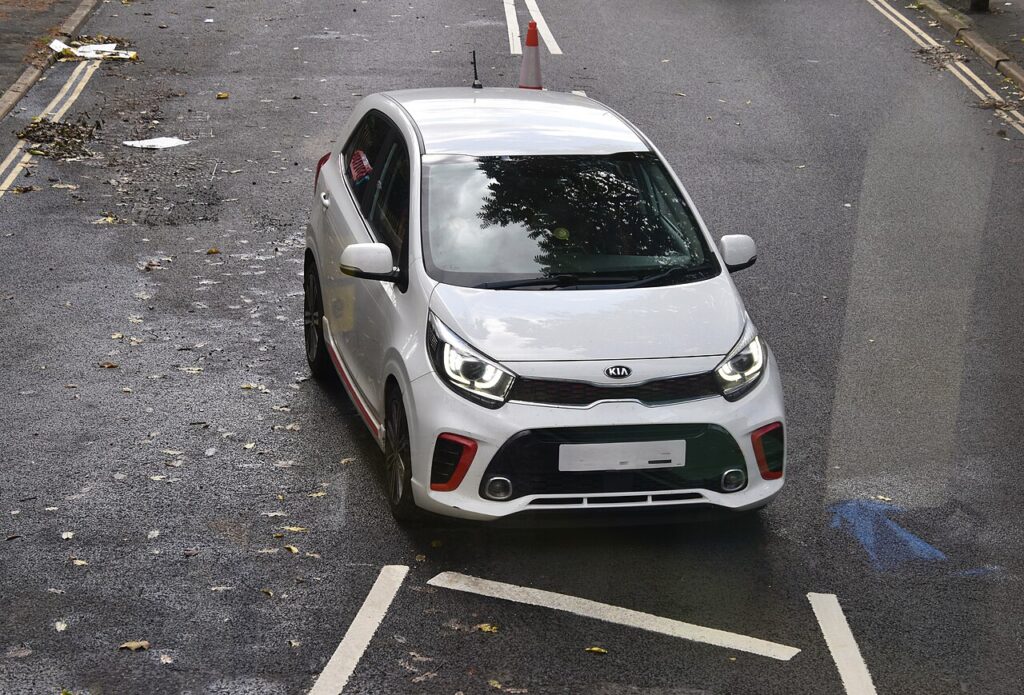
These instructions apply to the Kia Picanto Mk3 (JA) 2017-Present.
For other models, please choose your vehicle here.
The third-generation Kia Picanto (JA chassis, 2017–present) offered an electric tilt-and-slide sunroof on the top-spec ‘4’ trim and the X-Line GT-Line S. After a battery disconnection — for replacement, jump-starting, or other electrical work — the sunroof controller loses memory of the open and closed positions. The fix is a short owner procedure with no tools, no scan equipment, and no dealer visit.
Before you start
The Picanto’s sunroof switch sits in the headliner above the rear-view mirror — a single rocker switch with two functions: forward to close/tilt, backward to slide-open. The procedure relies on the controller seeing a clean transition from closed to open and back to closed within a single procedure cycle.
- Battery state of charge. Sunroof initialization needs consistent motor speed. A weak battery causes the motor to slow at the seal and the controller misreads the position. If the car has been sitting, run the engine for 5 minutes before the procedure.
- Sunroof must start the procedure fully closed. If the roof is partially open when you begin, the controller can’t establish the correct closed-position reference.
- All doors closed. Door-ajar inputs interrupt the calibration timer.
- Park on level ground. A slope causes the glass to drift slightly under gravity, which feeds back to the encoder count.
Tools required
None.
Initialization procedure
- Switch ignition ON or, on push-button-start cars, press START once without the brake pedal pressed. The dashboard illuminates; the engine is off.
- Verify the sunroof is fully closed in its normal park position. If it isn’t, briefly press the switch in the close direction until it reaches the seal, then release.
- Press the switch forward (close direction) and hold it. Even though the roof is already closed, the controller needs to see a sustained close command to enter calibration mode.
- After approximately 2 seconds, the sunroof will tilt up briefly and then move forward slightly. This is the controller acknowledging entry into calibration mode.
- Release the switch.
- Press the switch forward again until the roof returns to the fully-closed position. The motor stops automatically.
- Release. The initialization is complete.
- Test: a brief press in tilt direction should pop the roof to tilt and stop. A brief press in slide direction should slide it fully open. Another brief press slides it fully closed.
How to verify it has worked
- One-touch tilt and one-touch slide both work from brief switch presses.
- The roof reverses approximately 10 cm if you obstruct it during a close (test gently with a soft cloth).
- On ‘4’ trim and X-Line GT-Line S with the remote-key global-close feature, holding the lock button on the key fob for 3 seconds should now close the sunroof automatically.
Troubleshooting
The roof doesn’t tilt during step 4. The controller hasn’t recognised the close command. Common cause: the switch was pressed for less than the required 2 seconds. Repeat the procedure with a sustained 3-second hold in step 3.
Roof moves part-way and stops during calibration. Motor protection has triggered on phantom resistance. Most common cause on a 4+ year-old Picanto: stiff seal rubber. Spray silicone lubricant onto the seal surface, work the roof open and closed manually (the manual override is the small hex-key port in the headliner near the dome light), then re-run the procedure.
Procedure works but one-touch is now reversed (forward press opens, backward press closes). Rare but possible if the procedure was interrupted mid-cycle. Disconnect the battery for 5 minutes, reconnect, and run the procedure cleanly from start to finish.
“AUTO” function fails but hold-to-move works. The calibration didn’t complete. Most often because the switch was released between steps 5 and 6. The procedure needs both half-cycles to register before the controller commits the calibration.
Water drips inside near the headliner corners. Not an initialization issue — the four drain tubes in the sunroof frame are blocked. Use a thin cable tie or low-pressure compressed air to clear each drain; water should exit under the front wheel arches and behind the rear wheels.
Frequently asked questions
Does the procedure differ between the standard Picanto JA and the X-Line GT-Line S?
No. Both use the same sunroof hardware and the same controller firmware. The X-Line just adds cosmetic differences and slightly different switch surrounds.
What’s the difference between the Picanto JA sunroof procedure and the Kia Rio UB procedure?
The Rio UB uses a 10-second held tilt-up to enter calibration mode and runs a full automatic tilt-slide-tilt cycle. The Picanto JA uses a 2-second held close to enter mode and only needs a single close-cycle to complete. They’re both designed by the same Hyundai-Kia engineering team but differ in detail because the sunroof units come from different suppliers.
Will the sunroof work without initialization?
Yes — it tilts and slides while you hold the switch in either direction. You lose: one-touch in both directions, anti-pinch reverse, and the global-close-via-remote function. Driving without the calibration is safe; it’s a convenience issue.
Does the procedure clear sunroof-related fault codes?
No. The procedure only recalibrates positional memory. If the sunroof has logged a fault code (e.g., B-prefix in the body computer), that needs a scan tool to clear. The fault code is independent of the calibration.
How often will I need to do this?
Only after a power interruption to the sunroof controller. A normal Picanto in normal use will hold its calibration for the life of the car.
Disclaimer: This guide is for general information. Always follow your vehicle’s official service information and safety instructions. Perform repairs at your own risk.
For sunroof-related fault codes, see autodtcs.com.
Independent guide — not affiliated with Kia. Always follow your official service manual and safety precautions. Read our full disclaimer.