These instructions apply to the Kia Picanto Mk2 (TA) 2011-2017.
For other models, please choose your vehicle here.
The Kia Picanto TA (2011–2017) on ISG-equipped trims ships with Kia’s Idle Stop & Go system — an auto start/stop feature that cuts the engine when the car is stationary at lights or in queues, restarting it the moment you press the clutch or release the brake. The system is on by default at every ignition cycle; the dashboard OFF button lets you disable it for the current trip, but the setting reverts to ON the next time you start the car.
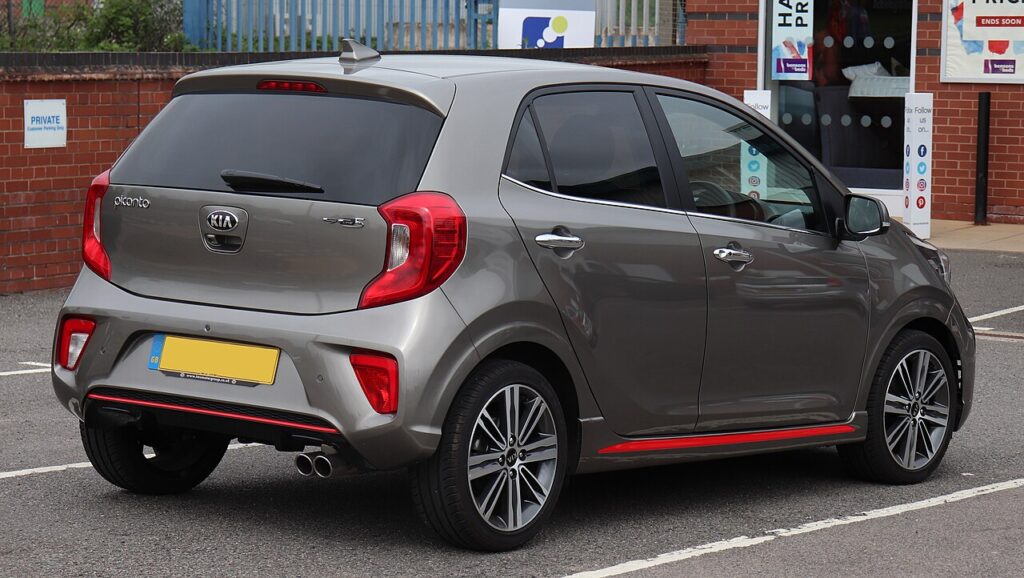
What the ISG OFF Button Does
The OFF button is a per-journey toggle. There’s no menu setting to make the OFF state permanent on the Picanto TA — Kia tied this to the fuel-economy rating logic, so the system defaults to ON every time the car is started. To run a whole journey without start/stop, press the OFF button as soon as you start the engine and the system will stay disabled until you switch the car off again.
Before You Begin
- Park safely and switch the ignition to ON.
- Disable ISG before any engine-bay work — an engine that restarts itself unexpectedly is a serious hazard near belts, pulleys, or hot exhaust components.
- Disable before going through an automatic car wash — the engine cutting out mid-wash can leave you stranded between rollers.
What You’ll Need
None. The whole procedure is the single Start/Stop OFF button on the centre console.
How to Deactivate the System
- Switch the ignition to ON or start the engine normally.
- Locate the Start/Stop OFF button on the centre console near the gear lever (marked with an “A” inside a circular arrow with a slash).
- Press the button once.
- The button’s amber indicator light illuminates, and the cluster shows a brief “Start/Stop deactivated” message.
- ISG is disabled for the rest of this journey.
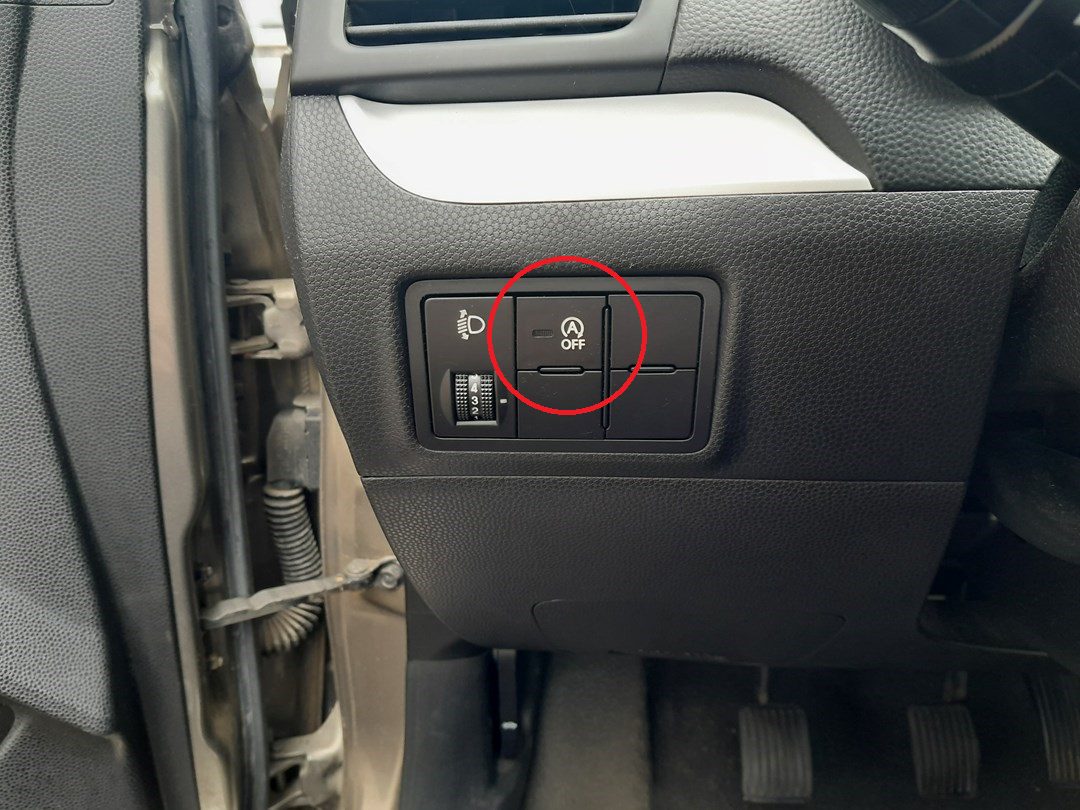
How to Reactivate the System
- Press the Start/Stop OFF button a second time (lamp turns off), or
- Simply restart the car — at the next ignition cycle the system resets to ON.
When ISG Will Engage (Operating Conditions)
Even with the system enabled, the engine will only auto-stop when all these conditions are satisfied. If any one fails, the engine keeps idling and no warning is shown — that’s normal behaviour, not a fault:
- Driver’s seat belt fastened.
- Driver’s door fully closed.
- Bonnet fully latched.
- 12V battery voltage within target range (low charge inhibits ISG).
- Brake vacuum sufficient (manual-brake-booster reserve).
- Engine and coolant at normal operating temperature.
- Outside temperature in normal range — extreme cold or heat inhibits ISG.
- HVAC demand moderate — full-defrost or max A/C suppresses auto-stop.
When the Engine May Restart Automatically
Even after an auto-stop, ISG may restart the engine without driver input if:
- You activate the defroster/defogger.
- You demand high A/C output.
- Battery voltage drops below the threshold during the stop.
- Brake vacuum reserve runs low (you pumped the brake pedal during the stop).
- The vehicle begins to roll on a gradient.
- Steering input or a parking manoeuvre requires power assist.
- The engine-off period exceeds about 3 minutes.
Indicator Lights and Messages
- Auto Stop symbol (A in circle, green): The engine is currently stopped by ISG. Releasing the brake (automatic) or pressing the clutch (manual) will restart it.
- ISG OFF lamp (A with slash, amber, in the button): You’ve disabled the system, or the system has temporarily disabled itself due to one of the conditions above.
- “Auto Stop conditions not met”: One of the prerequisites is missing. Check seat belt, door, bonnet, climate-control demand, and battery state.
- “Inspect ISG system”: A hard fault detected — needs a scan tool to read body-CAN codes.
If Something Goes Wrong
- ISG never auto-stops. Run through the operating-conditions list above. The most common cause on a 2011–2017 Picanto is a tired 12V battery — even one that still starts the car reliably can be too weak for ISG. Have it load-tested.
- ISG worked, then stopped working a few weeks later. Same cause — battery degrading. ISG is the first feature to suppress when the battery weakens.
- ISG OFF lamp stays on even after pressing the button. The system has self-disabled. Cycle the ignition fully off and back on. If it’s still off, the battery or alternator output needs checking.
- Engine auto-stops but won’t restart automatically. The ISG-spec starter or the dual-mass flywheel may be at end of life. Press the start button or turn the key to recover; have the starter tested.
- Auto-restarts feel jerky. Normal when the engine is cold or the air-con is heavily loaded. If it’s harsh year-round, the engine mounts may be tired — the Picanto is a small car, so mount wear is more noticeable than on heavier vehicles.
- After a battery replacement, ISG won’t engage at all for days. Normal — the system needs to learn the new battery’s characteristics over several drive cycles before it’ll allow auto-stops. Drive normally; it’ll come back within about a week of mixed use.
Frequently Asked Questions
Does the Picanto TA have an ISG-spec battery?
Yes — ISG-equipped Picanto trims ship with an AGM (Absorbed Glass Mat) battery rather than a conventional flooded type. Replace with a like-for-like AGM; a conventional battery will fail within months because it can’t handle the partial-state-of-charge operation that ISG demands.
How much fuel does ISG actually save?
Manufacturer figures suggest ~5% in urban use; real-world tests show 3–5% depending on traffic patterns. The benefit is concentrated at long red lights — over a year of city driving on a small-engined car like the Picanto, the saving is meaningful.
Will deactivating ISG damage anything?
No — the system is designed to be toggled on and off freely. The starter, flywheel, and battery are sized for repeated cycling, but using the conventional starting path (no auto-stops) puts less stress on them, not more.
Can I install an aftermarket “auto-OFF” memory module?
Yes, and many Picanto owners do. The modules plug into the ISG button’s wiring (or sometimes the OBD-II port) and hold the OFF state across ignition cycles. They’re reversible — just unplug to restore OEM behaviour. Choose a module specifically listed for Kia Picanto TA; generic modules may interfere with the ISG self-diagnostics.
Independent guide — not affiliated with Kia. Always follow your official service manual and safety precautions. Read our full disclaimer.