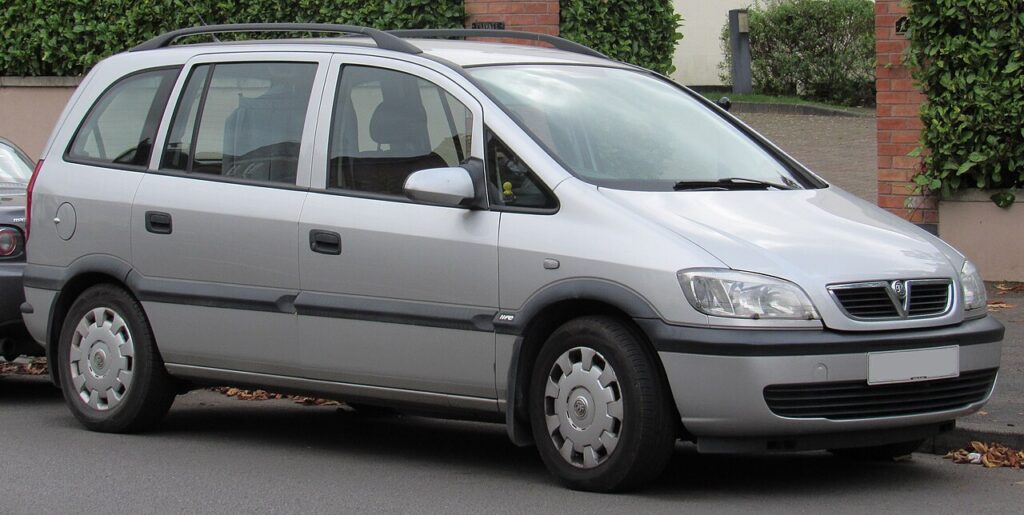
These instructions apply to the Opel Zafira Mk1 (T98) 1999-2005.
For other models, please choose your vehicle here.
The first-generation Opel Zafira A (also sold as the Vauxhall Zafira A in the UK, T98 chassis, 1999–2005) tracks scheduled service via the InSP (Inspection Service) reminder on the instrument cluster. After an oil change or other scheduled maintenance task, the reminder needs a manual reset using the cluster’s mode button — no scan tool, no Tech 2, no diagnostic socket needed. The procedure uses a specific ignition + button-hold sequence that takes about 30 seconds.
Before you start
The Zafira A’s service-interval system on this generation tracks elapsed time, mileage and engine duty cycle, then displays the InSP indicator when the next service is due. The system is interval-based; it has no oil-quality sensor. Resetting zeroes the counter — it does not detect whether oil was actually changed. Do the reset only after completing the service, never before.
- Procedure applies to all Zafira A trims from 2001 to 2005: 1.6 8V, 1.6 16V, 1.8 16V, 2.0 DTI, 2.0 DTL, 2.0 OPC, 2.2 16V. Pre-2001 cars used a slightly different reset variation (longer button hold and no “INSP” intermediate display).
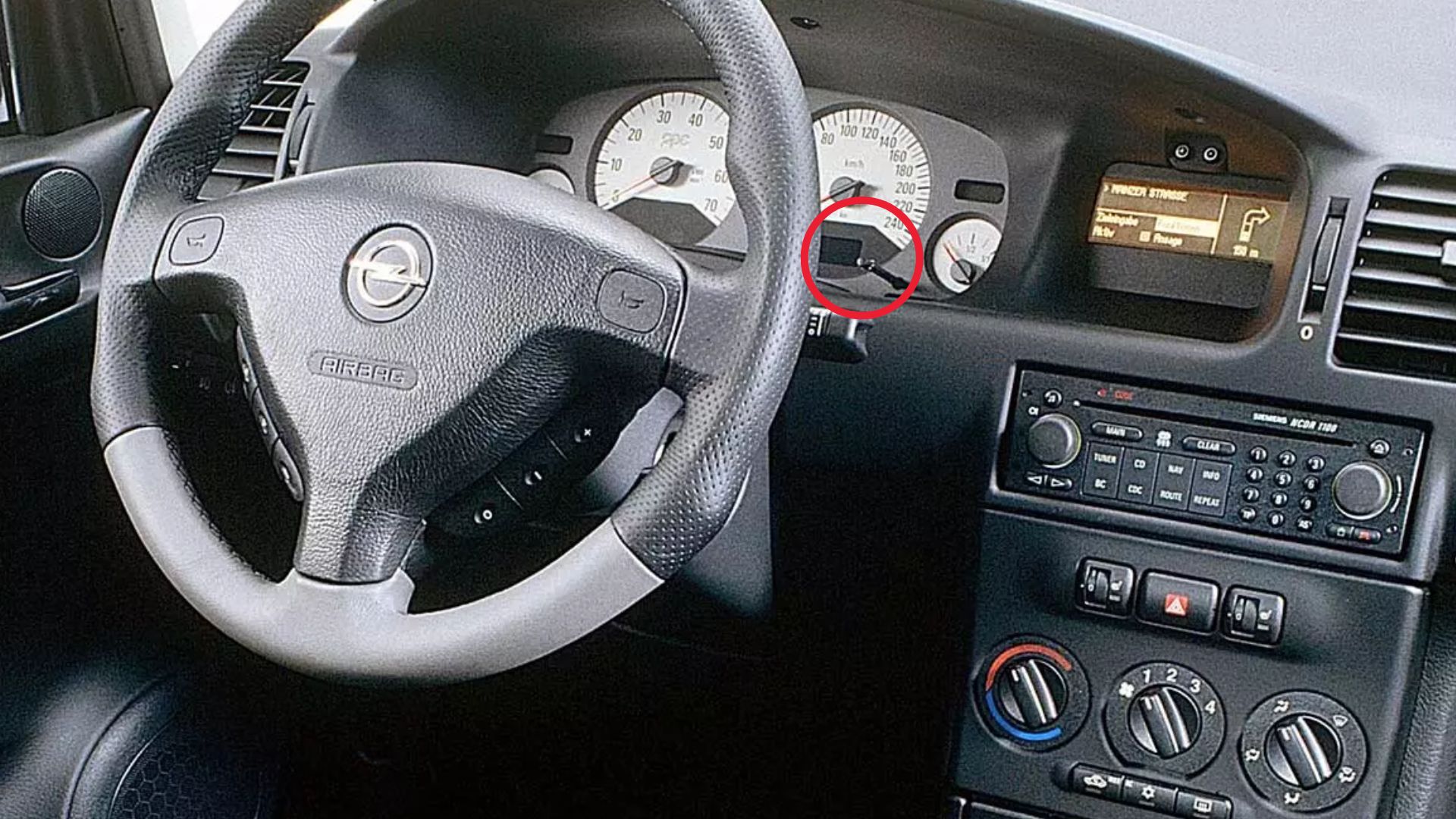
- The reset button is on the instrument cluster — the small knurled stalk on the right side of the cluster face, or a discrete push-button on later facelift cluster variants. Owners sometimes confuse this with the trip-meter reset, which is a separate stalk on the steering column. The cluster reset button is what’s needed for this procedure.
- Battery voltage matters slightly. A weak battery can cause the cluster to enter a different self-test mode on power-up. If your battery is older than 5 years, run the engine for 5 minutes before the reset.
- Don’t start the engine during the reset — the cluster needs ignition position II only.
Tools required
None.
Reset procedure
- Switch the ignition ON without starting the engine. All warning lights illuminate briefly, then settle to normal idle state.
- Scroll through the display menu using the cluster controls until the mileage or temperature screen appears. This step “wakes” the service-interval menu within the cluster firmware.
- Switch the ignition OFF. Wait 2 seconds.
- Press and hold the reset button on the instrument cluster. Use firm pressure; the button has a positive click.
- While still holding the button, switch the ignition ON (key to position II — do not crank the engine).
- Keep the button pressed for at least 10 seconds. Don’t release early.
- The display will show “INSP” after about 5–7 seconds. Continue holding.
- Continue holding the button until the display changes to “—-“ (four dashes). This is the confirmation that the service counter has been reset.
- Release the button.
- Switch the ignition OFF, then back ON to verify the InSP indicator is gone.
How to verify it has worked
- The InSP indicator is no longer illuminated.
- Cycling through the cluster menus shows a fresh service-interval value (typically 20,000 km or 12 months remaining, depending on engine and dealer settings).
- Starting the engine does not trigger the “service due” chime.
Troubleshooting
“INSP” displays but the dashes never appear. Hold longer — some clusters need 15–20 seconds of held button after “INSP” appears. The transition to “—-” is the genuine reset signal; until that displays, the counter is unchanged.
The cluster enters a different menu (e.g., language selection, temperature units) instead of showing INSP. Wrong button — the cluster reset button is on the cluster face itself, not the trip-meter stalk on the steering column. Trip-meter stalks reset the daily distance only.
Reset works but the indicator returns after a few starts. The cluster lost its reset commit. Always wait 30 seconds with ignition OFF after the reset before turning back ON. If the issue persists, the cluster has a stored fault that needs reading with a Tech 2 / OP-COM clone.
The cluster shows “EE” or another error code instead of “INSP”. Battery voltage too low at the moment of ignition-on. Charge the battery overnight on a smart charger and retry.
Procedure works but no service interval shows after the reset. The cluster has been reset to factory zero — this is fine; the next service interval starts counting up from this point. The display will populate the remaining-distance figure during the next service interval calculation cycle (usually within the first 100 km of driving).
Frequently asked questions
Does this procedure work on the Vauxhall Zafira A (UK)?
Yes. Opel Zafira A and Vauxhall Zafira A are mechanically and electrically identical; only the badge differs.
What about the Zafira A OPC?
The OPC (2.0 turbo) uses the same instrument cluster firmware as the standard Zafira A and follows the same procedure. The cluster face has different graphics but the reset behaviour is identical.
Why does my Zafira A not have a separate reset button on the cluster?
Some early Zafira A cars (1999–2000) used the trip-meter stalk as the reset input rather than a dedicated cluster button. If your car is pre-2001, hold the trip-meter stalk button during step 4–8 instead of looking for a separate cluster button. The “INSP” → “—-” display sequence is the same.
Will this procedure clear any check-engine lights?
No. The service indicator is a calendar/mileage reminder; the check-engine lamp indicates a stored fault in the engine ECU. They are independent. Clearing a check-engine lamp needs a generic OBD-II scanner or a Tech 2.
What service interval does the Zafira A use?
20,000 km / 12 months for petrol variants (1.6, 1.8, 2.0 OPC, 2.2). 30,000 km / 24 months for the 2.0 DTI and 2.0 DTL diesel under “long-life” servicing — but most owners run the diesels on the same 12-month interval to match local good-practice norms.
Can the dealer reset it differently?
Vauxhall and Opel technicians use Tech 2 or GDS to reset, which also logs the service-performed entry against the VIN in the central database. The cluster-button reset is functionally equivalent for the cluster purpose, but doesn’t update the central record.
For DTCs related to the service-interval system, see autodtcs.com.
Independent guide — not affiliated with Opel. Always follow your official service manual and safety precautions. Read our full disclaimer.