These instructions apply to the Toyota Yaris Mk4 (XP210/P21) 2020-Present.
For other models, please choose your vehicle here.
The Toyota Yaris Mk4 (P21/XP210, 2020-present) — Toyota’s fourth-generation B-segment hatchback, built in Onnaing (France) for European markets on the new TNGA-B platform, in 1.0 VVT-i (1KR-FE), 1.5 VVT-iE (M15A-FKS) petrol, and 1.5 Hybrid (M15A-FXE, plus the 2024-onward Hybrid 130) forms — uses Toyota’s modern menu-driven multi-information display (MID) reset. There’s no button-and-hold sequence at startup — every Mk4 Yaris uses the same MID menu path regardless of trim or engine, and no diagnostic tool is required.
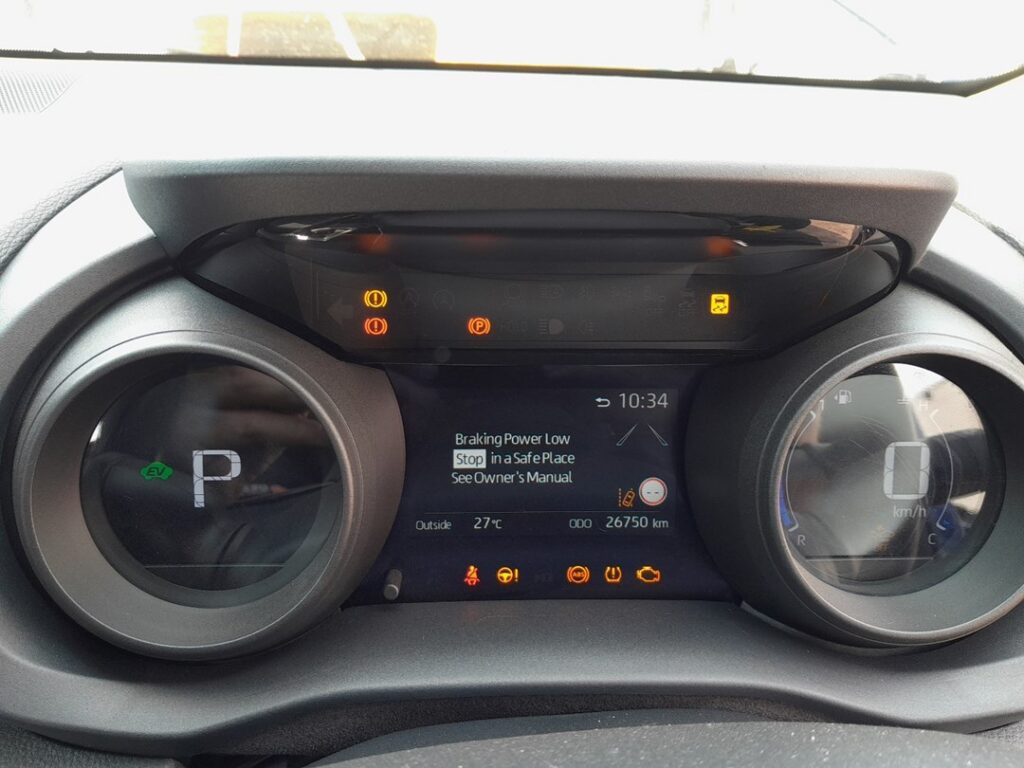
When to Reset the Service Indicator
- After completing an oil and filter change.
- After a scheduled inspection service.
- If the spanner / wrench icon with “Maintenance Required” appears at startup.
The Mk4 Yaris tracks the maintenance reminder as a single counter — confirming the reset clears it across all engines.
Getting Ready
- Park on a level surface with the engine off, then turn the ignition on without starting (push START with foot off the brake on push-button cars; turn the key to “ON” on key-start cars).
- On Hybrid cars: pressing START without the brake puts the car in READY off / accessory mode, which is the correct state for the reset — do not press the brake or you’ll go fully READY (engine may start).
- Complete the actual service work before the reset.
- Locate the multifunction display steering-wheel controls — the left-hand cluster of switches on the steering wheel. The four-way scroll and the central OK select are what drive the MID menus.
Tools Required
None for the reset itself. For the oil change: fresh Toyota-spec oil — 0W-16 ACEA C5 / Toyota Genuine 0W-16 for the 1.5 Hybrid M15A-FXE, 0W-20 ACEA C5 for the 1.5 petrol M15A-FKS and 1.0 1KR-FE; a new spin-on cartridge filter (different parts for the 1.0 1KR-FE and the M15A series); the M15A engines take 3.7 L with filter, the 1.0 1KR-FE takes 3.1 L. Sump-plug torque is 40 Nm on all P21 engines.
The Service Reset Procedure
- Turn the ignition ON (accessory mode, engine/READY off).
- Using the steering-wheel MID controls, scroll to the Settings menu on the multi-information display.
- Press OK to enter Settings, then scroll to and select Vehicle settings.
- Scroll to and select Scheduled Maintenance.
- Follow the on-screen prompts — typically the MID asks you to confirm the next service distance / months. Press OK on each confirmation.
- Switch the ignition off. Reset complete.
Verify the Reset Worked
Switch the ignition off, wait 30 seconds, then cycle back on. The spanner / “Maintenance Required” icon that was appearing at startup should be gone. Re-open Settings → Vehicle settings → Scheduled Maintenance and the next service distance should now read a fresh full interval. Typical Mk4 Yaris intervals:
- 1.5 Hybrid (M15A-FXE): 10,000 miles (15,000 km) or 12 months.
- 1.5 petrol (M15A-FKS): 10,000 miles (15,000 km) or 12 months.
- 1.0 petrol (1KR-FE): 10,000 miles (15,000 km) or 12 months.
UK severe-service / short-trip driving requires halving the interval manually.
When It Won’t Cooperate
- The MID won’t enter the Settings menu. Make sure the ignition is on and the car isn’t moving — Toyota locks Settings access while the vehicle is in motion. On Hybrid models, confirm you’re in accessory mode (READY off) — pressing OK while READY can trigger drive-related screens instead.
- Scheduled Maintenance doesn’t appear in Vehicle settings. Very early P21 Yaris cars (built before mid-2020) shipped with the menu localised differently for some markets — the option may be labelled Service interval or Maintenance schedule in your language. The menu position is the same.
- I reset but the spanner returns after a few miles. 12V auxiliary battery condition — even on Hybrid models the 12V system holds the MID state. Load-test the 12V; replace if older than 5 years. The Hybrid’s high-voltage traction battery isn’t related to this fault.
- Hybrid 130 model — anything different? The 2024-onwards Hybrid 130 (96 kW M15A-FXE) uses the same MID and the same Vehicle settings → Scheduled Maintenance menu path. Procedure unchanged.
- GR Yaris (GXPA, hot hatch) — same procedure? The GR Yaris is a separate model on a unique platform with a different cluster. The procedure is broadly similar but uses a different menu layout — covered in its own guide.
Frequently Asked Questions
What does the spanner symbol on the Mk4 Yaris mean?
On the P21 Yaris the spanner / wrench icon is the maintenance reminder — it indicates the service interval has been reached. The icon does not indicate an engine fault and isn’t related to the Hybrid system’s READY light or the master warning triangle.
Do I need a diagnostic tool?
No. Every Mk4 Yaris uses the owner-accessible MID menu method. Toyota TechStream and aftermarket tools can also reset the maintenance counter, but for normal owner use the MID is the standard route.
Does the reset clear engine fault codes?
No. The reset zeros the service-distance counter only. Engine fault codes need a scan tool. For DTC interpretation see autodtcs.com.
Is the procedure the same as the Mk3 Yaris (XP130)?
No — the Mk3 Yaris (P13) used a button-and-hold trip-recorder method, the older Toyota standard. The Mk4 (P21) switched to the menu-driven MID path. See our Toyota Yaris XP130 (2011–2020) guide for the previous-generation procedure.
How often does the Mk4 Yaris service indicator come up?
Toyota’s official UK-market schedule for the P21 Yaris is 10,000 miles (15,000 km) or 12 months, whichever comes first, on every powertrain. Severe-use driving (short trips, towing, dusty conditions) halves the interval.
Does the Hybrid have any extra reset items?
The high-voltage battery cooling filter and the Hybrid transaxle fluid are not tracked by the MID reminder. They’re scheduled separately in the owner manual and reset by the dealer at major-service intervals.
For DTC code interpretation on Toyota vehicles see autodtcs.com.
Independent guide — not affiliated with Toyota. Always follow your official service manual and safety precautions. Read our full disclaimer.