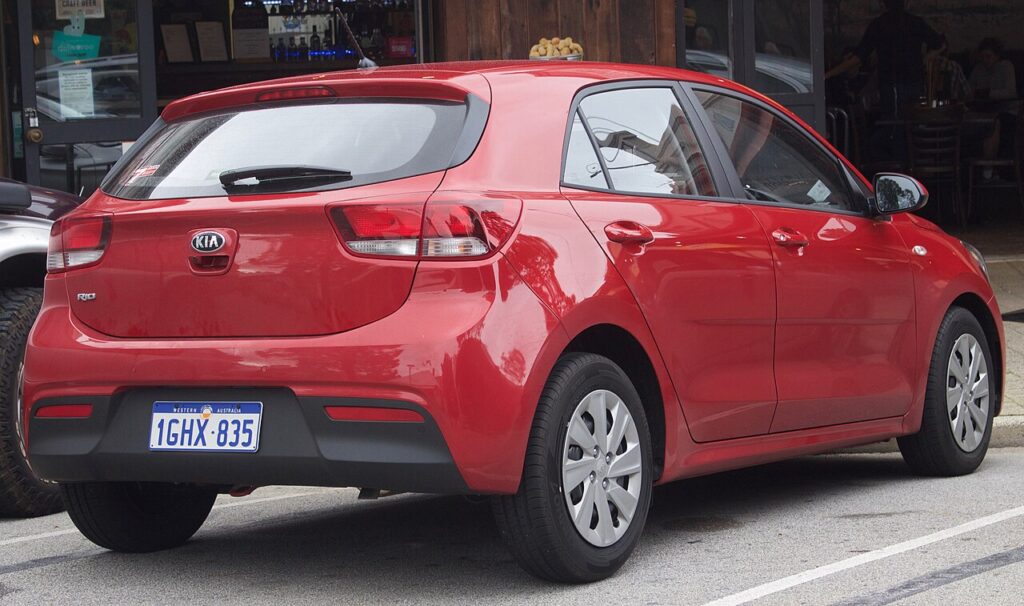
These instructions apply to the Kia Rio Mk4 (YB) 2017-2023.
For other models, please choose your vehicle here.
The fourth-generation Kia Rio (YB chassis, 2017–2023) has one-touch up and down on the driver’s window on every trim and on the front passenger’s window on ‘2’, ‘3’ and GT-Line S trims. After a 12-volt battery disconnection, a window regulator replacement, or any door-module work that cuts power to the switch pack, the one-touch feature stops working — the windows still operate while you hold the switch but auto-up and auto-down disengage and the anti-pinch protection runs in safety-default mode. The fix is an owner-method 30-second procedure per window.
Before you start
The Rio Mk4 shares its window architecture with the Kia Picanto JA and the contemporary Hyundai i20 GB. The procedure described below works almost identically across those platform siblings. Each door’s switch pack holds its own calibration in non-volatile memory; the body control module routes signals but does not own the position data.
- Battery state of charge must be healthy. A weak battery causes the window motor to slow at the top seal and the controller misreads this as the end-stop. If the car has been sitting for more than a week, run the engine for 5 minutes before starting the procedure.
- Close all doors and sit inside the car. Door-ajar inputs interrupt the body control module’s command timer mid-procedure.
- Don’t run the procedure with the engine cranking. Ignition ON without engine running is the correct state — alternator noise during cranking can confuse the motor’s encoder.
- If you’ve just refitted the door card, double-check the switch pack connector is fully seated. A loose connector lets the window function but the calibration silently fails within a few key cycles.
Tools required
None.
Initialization procedure — driver’s side
- Switch the ignition ON (press the START button once without your foot on the brake pedal on push-button-start trims, or turn the key to position II on basic ‘1’ trim).
- Make sure all four doors are closed and the car is otherwise undisturbed.
- Pull and hold the driver’s window switch up until the window is fully closed at the top seal.
- Continue holding the switch for an additional 1 second after the glass reaches the top. This is the calibration trigger — the switch-pack’s microcontroller records the position as the upper end-stop.
- Release the switch.
- Test one-touch: a brief downward press should send the window all the way to fully open without you holding the switch. A brief upward press should send it back to fully closed.
Initialization procedure — passenger window
On ‘2’ and higher trims with one-touch on the passenger window, run the procedure from the passenger door’s own switch (or from the driver’s master panel position for that window — both work on Mk4 since the master panel was upgraded with full per-window calibration access compared to the older Mk3).
- From the passenger seat or via the driver’s master panel, pull up to fully close.
- Hold for 1 second past the seal.
- Release. Test one-touch.
How to verify it has worked
- A brief switch press sends the window all the way to its end-stop without you needing to hold it.
- Anti-pinch test: with the window opening, place a soft cloth on the top edge of the glass as it closes — the window should reverse by 5–10 cm on contact.
- On trims with the remote-key global-close function (hold lock button on the smart key for 3 seconds), both calibrated windows should now close on command.
If Something Goes Wrong
The window closes but auto-up doesn’t engage afterwards. The motor is detecting an obstruction near the top, usually because the felt channel in the door is stiff or dried out. Spray silicone lubricant into the rubber channel, cycle the window five times manually to spread the lubricant, then re-run the procedure with a 3-second hold instead of 1 second.
The Mk4 has a different switch feel than my older Kia — am I doing it right? The Mk4 switch has a softer ‘click’ on the second detent (auto position) compared to the Mk3. The crisp click is still there but lighter. Make sure you’re going to the full second detent — the calibration trigger only fires when the switch reports auto mode.
Anti-pinch is overly sensitive after the procedure. The upper end-stop was captured slightly before the actual seal. Re-run the procedure but extend the hold to 3–5 seconds after the window reaches the top — this lets the microcontroller sample a more precise position.
One-touch returns after the procedure but is lost after the next ignition cycle. The switch-pack is losing power between cycles, most often through a damaged wire in the driver-side door-pillar rubber boot. The Mk4 introduced a redesigned boot for this exact reason after Mk3 owners reported the issue, so this is rarer — but high-mileage Mk4 cars can still develop it. A Kia-aware scan tool (Carista, OBDeleven) will log “intermittent power” body codes if so.
One-touch worked yesterday but doesn’t today. A cold-temperature effect — below about 3 °C the rubber seals stiffen and motor current at the top of travel rises, which the controller interprets as an obstruction. The system disables one-touch for that ignition cycle to protect the motor. Cycling each window manually twice warms the seals and one-touch usually returns.
Frequently asked questions
Does the procedure work the same on the Kia Rio Mk4 5-door hatchback as on the saloon?
The Mk4 was only sold globally as a 5-door hatchback (the saloon variant was dropped after the Mk3). The procedure works on all 5-door Mk4 trims regardless of engine — 1.0 T-GDI, 1.2 MPI, 1.25 MPI, or 1.4 MPI.
How does the Mk4 procedure differ from the Mk3?
The Mk3 used a 1-second hold and required passenger-window calibration from the passenger door’s own switch. The Mk4 retained the 1-second hold but allows passenger-window calibration from the driver’s master panel as well — a small UX improvement Kia carried over from the Picanto JA. Otherwise the principle is the same.
What about the GT-Line and GT-Line S trims?
GT-Line and GT-Line S have one-touch on all front windows but standard hold-to-move on the rears. The procedure applies to the front windows only; rears don’t have auto mode and don’t need calibration.
Will the windows still work without calibration?
Yes. They move while you hold the switch in either direction. You lose: auto-up, auto-down, anti-pinch reverse, and the remote-key global-close. The car is safe to drive indefinitely without the calibration.
How often will I need to do this?
Only after a 12-volt power interruption to the door modules — typically a battery disconnect, a fuse pulled for work elsewhere, or a switch-pack replacement. A normal Mk4 in normal use will hold its calibration for the life of the car.
For window-related diagnostic trouble codes that won’t clear with a normal drive, see autodtcs.com.
Independent guide — not affiliated with Kia. Always follow your official service manual and safety precautions. Read our full disclaimer.