These instructions apply to the Peugeot 3008 Mk2 (P84) 2016-Present.
For other models, please choose your vehicle here.
If the tyre-pressure warning on your Peugeot 3008 Mk2 (P84, 2016–present) has come on — after adjusting pressures, rotating the wheels, or fitting winter tyres — the system needs to be told the current pressures are correct. The 3008 uses a direct TPMS with a sensor in each wheel, and the reset is done from the touchscreen. This guide shows how.
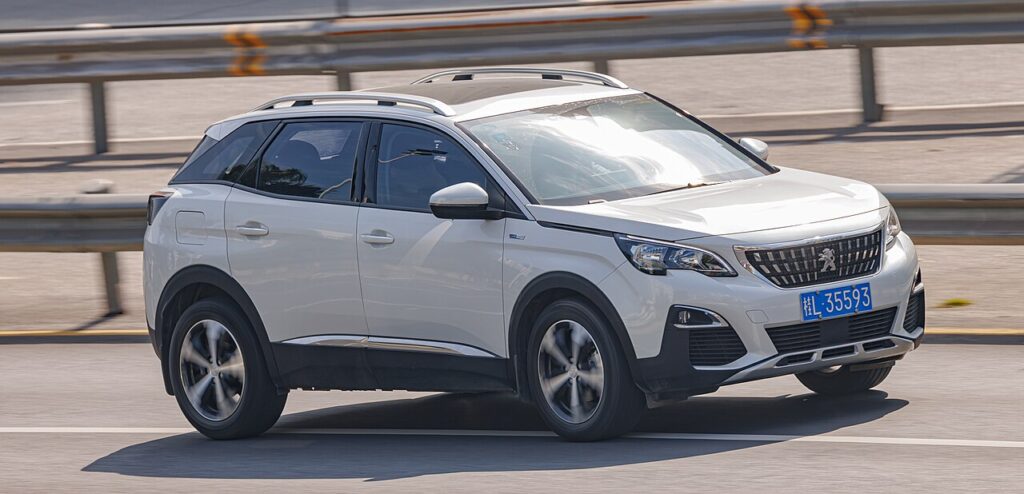
How the 3008’s TPMS Works
Each wheel has a pressure sensor in the valve that radios its reading to the car. After you change the pressures (or swap wheels) you confirm the new values in the menu so the system uses them as its reference.
How to Reset the 3008 Mk2 TPMS (Touchscreen)
- Set all four tyres to the correct pressure (cold) — the figures are on the label in the driver’s door jamb.
- With the ignition on, open the touchscreen and select the ‘Driving assistance’ menu.
- Select the ‘Tyre inflation’ (tyre pressure) option.
- Select ‘Yes’ to reset — a confirmation message appears and the system is reset.
On 3008s without the large touchscreen, use the cluster: press MENU, open the ‘Personalisation-configuration’ menu, find the tyre-pressure option and confirm the reset there.
If the Warning Stays On
- Re-check every tyre, including the spare if your 3008 carries a monitored full-size one.
- One tyre keeps dropping — look for a slow puncture; the system is doing its job.
- The light flashes at start-up and stays flashing — that points to a sensor fault (dead sensor battery, or a sensor not matched after a wheel change) and needs a tyre shop’s relearn tool.
Frequently Asked Questions
Does the 3008 TPMS need a tool to reset?
Not for a normal reset — set the pressures and confirm in the touchscreen menu. A relearn tool is only needed if sensors were replaced or swapped.
Where is the reset in the menu?
Touchscreen: Driving assistance → Tyre inflation → Yes. Cluster-only cars: MENU → Personalisation-configuration → tyre pressure.

Why did the light come on in cold weather?
Pressure drops as temperature falls. Top the tyres back to the door-label figure and reset.
The light keeps flashing — is that low pressure?
A persistent flash usually means a sensor fault rather than low pressure — have the sensors checked.
If a fault code is stored, look it up on autodtcs.com. To clear a service reminder, see our 3008 service indicator reset guide.
Independent guide — not affiliated with Peugeot. Always follow your official service manual and safety precautions. Read our full disclaimer.