These instructions apply to the Nissan Juke Mk2 (F16) 2019-Present.
For other models, please choose your vehicle here.
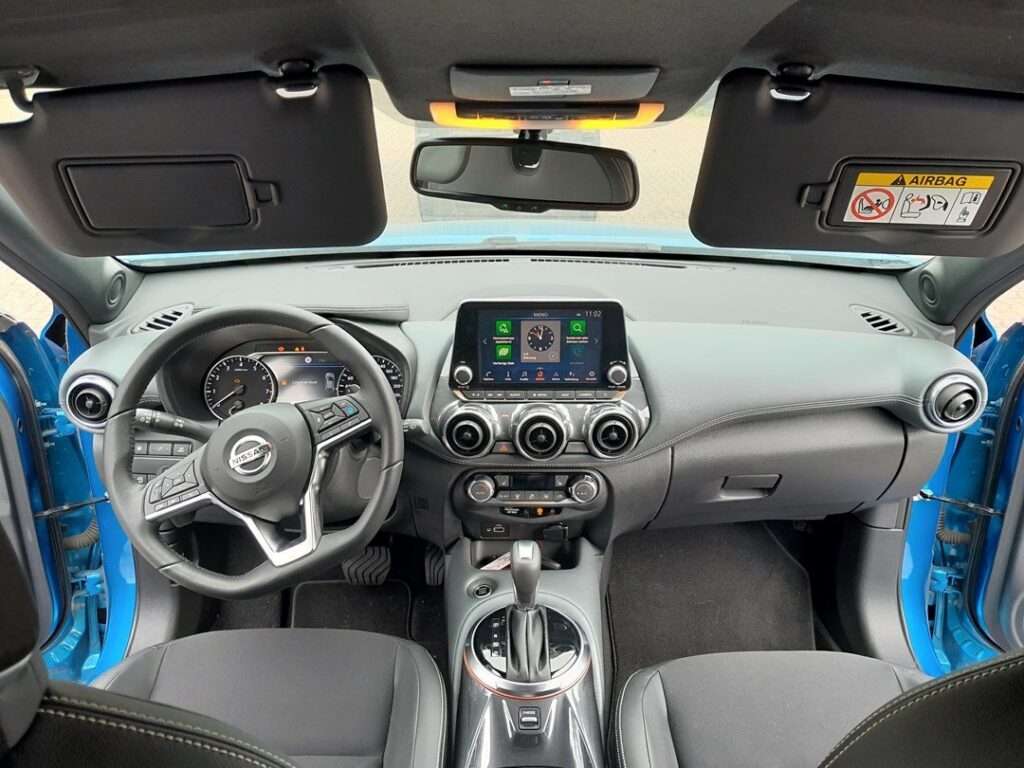
When the spanner or an “Oil and filter” maintenance message appears on your Nissan Juke Mk2 (F16, 2019–present), the oil-service counter has run down. This is a maintenance reminder, not a fault — the car is simply telling you that the mileage or time allotted to the current oil interval has been used up. Nissan tucks the reset inside the instrument-cluster Settings → Maintenance menu, driven by the steering-wheel buttons. Once the oil and filter are done, here’s the exact sequence to zero it.
What the Service Reminder Means
The Juke Mk2 tracks its oil service using a simple counter that measures distance travelled and time elapsed since the last reset. When either runs out, the cluster shows the spanner symbol and, on cars with the colour driver display, an “Oil and filter” maintenance line. It is a scheduled-service prompt, nothing more — there is no oil-quality sensor deciding when to warn you, so the reminder appears on a fixed schedule rather than reacting to how hard the car has been driven. That also means clearing the counter is a housekeeping step you finish the job with, not a repair.
It is worth separating this amber spanner from the other lights on the cluster. A red oil-can symbol is an oil-pressure warning and calls for the engine to be stopped immediately; an amber engine-management light points to an emissions or running fault. Neither of those is the service reminder, and neither is cleared by the menu reset below.
Getting Ready
Reset the counter only after the oil and filter have actually been changed. The counter measures distance and time since the last reset — it doesn’t sense the oil itself — so clearing it early tells the car that fresh oil is in when it isn’t, and the next service falls due too late. Park on level ground with the handbrake set, switch the ignition on but leave the engine off, and have the steering-wheel buttons to hand. No tools, no ramps and no diagnostic gear are needed.
Reset After the Oil Change, Not Before
The counter only measures distance and time since the last reset — it doesn’t sense the oil itself. Clear it only once fresh oil and a new filter are in, so the next interval is calculated from the right point.
How to Reset the Juke Mk2 Oil Service
- Turn the ignition on but do not start the engine.
- Using the steering-wheel buttons, scroll to ‘Settings’.
- Scroll to and select ‘Maintenance’ (confirm with the OK button).
- Select ‘Oil control system’, confirm, then choose ‘Yes’.
- Press ‘Back’, select ‘Oil and filter’, then ‘Reset’.
- The maintenance counter returns to full and the message clears.
Work through the menu unhurried — there is no time limit on the Juke’s menu method, so you can take a moment at each screen to make sure you have selected the right line before confirming.
If It Doesn’t Clear
- You stopped short of ‘Reset’ — step right through Oil and filter → Reset to finish.
- Engine was running — the menu reset wants ignition on with the engine off.
- A separate warning is on — an amber engine/oil-pressure light is a fault, not the service timer, and won’t clear here.
- You selected the wrong menu line — the counter only zeroes when you confirm the Oil and filter item; re-enter Maintenance and repeat.
- Nothing responds — switch the ignition fully off, open and close the driver’s door, then switch on again and re-enter the menu.
What Happens Next
As soon as the reset completes, the spanner symbol and the maintenance message disappear and the counter shows the full interval again. Nothing else changes — the reset only affects the service reminder, not any other setting or warning. If the spanner reappears at the next ignition cycle, the reset did not reach the final step, so run through the menu once more.
How Often It Comes Up
Reset the counter once after every oil-and-filter service, and only then. The Juke Mk2 signals the interval on a distance-and-time basis, so exactly how many miles pass between reminders depends on your servicing schedule; check your owner’s handbook or service book for the interval Nissan specifies for your engine and market. Resetting more often than that simply pushes the next genuine reminder further out and is not something to do to make the light go away between services.
Frequently Asked Questions
Where is the service reset on the Juke Mk2?
In the cluster menu: Settings → Maintenance → Oil and filter → Reset, navigated with the steering-wheel buttons.
Do I need a diagnostic tool?
No — it’s all done from the dashboard with the ignition on.
Does the engine need to be running?
No — ignition on, engine off, is the correct position.
The message came back — why?
The reset didn’t reach the final ‘Reset’ step. Repeat and confirm each selection through to the end.
Is the spanner the same as the engine warning light?
No. The spanner is a routine service reminder; an amber engine-management or red oil-pressure light indicates a fault and will not clear through the Maintenance menu.
Will resetting the counter affect anything else on the car?
No — it only returns the oil-service reminder to full. Trip data, clock and other settings are untouched.
If a warning light appeared alongside the service message, look it up on autodtcs.com. After any electrical work, see our Juke battery guide — Nissan asks for a longer-than-usual wait before disconnecting.
Independent guide — not affiliated with Nissan. Always follow your official service manual and safety precautions. Read our full disclaimer.