These instructions apply to the Nissan Juke Mk2 (F16) 2019-Present.
For other models, please choose your vehicle here.
If the tyre-pressure warning is showing on your Nissan Juke Mk2 (F16, 2019–present), the good news is there’s no menu to hunt through — the Juke’s system relearns automatically as you drive once the pressures are right. The Juke also has Nissan’s clever Easy Fill Tyre Alert, which tells you when each tyre hits the correct pressure while you’re inflating it. Here’s how to clear the light.
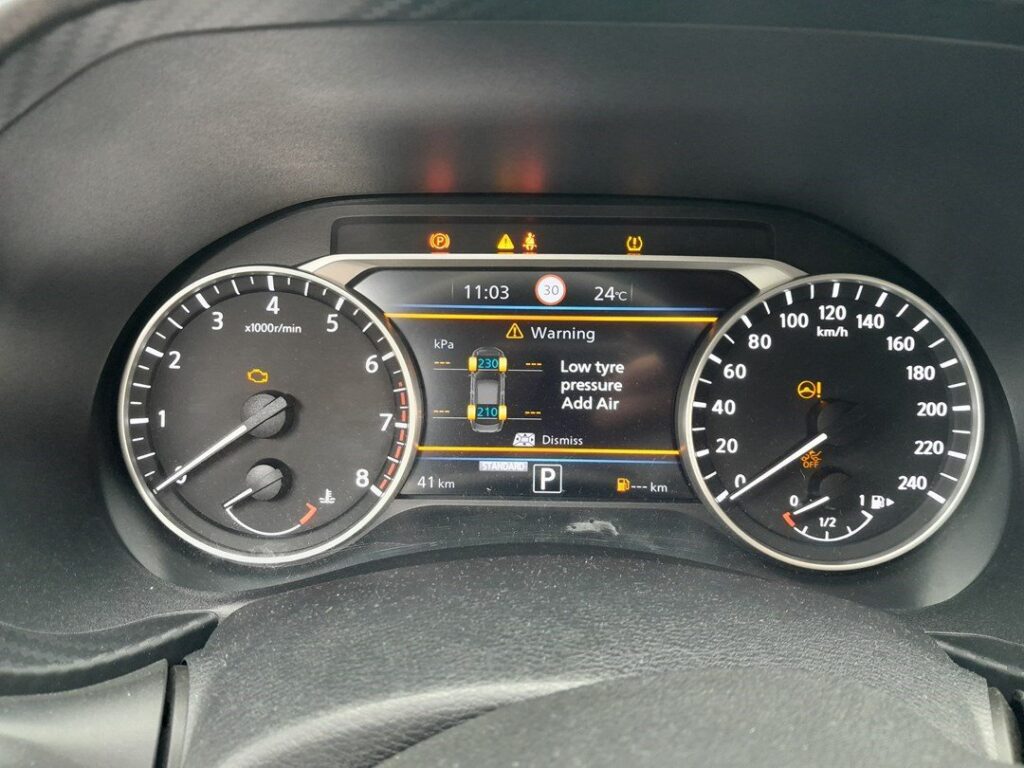
How the Juke’s TPMS Works
Each wheel has a sensor that reports its pressure to the car (a direct system), and the dash can show a low corner. There’s no reset button or menu step — you correct the pressures and the warning clears itself after a short drive while the sensors confirm the new readings.
Using Easy Fill Tyre Alert (the clever bit)
- With the ignition on (engine off) and the car safely stopped, start inflating a tyre.
- The hazard lights flash while you fill; when the tyre reaches the correct pressure the horn gives a short beep and the hazards stop.
- If you overfill, the hazards flash again and the horn beeps differently — let a little air out until it confirms.
Set every tyre to the figure on the driver’s door-jamb label (cold).
Clearing the Warning
- Set all four tyres to the correct pressure (use Easy Fill, or a gauge).
- Drive normally for about 10 minutes. The system confirms the new pressures and the warning goes out on its own.
If the Light Stays On
- Re-check every tyre — one slightly low corner keeps the light on; the system is doing its job.
- A steady-flashing TPMS light points to a sensor fault (flat sensor battery, or a sensor not matched after a wheel swap) — that needs a tyre shop’s tool, not a drive.
- Cold weather drops pressures — top up to the label figure and drive.
Frequently Asked Questions
How do I reset the tyre pressure light on a Nissan Juke?
Set the pressures correctly and drive for about 10 minutes — there’s no button or menu; it relearns on the move.
What is Easy Fill Tyre Alert?
A Nissan feature that flashes the hazards while you inflate and beeps the horn when the tyre reaches the correct pressure — so you can set pressures without a gauge.
Why won’t the light go out after I pumped the tyres up?
Either a tyre is still slightly off, or it needs a few miles to confirm. If it keeps flashing, suspect a sensor fault.
Do I need a tool?
Not for a normal reset. A TPMS tool is only needed if a sensor was replaced or swapped between wheels.
If a fault code is stored, look it up on autodtcs.com. To clear a service reminder, see our Juke service reset guide.
Independent guide — not affiliated with Nissan. Always follow your official service manual and safety precautions. Read our full disclaimer.