These instructions apply to the Volkswagen T-Roc Mk1 (A11) 2018-Present.
For other models, please choose your vehicle here.
When the spanner or a “Service” / “Inspection” message appears on your Volkswagen T-Roc (2018–present), a service interval has elapsed. It is a maintenance reminder counting down distance and time since the last service — not a fault, and not something that will leave you stranded. Once the oil and filter change is done you can clear it yourself with the trip-reset button in under a minute, with no garage tool needed.
What the Service Message Means
The T-Roc tracks two separate maintenance counters. The oil-change service watches the engine oil, and the inspection service covers the wider vehicle check (filters, brakes, fluids and the general once-over). When either counter reaches zero the cluster shows the spanner symbol together with a ‘Service’ or ‘Inspection’ message, usually for a few seconds each time you switch on.
Depending on the car’s setup, the interval is measured either as a fixed time-and-distance schedule or as a longer, flexible “LongLife” schedule that adapts to how the car is driven. Either way the display is simply telling you the clock has run out — it does not know whether the work has been done, so it will keep showing until it is manually reset.
Before You Start
Reset the reminder only after the service has actually been carried out. The counter is your record of when the next service is due, so clearing it early just hides the reminder while the oil keeps ageing. Park on level ground with the handbrake or electronic parking brake set, switch the ignition on with the engine off, and have a moment free — no tools are required. If you have just fitted fresh oil and a filter, you are ready.
Reset Only After the Service
The interval just measures distance and time. Clearing it early hides the reminder while the oil keeps ageing, so reset it once the work is done.
Method 1 — Reset Button
- Turn the ignition off.
- Press and hold the reset (0.0) button — the trip-reset on the wiper stalk or instrument panel.
- While holding it, turn the ignition on.
- ‘Reset oil change service?’ appears — release the button, then press it briefly to confirm.
- For the inspection counter, repeat and confirm at the inspection prompt.
Method 2 — Digital Cockpit Menu
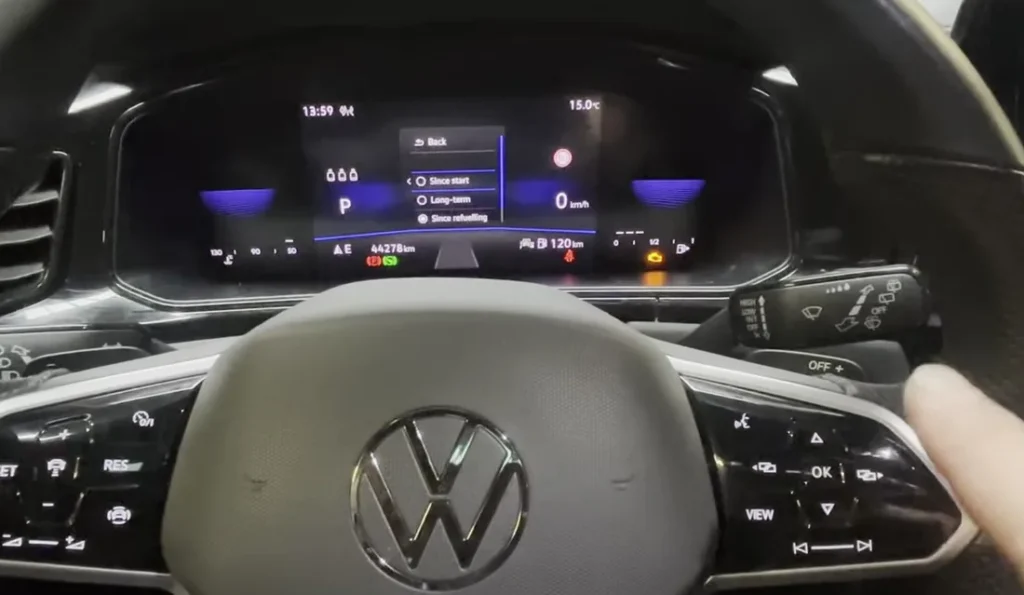
On T-Rocs with the digital cockpit you can also reach the reset through the cluster/infotainment Settings → Service menu and confirm the oil or inspection reset.
If the Reset Doesn’t Work
If the spanner is still showing, work through these before assuming anything is wrong:
- It comes back at start-up — the confirmation wasn’t completed; repeat and confirm the prompt.
- Ignition, not engine — the cluster must be on with the engine off. If the engine is running the prompt may not appear.
- Hold the button early — on Method 1 you must already be holding the reset button as the ignition comes on, not press it afterwards.
- Confirm within the prompt — once ‘Reset oil change service?’ shows, press to confirm before it clears from the screen.
- Cycle and retry — switch the ignition fully off, wait a few seconds, and run the sequence again from the start.
- A different warning is on — that’s a fault, not the service timer, and it won’t clear with this routine.
What to Expect After Resetting
Once the reset is confirmed, the spanner and service message should disappear straight away and no longer appear when you switch on. The counter restarts from a full interval and quietly counts down again toward the next service. Nothing else in the car changes — the reset only touches the maintenance reminder.
How Often to Reset It
Reset the reminder every time the matching service is completed — oil counter after an oil-and-filter change, inspection counter after a full inspection. After a complete service that covers both, reset both so each starts a fresh interval. For the exact mileage or time between services on your particular engine and schedule (fixed or LongLife), follow the service plan in your owner’s handbook rather than a generic figure.
Frequently Asked Questions
Where is the reset button on the VW T-Roc?
The trip-reset (0.0) button on the wiper stalk or instrument panel — the one you use to zero the trip.
Do I need a diagnostic tool?
No — the trip-button method resets it from the dashboard.
Does the engine need to run?
No — ignition on, engine off.
Why are there two resets (oil and inspection)?
VW tracks oil-change and inspection intervals separately. Reset whichever the display prompts; do both after a full service.
Does resetting the service message affect anything else in the car?
No — it only restarts the maintenance counter. It doesn’t touch a genuine warning light, the engine or any other system.
The spanner came back the next morning — why?
The confirmation step most likely didn’t register. Run the sequence again and make sure you press to confirm the ‘Reset’ prompt before it disappears.
If a warning light appeared with the service message, look it up on autodtcs.com. After battery work, see our T-Roc battery guide.
Independent guide — not affiliated with Volkswagen. Always follow your official service manual and safety precautions. Read our full disclaimer.