These instructions apply to the Volkswagen Up Mk1 (AA) 2011-2023.
For other models, please choose your vehicle here.
After an oil-and-filter change the service / spanner message on your Volkswagen Up (2011–2023) stays on until you clear it. VW uses the two cluster buttons — no dealer tool needed. This covers cars from the 2017 update; very early Ups use a slightly different button sequence.
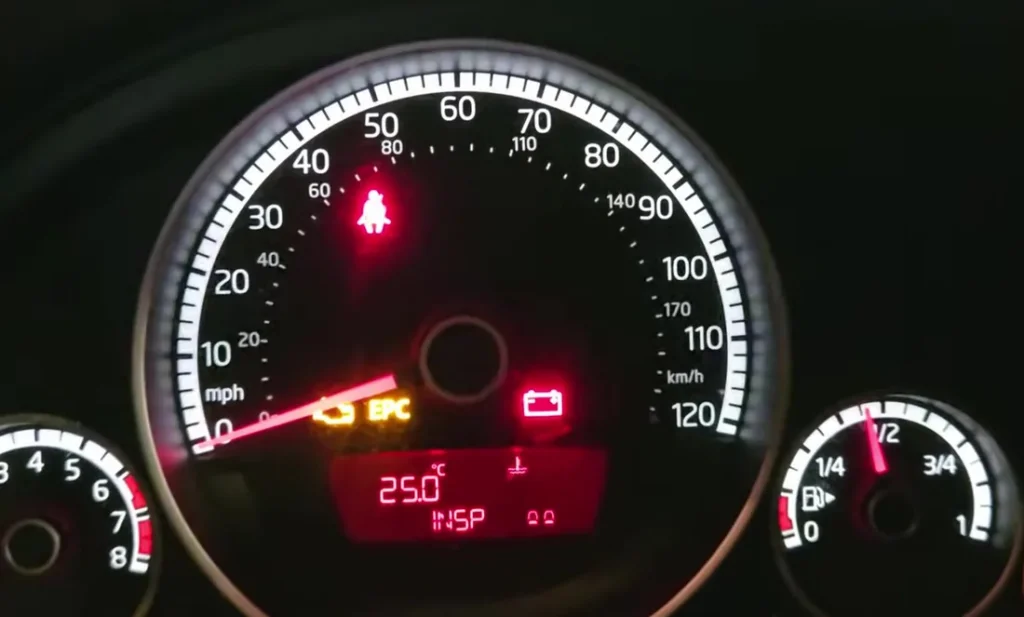
What the Service Message Means on the Up
The spanner symbol and the wording that reads out on the Up’s small cluster display are a service reminder, not a fault warning. They tell you that a scheduled maintenance job — an oil change or a broader inspection — has come due according to the count the cluster keeps. Nothing is wrong with the car when this appears; it is the same kind of prompt a paper service book gives you, just built into the dash.
The Up is unusual for such a small car in tracking two separate reminders. The Oil reminder relates to the engine-oil service, and the Inspection reminder relates to the wider periodic check. They count down independently, which is why you may clear one and still see the other — each has to be reset when the matching work is finished. Depending on the market and how the car was configured, the Up may run on a fixed time-and-distance schedule; the display counts toward whichever limit comes first and then shows the reminder.
Before You Begin
Only reset once the service is genuinely done. The Up shows separate Oil and Inspection reminders — reset whichever you’ve completed.
Get these straight before you touch the buttons:
- Do the work first. Reset the Oil reminder only after the oil and filter are changed, and the Inspection reminder only after that check is done. Clearing a counter for work you haven’t carried out just hides the next due date.
- Park and secure the car. Level ground, handbrake on, gear lever in neutral. The engine stays off for the whole procedure.
- Find the two cluster buttons. The trip/reset button (1) and the minute/clock button (2) are the small buttons on the instrument cluster used to zero the trip meter and set the clock — the same two buttons do the service reset.
- Ignition, not engine. You switch the ignition on (dash lights up) without cranking the engine. On a keyed Up that is the on position just before the start position.
How to Reset the Service Light on the VW Up
- Switch the ignition off.
- Press and hold the trip/reset button (1) on the cluster.
- Switch the ignition on — ‘Reset oil change service?’ appears.
- Release button (1) — reset mode is active.
- Briefly press the minute/clock button (2) — the oil interval is reset.
Inspection Service Reset
Same routine: ignition off, hold button (1), ignition on until ‘Reset inspection service?’ shows, release, then briefly press button (2).
If It Doesn’t Reset
- Hold button (1) before switching on — the prompt only appears if it’s already held. If you press it after the ignition is already on, nothing happens; switch off and start again.
- Reset each reminder separately — oil and inspection are independent, so clearing one leaves the other showing until you repeat the routine for it.
- Press button (2) only briefly — a short, single tap confirms the reset; there is no need to hold it.
- Don’t start the engine mid-reset. If the engine fires, the prompt closes; switch off and repeat from step one.
- Cycle the ignition and retry. Turn everything off, wait a couple of seconds, then hold button (1) and switch on again for a clean attempt.
After the Reset
When the reset takes, the spanner message clears from the display and the reminder you cleared starts counting again from full. There is no drive cycle or waiting period — the change is immediate. If you cleared the Oil reminder but the Inspection reminder was also due, you will still see the service message until you run the routine a second time for the inspection. A quick way to confirm is to switch the ignition off and back on: a properly reset car comes up with no service prompt.
How Often You’ll Need This
Reset the relevant reminder after each service that reminder covers — the Oil reset after every oil-and-filter change, the Inspection reset after each periodic inspection. The exact mileage and time between services depends on the engine, the servicing regime the car follows and the market it was sold in, so follow the schedule in your owner’s handbook rather than assuming a single fixed figure. Resetting only restarts the count; keeping to the schedule is what keeps the little Up healthy.
Frequently Asked Questions
How do I reset the service light on a VW Up?
Ignition off, hold the trip reset button, switch ignition on until the reset prompt shows, release, then briefly press the minute/clock button.
Do I need a VW diagnostic tool?
No — the two cluster buttons reset it.
Why are there two reminders?
The Up tracks oil and inspection services separately; reset each when its work is done.
Does this clear a warning light?
No — only the service reminder, not a fault light.
I cleared it but the message is still there — why?
You most likely reset only one of the two reminders. Run the routine again for the other one (oil or inspection), watching which prompt the display shows before you press button (2).
Does the very early Up use the same steps?
Pre-2017 Ups can use a slightly different button sequence, but the principle — hold the trip/reset button while switching the ignition on, then confirm — is the same. If the prompt doesn’t appear, check your handbook for your car’s exact sequence.
If a warning symbol (not the service spanner) is lit, look the code up on autodtcs.com. Changing the battery too? See our Up battery guide.
Independent guide — not affiliated with Volkswagen. Always follow your official service manual and safety precautions. Read our full disclaimer.