These instructions apply to the Cupra Ateca Mk1 (KH) 2020-present.
For other models, please choose your vehicle here.
The tyre-pressure warning on your Cupra Ateca (KH, 2020–present) is the car telling you that one or more tyres no longer match the reference it has on file — usually after a top-up, a wheel swap, or a cold snap. It is not a mechanical fault and it does not mean a tyre is about to fail. Once the pressures are correct, you simply store them again as the new baseline. The whole job is done from the driver’s seat: no workshop tool, no jacking, no sensor pairing.
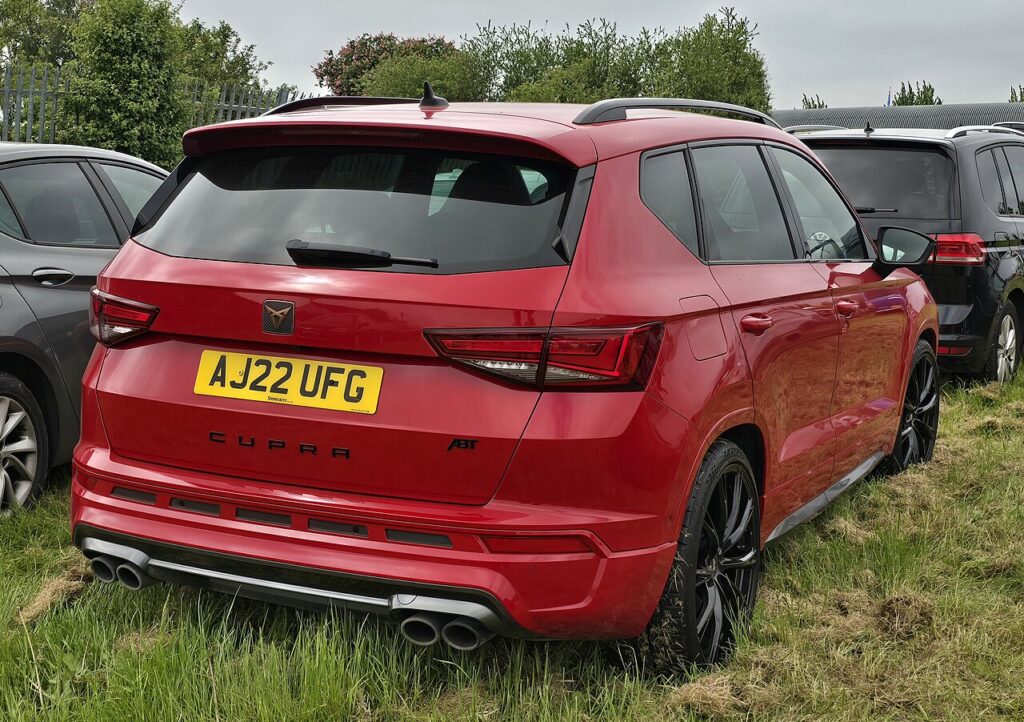
How the System Works on This Model
This generation typically runs an indirect monitoring system: rather than a pressure sensor inside each wheel, it watches how fast each wheel turns through the ABS sensors. A tyre losing pressure shrinks slightly in diameter and spins a touch faster than the others, and that difference is what raises the alert. Because it is a comparison against a stored reference — not an absolute reading — you have to re-store the pressures every time you deliberately change them, otherwise the car keeps comparing against old numbers. Some higher trims carry in-wheel sensors instead; if yours shows a live pressure per corner on the display, treat the store step as a confirmation once the figures are right.
Before You Start
- Set the pressures on cold tyres — parked at least a couple of hours, or driven under about two miles.
- Use the figure on the driver’s door-pillar label (or fuel-flap), matched to your load and wheel size.
- Check all four, and the spare if it is a full-size wheel.
- Only store once every corner is correct — storing a wrong pressure just teaches the car the wrong baseline.
Inflate First
Set all four tyres cold to the door-pillar label figure, then store the reference.
Storing via the Menu
- With pressures set, switch the ignition on.
- Open ‘Vehicle’ / ‘Settings’ on the touchscreen.
- Choose ‘Tyres’ → ‘Store tyre pressures’ (SET) and confirm.
Or via the Button
If a physical TPMS button is fitted, set the pressures, ignition on, then hold the button until it confirms.
If the Light Won’t Clear or Won’t Stay Off
- Check every tyre — the system reacts to a single odd corner, so one that reads a few PSI low will keep the warning up.
- Re-store after any change — inflating, deflating, rotating or swapping a wheel all move you away from the stored baseline.
- Cold mornings can drop pressure enough to trip the light overnight; top up and re-store rather than chasing a fault.
- A space-saver or odd-diameter spare spins differently and can trigger an indirect system — expect a warning until the normal wheel is back on.
- A slow puncture will keep coming back within a day or two of storing; have the tyre checked for a nail or a leaking valve.
- If your car uses in-wheel sensors, a flat sensor battery or a damaged sensor will hold the light on despite correct pressures — that one needs a specialist.
What to Expect After
Once you confirm the store, the warning should go out straight away, or within a short drive as the system settles on the new reference. It then stays off for the trip and beyond, as long as the pressures hold. If it clears and returns days later, that is the system doing its job — something has genuinely changed, so recheck and re-store.
Frequently Asked Questions
How do I reset the tyre pressure light on a Cupra Ateca?
Set all four tyres to the correct cold pressures first, then go to Vehicle → Settings → Tyres → Store tyre pressures and confirm, or hold the TPMS button if one is fitted. The store step tells the car the current pressures are the new normal, and the light goes out once it accepts them.
Do I need any tool or a garage visit?
No — the Ateca stores the reference itself from the touchscreen, so there is nothing to plug in and no need to book it in. A tool only comes into play if the car has in-wheel sensors and one of them fails or needs replacing, which is a separate repair rather than a routine reset.

Why does it keep coming on in cold weather?
Air contracts as it cools, so pressures naturally fall a little on a cold night and can slip below the stored reference by morning. It is normal seasonal behaviour, not a leak. Top the tyres back up to the door-pillar figure while they are cold, then re-store, and the light should settle.
The light came on right after a wheel swap — is that a problem?
No, it is expected. The moment you rotate the tyres or fit a different wheel, the rolling behaviour the system had learned no longer matches. Confirm every pressure is correct and run the store step so the new arrangement becomes the baseline, and the warning clears.
How long before the light goes out?
Usually as soon as you confirm the store, though on an indirect system it can take a few minutes of driving for the readings to average out and the light to drop. If it is still on after a normal drive with all pressures correct, recheck each corner — one low tyre is the most common reason it lingers.
Can I keep driving while the warning is showing?
Treat it as a prompt to check, not to ignore. A steady light usually means a mild deviation, but it can also flag a genuine slow puncture. Pull over when it is safe, look for an obviously soft tyre, and set the pressures at the next opportunity before storing again.
Stored a fault code? Look it up on autodtcs.com. To clear a service reminder, see our Ateca service reset.
Independent guide — not affiliated with Cupra. Always follow your official service manual and safety precautions. Read our full disclaimer.