These instructions apply to the Volvo V40 Mk2 (525) 2012-2019.
For other models, please choose your vehicle here.
Renewing a flat battery or disconnecting for other work on your Volvo V40 (525, 2012–2019)? The 12 V battery is in the engine bay. There are lots of everyday reasons to be here: fitting a new battery once the old one no longer holds charge, isolating the electrics before bodywork or a stereo/dash-cam install, laying the car up for the winter, or sorting things out after a jump-start that didn’t hold. It is a manageable driveway task. Work in the right terminal order, let the modules settle for a moment before you start, and the V40 wakes up and relearns its settings cleanly — taking the battery off will not damage anything.
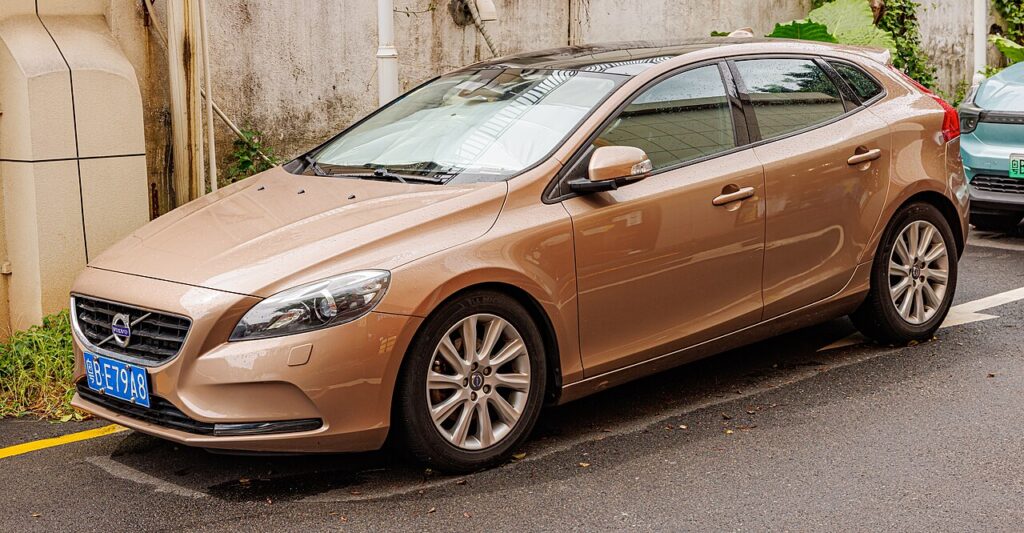
Where the 12 V Battery Is
Open the bonnet — the 12 V battery sits in the engine compartment, usually under a plastic cover or trim panel you unclip or lift away to reach the terminals. Once it is exposed you will see two posts: the negative (−) is black and marked with a minus symbol, and the positive (+) is red, typically under a hinged red cap and marked with a plus. Identify both before picking up a spanner — the order you work in is what keeps the job safe.
The V40 is a conventional petrol or diesel car with no high-voltage system, so there is nothing here beyond the ordinary 12 V battery an owner can safely handle. That keeps this a genuinely simple job compared with the hybrid models in the range.
Before You Begin
- Make sure the ignition is fully off — the dash should be completely dark before you begin.
- Move the key well away from the car so keyless models can’t wake the electronics as you work.
- Switch off the lights, climate and anything plugged into the 12 V sockets; close the windows and boot.
- Note down your radio security code if the head unit uses one, ready to re-enter it afterwards.
- Wait a couple of minutes after switch-off so the control modules go to sleep before you disturb anything.
- Have the right spanner ready (the clamp nuts are commonly 10 mm) and wear gloves and eye protection.
This is a common job.
Disconnecting
- Switch everything off, remove the key, keep it away from the car and wait a couple of minutes for the modules to power down.
- Slacken the nut on the negative (−, black) terminal first, ease the clamp off the post and lift it clear so it can’t spring back onto the terminal.
- Only if you are removing the battery, release the positive (+, red) clamp next; for most electrical jobs leaving positive attached is fine.
- Undo any hold-down clamp and lift the battery out if you are replacing it, keeping it upright.
Reconnecting
- Set the battery back in its tray and refit the hold-down if you removed it.
- Fit the positive (+) first, seat the clamp fully, then fit the negative (−) last, and tighten both firmly so neither can move.
- Switch the ignition on, wait a few seconds for the systems to boot, then start the engine.
What You’ll Need to Reset Afterwards
Cutting the 12 V supply clears a handful of stored and learned settings. On the V40 you will usually need to re-set the clock and re-enter your radio presets (and the security code if fitted), then re-store your tyre pressures so the monitoring system has a fresh reference. If a window loses its one-touch or the anti-pinch feels off, re-initialise the windows. A couple of warning lights may show briefly afterwards — most self-clear once the car has been driven a short distance and everything has re-synchronised.
If a Warning Light Stays On or the Car Feels Off
- Check both clamps are tight and fully seated — a loose terminal causes most post-battery gremlins.
- Let the car relearn over a gentle drive of a few miles before assuming there is a fault.
- Re-run the window initialisation if the one-touch or auto-up has stopped working.
- If cranking is slow or a light won’t clear, rule out a genuinely tired or flat battery rather than the disconnection.
- Read any stored fault code so you know exactly what the car is flagging before spending money.
Frequently Asked Questions
Where is the battery on a Volvo V40?
In the engine bay, under a plastic cover you lift or unclip — a standard 12 V battery. The V40 has no high-voltage system, so this one battery is all an owner needs to deal with.
Which terminal comes off first?
Negative (−, black) first when disconnecting, and positive (+, red) first when reconnecting so the negative goes on last. This order stops the spanner shorting a live terminal to the bodywork.
What resets when I disconnect it?
The clock, radio presets (and any security code) and the tyre-pressure reference typically need re-doing. The windows may need re-initialising, and a warning light or two can appear briefly before clearing on a short drive.
Do I need to code a new battery?
Volvo recommends registering a new battery so charging matches its age and type. The car runs without that step, but registering helps the charging system look after the new battery and preserve its life.
Will disconnecting the battery clear a fault code or the service light?
It can clear temporary codes, but it is not a fix — a real fault simply logs again. The service reminder is mileage/time based and generally isn’t reset by pulling the battery, so use the proper reset procedure for that.
Can I jump-start it instead of disconnecting?
Yes. If the battery is only flat, a jump-start or a mains charger keeps your settings intact. Disconnect the battery only when you are renewing it or need the electrics dead for other work.
Done in the right order this is a straightforward driveway job. If a warning light stays on afterwards, check the code on autodtcs.com.
Independent guide — not affiliated with Volvo. Always follow your official service manual and safety precautions. Read our full disclaimer.