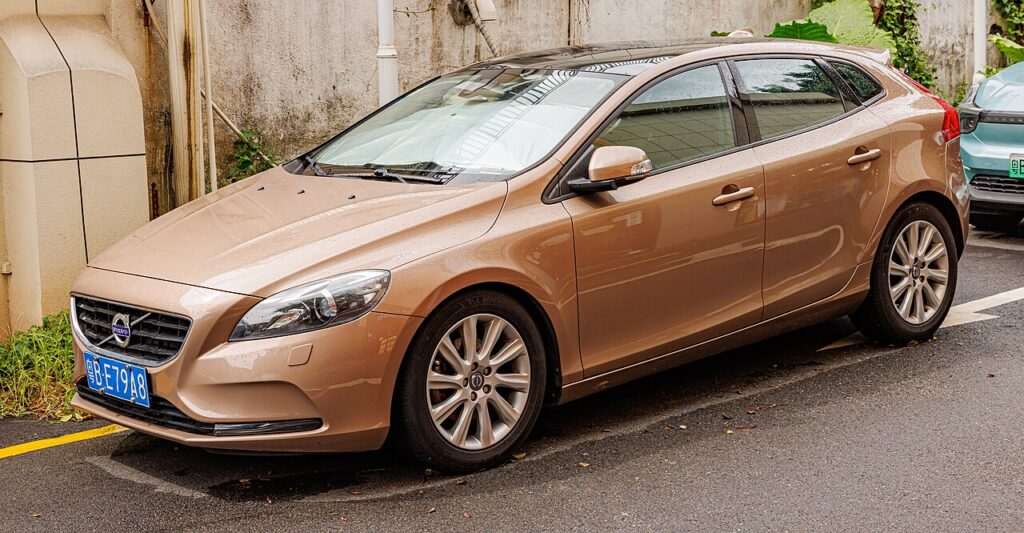
These instructions apply to the Volvo V40 Mk2 (525) 2012-2019.
For other models, please choose your vehicle here.
After adjusting pressures or changing a wheel on your Volvo V40 (525, 2012–2019), you re-calibrate the tyre-pressure monitor from the cluster menu. No tool needed. The tyre-pressure warning by itself is a housekeeping prompt rather than a fault — it tells you the current pressures no longer match the reference the car has stored, which typically happens after the air has cooled, you’ve inflated a tyre, or you’ve fitted a different set of wheels. Calibrating simply teaches the system what the tyres now hold.
How It Works on This Model
The V40’s monitor works by comparison rather than by a gauge inside each wheel: it reads the wheel-speed signals and watches for one tyre turning faster than the rest, which happens as a tyre loses air and its rolling diameter shrinks. Because there is no absolute pressure to fall back on, it has to be taught what a correctly inflated set looks like. That is the whole point of the Calibrate step — it re-measures the four tyres and adopts them as the new reference.
Set the Pressures First
Adjust all four tyres cold to the figures on the driver’s-side B-pillar label, then calibrate — the system takes whatever is in the tyres at that moment as ‘correct’.
- Check pressures cold, before driving or after standing — warm tyres read high.
- Use the B-pillar label figures, not the maximum stamped on the sidewall.
- Set all four corners and any listed higher figure for a full load or motorway use.
- Turn the ignition ON before opening the menu so the cluster responds.
Calibrating the System
- With the pressures set, turn the ignition ON.
- Use the stalk controls to open the menu and select ‘My Car’.
- Select ‘Calibrate tyre pressure’ and press OK.
- Drive for about 10 minutes, exceeding 30 km/h (18 mph) where safe — the new pressures are then stored.
If the Light Stays On
- Recheck every tyre — one low corner is enough to trigger it.
- Complete the drive cycle — the calibration needs a steady run to finish.
- A fitted space-saver or odd-size wheel has a different rolling radius and can upset a comparison-based system until the normal wheel returns.
- A cold morning can drop pressures enough to re-light the warning — top up cold and re-calibrate.
- A genuine slow puncture keeps the warning on — look for a nail or leaking valve before resetting.
- Still on with everything correct? Have the wheel-speed sensors and ABS checked, since they feed this monitor.
What to Expect After
Once the calibration drive is finished the light goes out and stays off for your journeys, as long as the pressures hold. It clears cleanly rather than fading, and should only return if a tyre truly loses air — exactly the warning you want it to give.
Frequently Asked Questions
How do I reset the tyre pressure light on a Volvo V40?
Set the pressures, ignition on, then My Car → Calibrate tyre pressure → OK, and drive ~10 minutes above 30 km/h.
Is a tool needed?
No — the V40 calibrates itself from the menu and a drive cycle. Because the system compares wheel speeds rather than reading in-wheel sensors, there is nothing to program; correct cold pressures and the calibration run are all it needs.
Why did it light up in cold weather?
Cold air lowers pressure; top up to the label figure and re-calibrate. Tyres set on a mild day can read a few psi low after a cold night, which is enough to trip the warning even with no leak. Re-inflate cold and run the calibration.

It lit after a wheel change — normal?
Yes — calibrate so the new pressures become the reference. Any change of wheels or tyres alters what the system should treat as correct, so after fitting a fresh or winter set you set the pressures and run the calibration to store the new baseline.
Do I need to be moving for the calibration to take?
You start it parked with the ignition on by selecting Calibrate tyre pressure, but the learning completes on the road. Give it around ten minutes above roughly 30 km/h where it is safe, so the system can measure the four wheels steadily and store them.
Can one soft tyre set it off even if the rest are fine?
Yes. The monitor flags any single wheel that turns faster than the others, so one tyre a few psi low is enough to raise the warning. Check and correct all four before calibrating rather than topping up only the corner you think is down.
Got a TPMS fault code rather than a low-pressure warning? Look it up on autodtcs.com. To clear a service reminder, see our V40 service reset.
Independent guide — not affiliated with Volvo. Always follow your official service manual and safety precautions. Read our full disclaimer.