These instructions apply to the Lexus UX Mk1 (A1) 2019-Present.
For other models, please choose your vehicle here.
If the tyre-pressure warning has appeared in your Lexus UX (2019–present) after you’ve adjusted the pressures or changed a wheel, you need to reset the monitor so it stores the new pressures. On the UX it’s done with the dashboard menu and a reset button. Here’s how.
The amber tyre symbol (a horseshoe shape with an exclamation mark) is a normal reminder, not a sign that something has broken. It tells you the pressure the car is now measuring no longer matches the reference it has in memory — which is exactly what happens after you top the tyres up, rotate them, or fit a different set of wheels. Once you set the correct pressures and store them, the light goes out.
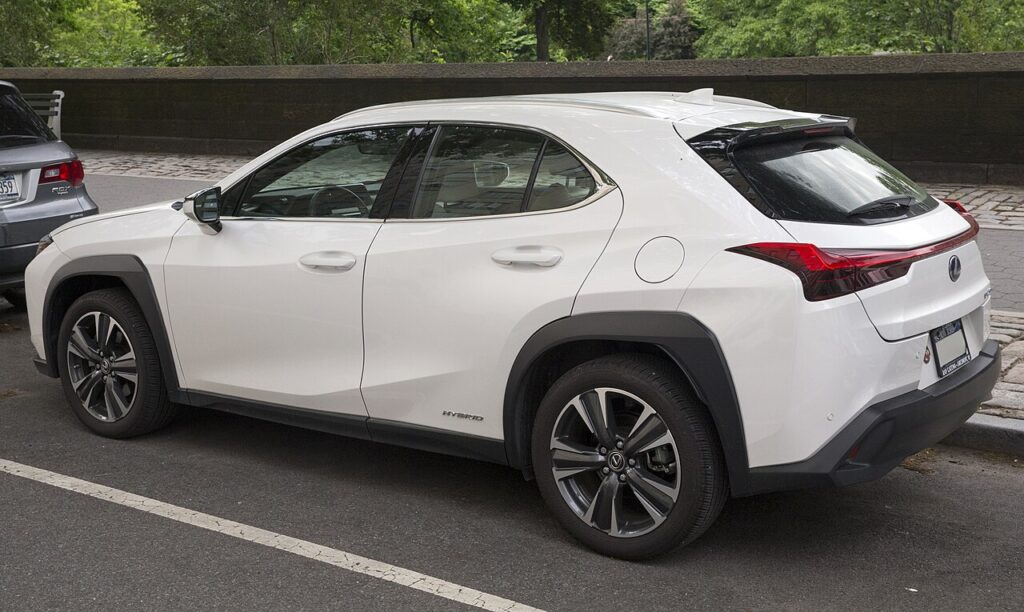
How the TPMS works on the UX
The UX uses a direct system: each wheel carries a small battery-powered sensor at the valve that broadcasts its real pressure to the car. That’s why the reset doesn’t “fix” anything mechanical — it simply tells the car to treat the pressures it is reading right now as the new correct baseline. Because the sensors read actual pressure, the warning will come back if a tyre genuinely drifts low, so always set the pressures accurately before you store them.
Getting Ready
- Check the tyres cold — before driving, or after the car has stood a few hours. Warm tyres read high and will throw the baseline off.
- Set all four to the figure on the driver’s door-pillar placard; the UX often lists a different figure for a full load.
- Don’t forget the spare if your UX carries one with its own sensor.
- Have the car parked level with the ignition ready but the hybrid system not running.
Resetting the System
- Park level and set all four tyres to the correct cold pressures (placard in the driver’s door shut).
- Switch the ignition on.
- Scroll the multi-information display and select ‘Tyre pressure monitoring’.
- Press and hold the TPMS reset button until the TPMS warning light flashes, then release.
- Switch the ignition off, then on. The current pressures become the new reference.
If the Warning Stays On
- Recheck every tyre — one corner just below spec keeps the warning on and blocks the reset. It’s easy to miss a slow leak on one wheel.
- Hold the reset button until the light flashes — releasing early cancels the store and nothing is saved.
- Watch for a cold morning — pressure falls about 1 psi for every 5 °C drop, so a tyre set on a mild day can trip the light overnight.
- After fitting a space-saver or a different wheel set, the sensor may not be recognised until you re-store; a temporary spare without a sensor can leave the light on until the road wheel is back.
- Check the valve caps and stems — a damaged valve can leak slowly and undo the reset within a day or two.
- If it’s still lit with all pressures correct, a sensor battery may be flat (they last several years) or a sensor may have failed — look up any stored code on autodtcs.com.
What Happens Next
Once the store is accepted and you cycle the ignition, the warning light should be out before you set off. The system keeps monitoring in the background and confirms the fresh baseline over the first few minutes of driving. From then on it stays quiet unless a tyre actually loses pressure, so if the light returns days later, treat it as a genuine prompt to check for a slow puncture rather than a glitch.
Frequently Asked Questions
How do I reset the tyre pressure light on a Lexus UX?
Set all four tyres to the correct cold pressures, switch the ignition on, then scroll the multi-information display to Tyre pressure monitoring. Press and hold the TPMS reset button until the warning light flashes, then release. Cycle the ignition off and on and the current pressures become the new reference; the light should be out.
Where is the TPMS reset button?
It’s a small dedicated button, usually low on the dash or near the steering column. On some UX trims the reset is offered directly in the multi-information display menu instead of a separate button. Your handbook shows the exact location for your car; the flash of the TPMS light confirms you’ve found and held the right control.
Why won’t the warning clear?
Almost always because one tyre is still below the placard figure, or the reset button wasn’t held long enough for the light to flash. Re-check each tyre cold with an accurate gauge, correct any that are low, then repeat the store. If every pressure is right and it still won’t clear, suspect a weak or failed sensor.
Do I need a tool?
No. A normal reset after inflating or a wheel swap is done entirely from the driver’s seat with the button and display. A workshop tool is only needed when a sensor itself is replaced, so the new sensor’s ID can be taught to the car. For everyday pressure adjustments you never need one.
Why did the light come on in cold weather?
Cold air is denser, so the pressure in each tyre drops as the temperature falls — roughly 1 psi per 5 °C. A UX set correctly in autumn can easily dip below the threshold on the first frosty morning. Top the tyres back up to the placard figure while they’re cold and re-store the reference.
Do I have to reset it after rotating the tyres?
It’s good practice. Rotating swaps sensors between axles, and front and rear placard pressures can differ, so re-storing after a rotation makes sure the car is comparing each wheel against the right target. Set the pressures for their new positions first, then run the reset so the baseline matches.

If the warning came on with other lights, decode the code on autodtcs.com.
Independent guide — not affiliated with Lexus. Always follow your official service manual and safety precautions. Read our full disclaimer.