These instructions apply to the Jaguar XE Mk1 (X760) 2015-Present.
For other models, please choose your vehicle here.
After the battery on your Jaguar XE (2015–present) has been disconnected or gone flat, the one-touch function on the windows often stops working — the glass only moves while you hold the switch. Re-initialising each window restores it in seconds, with no tools.
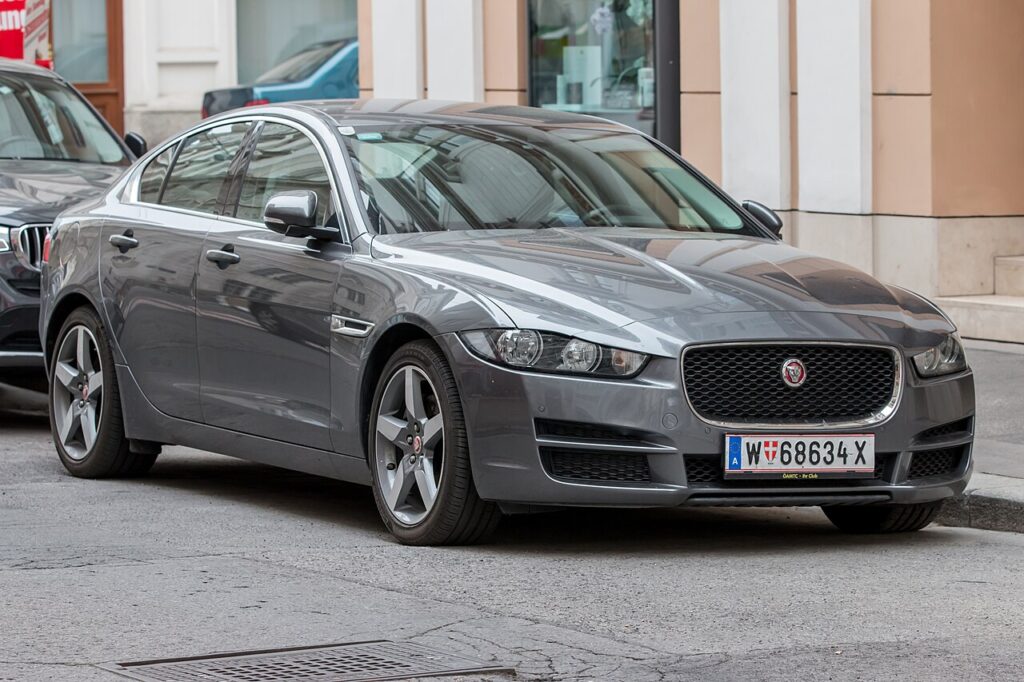
This is not a fault and nothing has failed on the XE. The windows still raise and lower normally — they have simply reverted to hold-to-move because the auto-up/down memory was cleared. A short relearn on each door brings the one-touch and anti-pinch back to how they were before the battery job.
How It Works on This Model
Each XE door has its own window motor with a position sensor, and the module counts pulses from it to know exactly where the fully-closed and fully-open stops are. That learned range is what makes one-touch and the anti-pinch (auto-reverse) safety feature work. When the 12 V battery is disconnected or runs flat, those counts are wiped, so the glass only moves while the switch is held until you re-teach the limits.
When You Need This
Each window motor stores its fully-open and fully-closed positions, and that memory is cleared when the 12 V battery is disconnected or runs flat. The fix is a quick relearn from the door switch.
Before You Start
- Switch the ignition on so the windows have full power.
- Keep the door closed so the glass seats fully at the top.
- Make sure the channel is clear — no arm, head, or ice.
- Work one window at a time from that door’s own switch.
- Anti-pinch is disabled during the learn, so keep hands clear of a firm closing movement.
Re-initialising a Window
- Pull the switch up to fully close the window, and keep holding for a moment after it stops, then release.
- Press the switch down to fully open the window, again holding briefly after it stops, then release.
- Pull up to fully close once more, holding a few seconds at the top, then release.
- Test that one-touch up and down now work, and repeat for each window that lost the function.
If It Still Won’t Auto-Close
- Hold the switch past the end stop in each direction — the motor must feel the limit to learn it.
- Check the glass runs freely — a sticky channel can stop the relearn completing.
- Check the fuse for that door if the window is completely dead before assuming a learn fault.
- Run the full up-down-up cycle again in one go — a half-finished learn often leaves one-touch working in only one direction.
- If the battery was only just reconnected, drive normally for a few minutes and retry; some modules settle after an ignition cycle.
- Persistent fault? A window-module or switch issue can store a code — look it up on autodtcs.com.
What to Expect After
Once the cycle is complete, a single tap up or down should run the glass all the way on its own, and the auto-reverse should push it back down if it meets resistance near the top. The XE holds this memory until the battery is disconnected again, so you should not need to repeat the relearn in normal driving.
Frequently Asked Questions
Why did my XE windows stop auto-closing?
The one-touch memory is cleared when the battery is disconnected or goes flat, so the glass reverts to hold-to-move. Nothing has broken — the module has simply lost the stored end stops, and the relearn from the door switch restores the auto function and its anti-pinch safety.
Do I need tools?
No — it’s done entirely from the window switch. There is no scan tool, menu, or dashboard step; you only need the ignition on and the door closed while you run the up-down-up cycle on each window that lost the function.
Which order, up or down?
Fully close and hold, fully open and hold, then fully close and hold again. Pausing past each end stop for a second or two is what lets the motor re-record the top and bottom positions, so do not release the switch early in any of the three moves.
Do I have to do every window?
Only those that lost one-touch, though it’s quick to do them all after a battery job. Each takes just a few seconds, so cycling all four doors is the simplest way to be sure none is left stuck in hold-to-move mode.
Is the anti-pinch safety affected?
Yes — the auto-reverse depends on the same learned limits, so it is inactive until the relearn finishes. Keep fingers clear of the glass during the procedure, then check afterwards that the window reverses when it meets light resistance near the top.
It still won’t auto-close — now what?
Repeat the full up-down-up cycle, holding each limit, and check the glass moves freely and the fuse is intact. If it still fails, a window-module or switch fault may be stored — you can look up what any code means on autodtcs.com.
Just reconnected the battery? Our XE battery disconnect/reconnect guide lists the windows among the items to re-initialise.
Independent guide — not affiliated with Jaguar. Always follow your official service manual and safety precautions. Read our full disclaimer.