These instructions apply to the Jaguar XF Mk2 (X260) 2015-Present.
For other models, please choose your vehicle here.
After the battery on your Jaguar XF (2015–present) has been disconnected or gone flat, the one-touch function on the windows often stops working — the glass only moves while you hold the switch. Re-initialising each window restores it in seconds, with no tools.
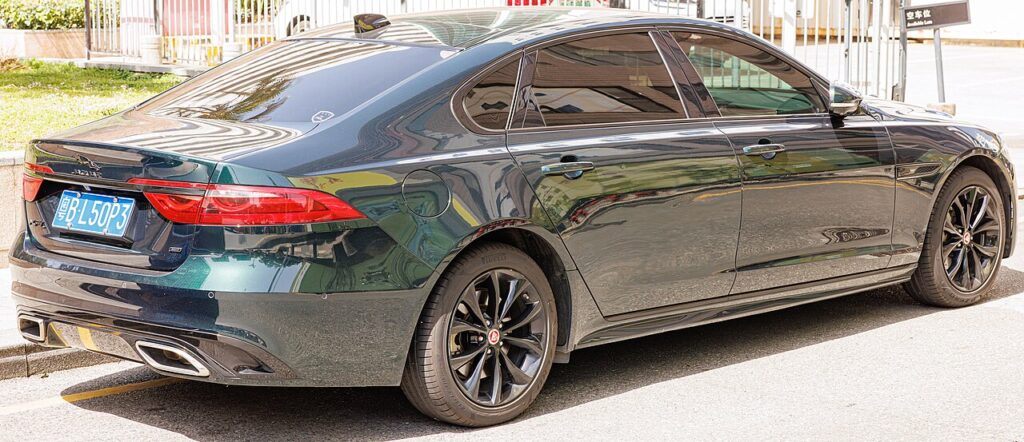
The XF’s windows have one-touch operation in both directions with anti-pinch protection, so a single tap runs the glass fully up or down and the motor reverses if it meets an obstruction on the way up. Losing that after battery work is completely normal and not a fault — the window simply reverts to hold-to-move until the motor relearns its travel.
When You Need This
Each window motor stores its fully-open and fully-closed positions, and that memory is cleared when the 12 V battery is disconnected or runs flat. The fix is a quick relearn from the door switch.
How It Works on This Model
A window module in each door learns the exact travel between the top and bottom end stops. It uses those references to know when to stop the motor and how much resistance means something is trapped, which is what powers the one-touch and anti-pinch features. When the 12 V supply is lost, the stored calibration is wiped and the module drops to a safe manual mode; teaching it both limits again brings the automatic behaviour back.
Getting Ready
- Switch the ignition on (engine can be off) so the windows are powered.
- Sit inside with the door closed for the window you’re calibrating.
- Keep hands and objects clear of the glass aperture during the cycle.
- Do one window at a time using that door’s own switch.
- Make sure the battery is fully reconnected and voltage is stable if you’ve just done battery work.
Re-initialising a Window
- Pull the switch up to fully close the window, holding briefly after it stops, then release.
- Press the switch down to fully open it, again holding briefly after it stops, then release.
- Pull up to fully close once more, holding a few seconds at the top, then release.
- Test one-touch up and down, and repeat for each window that lost the function.
If It Won’t Stay Set
- Hold the switch past the end stop in each direction — the motor must feel the limit to learn it.
- Complete all three steps; stopping short of the final close leaves the relearn unfinished.
- Check the glass runs freely — a dry or dirty channel adds drag that can trip the anti-pinch reverse.
- Re-seat the battery connections and check the earth if you’ve just done battery work.
- Retry if the battery was very flat — a weak 12 V supply can interrupt the learn part-way; charge it and repeat.
- Check the window fuse if one window has no power at all.
- Persistent fault? A window-module issue can store a code — look it up on autodtcs.com.
What Happens Next
Once the relearn is done, a single tap runs the glass fully up or down again and the anti-pinch protection is active. The setting is stored, so you won’t need to repeat it unless the battery is disconnected or goes flat again. If several windows lost the function, each will respond to one-touch independently once you’ve worked around the car.
Frequently Asked Questions
Why did my XF windows stop auto-closing?
The one-touch memory is cleared when the 12 V battery is disconnected or goes flat, so each window drops to a safe hold-to-move mode. The relearn — fully close and hold, fully open and hold, then fully close and hold again — teaches the module its travel and restores one-touch operation with anti-pinch.
Do I need tools?
No. It’s done entirely from the window switch with the ignition on — no diagnostic device, touchscreen menu or fuse-pull required. Hold the glass at each end stop for a couple of seconds so the motor registers the limit, and the door’s module relearns on its own.
Which order, up or down?
Fully close and hold, fully open and hold, then fully close and hold again. Running the glass to both physical stops and pausing at each lets the module capture the full travel. The final close confirms the top limit, which is the point that restores the auto-up and anti-pinch behaviour.
Do I have to do every window?
Only those that lost one-touch. Each window is calibrated separately by its own module, so relearning the driver’s door won’t fix the others. Move around the car one window at a time, using each door’s switch, until they all auto-run again.
My window reverses just before it shuts — why?
That’s the anti-pinch sensor reacting to friction, usually a dirty or dry glass channel, or an incomplete relearn. Clean the runs, make sure nothing is in the aperture, and repeat the close-open-close procedure. If it keeps reversing on a clean, free-moving window, have the motor or switch checked.
The switch only moves the glass while I hold it — is that a fault?
Not on its own. Hold-to-move is exactly how the window behaves once the stored travel is wiped after a battery disconnect or flat battery. It’s the system working safely, and completing the relearn restores the automatic one-touch travel. Only suspect a fault if the relearn won’t take on a free-running window.
Just reconnected the battery? Our XF battery disconnect/reconnect guide lists the windows among the items to re-initialise, and a stored window-module fault can be decoded on autodtcs.com.
Independent guide — not affiliated with Jaguar. Always follow your official service manual and safety precautions. Read our full disclaimer.