These instructions apply to the Alfa Romeo MiTo Mk1 (955) 2008-2019.
For other models, please choose your vehicle here.
When the remote on your Alfa Romeo MiTo (2008–2019) starts working only from a step away, blinks feebly, or ignores you completely, the coin cell inside the fob has almost certainly run down. Across its long production run the MiTo — Alfa’s Mini-rivalling supermini — used a three-button flip (switchblade) key with a fold-out blade, the same family of remote shared with the 159 and Giulietta. Swapping the battery is a five-minute job that keeps the fob’s coding intact, so no dealer visit is needed. Below are the warning signs, the exact cell to buy, and the opening method that trips people up on this particular key.
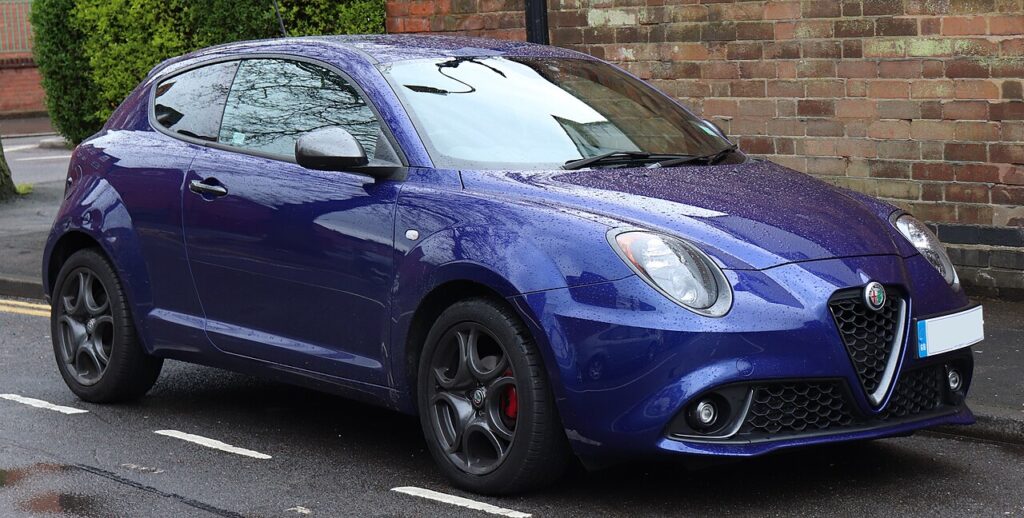
How to Tell the Fob Battery Is Dying
- Range keeps shrinking. You have to be right next to the MiTo — or hold the fob against the door — before it locks or unlocks. That collapsing range is the classic first symptom.
- The fob LED fades. The indicator that flashes on each button press dims or stops lighting once the cell is weak — a quick way to prove it’s the fob and not the car.
- Intermittent response. One press works, the next doesn’t, and it’s worse in cold weather when a tired lithium cell struggles.
- Falling back on the blade. If you’ve quietly started unlocking by hand because the buttons are unreliable, the battery is overdue.
A coin cell in a MiTo remote generally lasts three to four years. If yours is around that age and playing up, fit a fresh one before you blame the receiver or immobiliser.
The Battery You Need
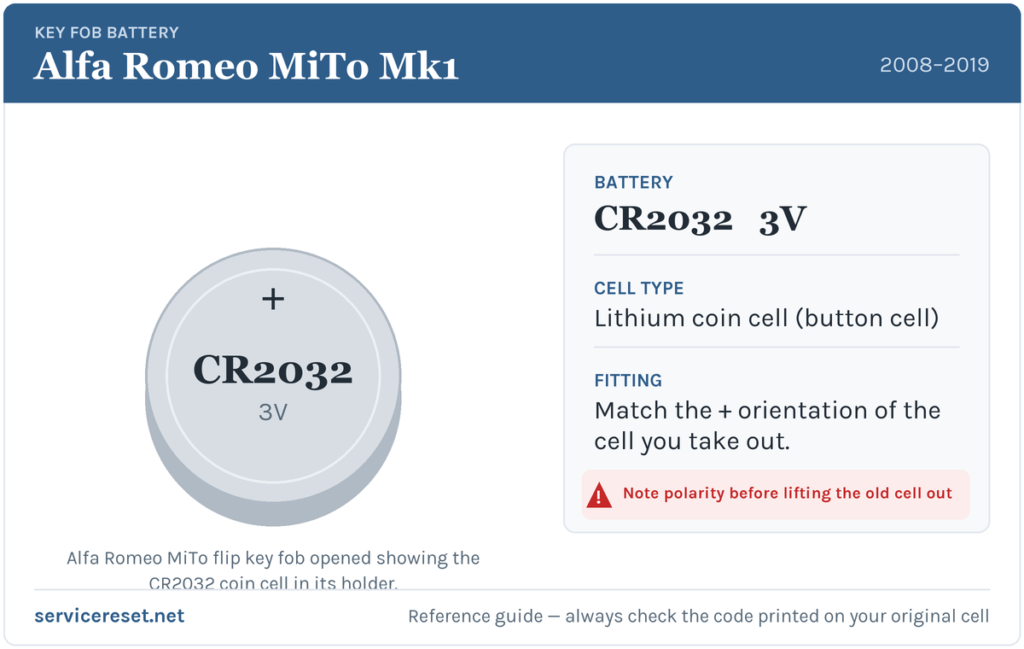
The MiTo flip key takes a single CR2032 — a 3-volt lithium coin cell roughly 20 mm across, sold everywhere from supermarkets to hardware shops. It’s the same cell used across most Fiat-group keys of the period. Choose a reputable brand: cheap cells sag under the short burst of current the transmitter needs and can give weak range even when brand new. If you’d rather confirm before buying, open the fob first and read the code stamped on the old cell — it should read CR2032.
Replacing the Cell — Step by Step
- Fold the blade away and slip out the button pad. On the MiTo the rubber keypad lifts out first — work something thin under an edge and gently peel it off to expose the fixings beneath.
- Remove the single screw. With the pad out you’ll usually find one small cross-head (Phillips) screw holding the halves together. Undo it with a fine screwdriver. (If your fob has no screw and clips instead, prise the seam along the top edge gently rather than forcing it.)
- Split the case along the top edge. The two halves part along the seam, giving access to the battery tray.
- Note the orientation, then lift the cell out. Look at which way it faces before you move it. The fresh CR2032 goes in positive (+) side up on the MiTo tray, but always copy exactly what you removed.
- Fit the new cell and reassemble. Handle the battery by its edge, press it home under the clip, refit the tray, drive the screw back in snugly — not over-tight, the case is plastic — press the button pad back on, and test every button.
⚠️ Mind the polarity. A cell fitted the wrong way up makes poor contact and can slowly discharge, so a “new” battery arrives already flat. When in doubt, match the orientation of the cell you took out — that is always right for your fob.
Did It Work?
Step back a few metres and lock, then unlock, the MiTo. Full range should return at once and the fob’s LED should blink sharply again on each press. If range is still poor, reopen the fob and check the cell is seated flat, clipped down, and the right way round before looking elsewhere.
If a Fresh Cell Doesn’t Fix It
- Re-seat the battery. The number-one reason a new cell “doesn’t work” is that it’s upside down or not fully pressed onto the contacts.
- Clean the contacts. A dry wipe of the terminal tabs removes grease and light corrosion that cause dropouts.
- Test each function. If lock works but unlock or boot doesn’t, the fault is in a fob switch, not the battery.
- Rule out the car. A weak 12 V vehicle battery can make the whole car slow to respond and look like a key fault — worth checking if the MiTo itself is sluggish to wake.
New Key or Spare — Why It’s a Dealer Job
A battery change leaves the fob’s coding alone, so the remote keeps working straight away with no reprogramming. A new or replacement key is another story: the MiTo’s transponder is married to the car’s immobiliser, so a blank must be cut to the correct blade profile and coded to your VIN with diagnostic gear. That makes a spare or a lost-key replacement a job for an Alfa Romeo dealer or a qualified auto-locksmith. Keep the cell in your spare fob fresh too, and you’ll never be down to a single working key.
Frequently Asked Questions
What battery does an Alfa Romeo MiTo key fob use?
A single CR2032 3-volt lithium coin cell. It’s the standard cell for the MiTo’s flip remote and for most Fiat-group keys of the same years.
Which way up does the battery sit?
On the MiTo tray the positive (+) face points up. Even so, glance at the old cell before removing it and fit the new one identically — a reversed cell can drain itself and leave the key dead.
Do I need to reprogram the fob after a battery swap?
No. Changing the battery doesn’t touch the coding, so the remote works the instant the fresh cell is in. Only an entirely new key needs programming.
How long should a MiTo key battery last?
Usually three to four years. Heavy use of the remote, or a low-quality cell, can bring that down.
New battery in and it still won’t work — is the fob broken?
Probably not. Re-check the cell’s polarity and that it’s firmly on clean contacts first. If the LED still won’t light with a known-good cell, a button contact or the transmitter may have failed — rare next to a simple flat or upside-down battery.
Can I drive the MiTo with a completely dead fob?
Yes. Fold out the emergency blade to unlock the driver’s door, then start the car with the key as usual — a flat remote cell only disables the buttons, not the car itself.
If your MiTo’s remote died abruptly — particularly right after the car battery went flat or was disconnected — rather than fading over time, the pairing or a stored electrical fault is a likelier cause than the coin cell; you can check what a logged code means over at autodtcs.com.
Independent guide — not affiliated with Alfa Romeo. Always follow your official service manual and safety precautions. Read our full disclaimer.