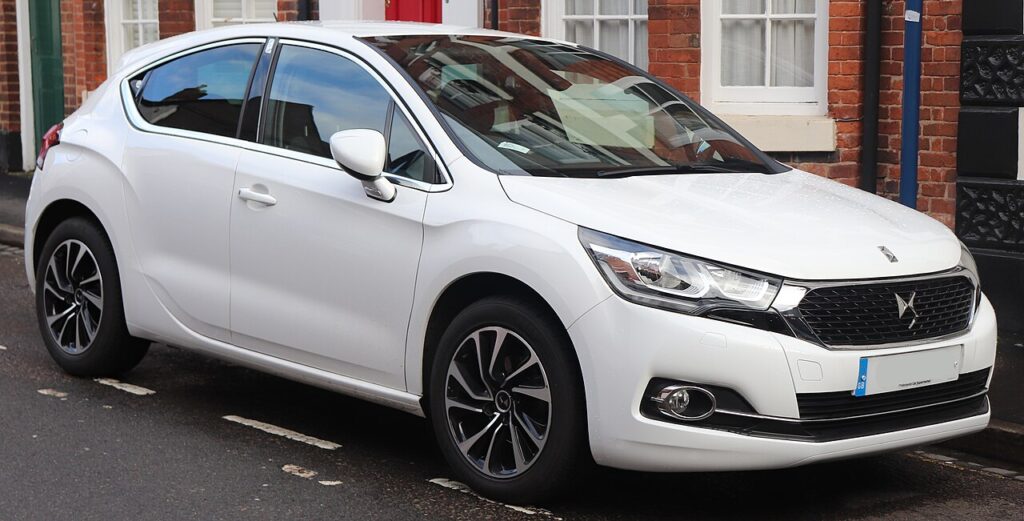
These instructions apply to the DS 4 Mk1 (B75) 2011-2018.
For other models, please choose your vehicle here.
If the key fob on your DS 4 (2011–2018) — the B75-platform hatch launched under the Citroën DS badge and later spun off as the DS marque — has lost its range or the central locking has gone intermittent, the coin cell inside is almost certainly flat. It’s a quick swap with a CR2032, and there’s a simple owner re-sync afterwards if the remote needs it. Before you assume the car has a fault, rule out the fob: a dying cell is by far the most common reason a DS 4 stops locking reliably.
How to Tell the Fob Battery Is Dying
A flat coin cell rarely dies all at once — it fades, and the symptoms creep in over a week or two:
- Shrinking range — you have to stand right by the car, or point the fob straight at it, for the locking to respond.
- Works on the second or third press — the button feels unreliable where it used to be instant.
- Intermittent central locking — sometimes all doors, sometimes nothing, with no pattern.
- Worse in the cold — a tired cell loses voltage on a frosty morning and recovers a little once it warms up.
A DS 4 remote cell typically lasts a few years of daily use before it needs changing. If yours is intermittent and the fob is a few years old, the cell is the first and cheapest thing to rule out.
The Battery You Need
The DS 4 remote uses a single CR2032 — the common 3 V lithium coin cell, 20 mm across and 3.2 mm thick. Buy a branded one from a reputable seller; cheap multipacks can sit below voltage out of the packet and give you a short life or weak range. Don’t substitute a thinner cell (a CR2025 or CR2016 will rattle and make poor contact). The safest check is to read the code stamped on the old cell as you take it out and match it exactly.
You’ll also need: a coin or a small flat-blade screwdriver to split the case. That’s it — no other tools.
Replacing the Cell
- Pull out the metal key blade. Slide the release and withdraw the emergency blade from the body of the fob — this exposes the seam of the case.
- Press and hold the fob button and remove the button-cell cover where fitted.
- Insert a coin at the ring/seam and gently twist to separate the two halves of the case. Work around the seam rather than forcing one spot.
- Note which way up the old cell sits — the printed “+” face is usually visible — then lift it out. Handle the new cell by its edges; finger grease on the faces harms contact.
- Fit the new CR2032 the same way up, positive side to match, and press it fully under its retaining clip.
- Clip the case back together, refit the cover, and slide the metal blade home until it locks.
⚠️ Polarity matters. A CR2032 fitted upside down simply won’t power the remote, and forcing it under the clip can bend the contact. Match the printed “+” to the same face it came out on.
Re-syncing the Remote (If Needed)
The DS 4’s key still works mechanically with a dead fob, so you can always get in; the cell only powers the remote locking. If the remote doesn’t lock/unlock straight after the swap, re-synchronise it:
- Turn the ignition off, then turn the ignition on.
- Press the lock button on the fob once.
- Turn the ignition off and remove the key — the remote is synchronised.
Make Sure It Took
Stand a normal distance from the car and lock, then unlock, watching for the indicators to flash and the mirrors to fold if your car is set to. Walk to the far side of a car park and try again — full range confirms a healthy cell. If it only works up close, re-open the fob and check the cell is seated flat and the right way up.
If a Fresh Cell Doesn’t Help
- Re-check polarity and seating — an upside-down or half-seated cell is the usual culprit.
- Confirm it really is a CR2032 and that the new one isn’t a dud — measure it or try another.
- Wipe the contacts in the fob with a dry cloth or a cotton bud; corrosion or grease weakens the connection.
- Use the key blade to lock and unlock in the meantime — you’re never locked out.
- Still intermittent? A receiver or body-control fault can store a code — look it up on autodtcs.com.
Lost Key or Adding a Spare — Why It’s a Dealer Job
A cell swap (and the re-sync above) keeps the existing key fully coded to the car — nothing is erased. A new or replacement key is different: a blank has to be cut to the car and coded to its immobiliser with diagnostic equipment, which means a DS / Citroën dealer or an auto locksmith. There’s no owner button-sequence that pairs a brand-new key. If you own a spare, change its cell too while you’re at it — a spare that only comes out once a year is usually the one with a flat battery when you need it.
Frequently Asked Questions
What battery does the DS 4 key use?
A single CR2032 3 V lithium coin cell — the common 20 mm type. Buy a branded one and match the code stamped on the cell you remove rather than guessing, and avoid the thinner CR2025 or CR2016 which won’t seat correctly.
Which way up does the cell go?
Positive (+) side matching the face that was showing when you opened the fob — on the DS 4 that’s normally the printed “+” upward. Note the orientation before you lift the old one out, and fit the new CR2032 identically so it sits flat under its clip.
Do I need to reprogram the key after the swap?
No. Changing the cell never erases the coding. At most the remote needs the quick owner re-sync — ignition off, on, press lock once, ignition off — and it’s locking again. Full reprogramming is only for a brand-new key.
How long should a new battery last?
A CR2032 in the DS 4 remote generally gives a few years of daily use. Frequent locking/unlocking, cold storage and cheap cells shorten that. If a fresh branded cell drops off within months, suspect a dud battery or a poor contact rather than the car.
It’s still dead after a new battery — now what?
Re-check polarity and that the cell is fully seated, confirm it’s genuinely a CR2032, and clean the contacts. If the remote still won’t work while the blade opens the doors normally, the fault may be in the receiver — have it read for a stored code.
The fob is dead — can I still get in and drive?
Yes. Pull the metal blade from the fob and it unlocks the driver’s door, so you’re never locked out. The car starts normally on the ignition once you’re in; the coin cell only powers the remote locking, not the immobiliser transponder.
If the fob flagged after a battery disconnection, see our DS 4 battery disconnect/reconnect guide. For any stored locking or body-control fault code, look it up on autodtcs.com.
Independent guide — not affiliated with DS. Always follow your official service manual and safety precautions. Read our full disclaimer.