These instructions apply to the Jeep Compass Mk1 (MK) 2007-2014.
For other models, please choose your vehicle here.
If the remote on your Jeep Compass Mk1 (MK49, 2007–2014) only locks the car from a step away, works one press in three, or has stopped doing anything at all, the coin cell inside it is almost certainly flat. Across this whole generation the Compass used a single factory key style: an integrated remote-head key — the lock, unlock and panic buttons sit on the plastic head, with a fixed (non-folding) metal blade permanently attached and the transponder for the immobiliser buried in the head. There is no folding flip key or push-button smart fob to worry about on the MK49, so there is only one battery and one way in. Here is how to tell a dying cell from a real fault, the exact battery it takes, and how to open the case without cracking it.
How to Tell the Fob Battery Is Dying
- Shrinking range. You have to be right next to the Compass — or almost touching the door with the fob — before it will lock or unlock. This is the classic first sign and usually comes on gradually.
- Intermittent buttons. A press works sometimes and not others, or you have to jab the button two or three times. A cell that is nearly done can still fire occasionally before giving out.
- Cold-morning dropouts. A weak lithium cell loses voltage in the cold, so a fob that is fine in summer can fail on a frosty morning and recover once it warms up — a strong hint the cell is on its way out.
- Weak or dead press response. If the fob feels completely lifeless on every button, the cell is flat or has been sitting in a drawer discharged.
A CR2032 in a Compass remote typically lasts two to four years. If yours is around that age and showing any of the above, fit a fresh cell before you start suspecting the receiver or the immobiliser — a coin cell is by far the most likely culprit and the cheapest thing to rule out.
The Battery You Need
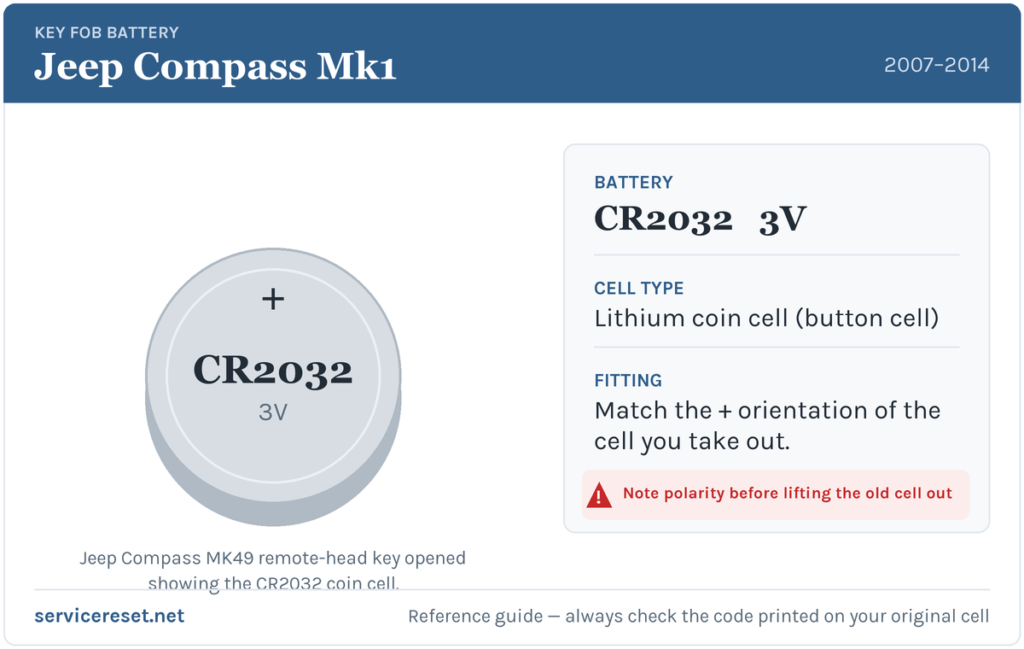
The MK49 Compass remote-head key uses a single CR2032 3-volt lithium coin cell. It is the most common fob battery there is — roughly the size of a five-pence piece — and you can buy one in any supermarket, hardware shop or petrol station. Fit a good-quality branded cell rather than the cheapest multipack: a weak or bargain cell sags under the short burst of current the transmitter draws and can give poor range even when it is technically “new”.
How to Change the Battery
- Have a small flat-blade screwdriver ready — a fine one, or a plastic pry tool, so you do not scar the plastic. The metal key blade stays attached throughout; you do not remove it.
- Find the seam that runs around the edge of the plastic head, where the two halves of the case meet. There is a small notch near the top of the head, next to where the metal blade joins and closest to the Lock button.
- Insert the tip into that notch and gently prise the two halves apart. Twist the blade slowly rather than forcing it; work around the seam a little at a time if one corner feels stuck. The case is a clip fit — there is no hidden screw on this fob.
- With the case open you will see the circuit board and the round coin cell held under a metal clip. Note which way the old cell sits — which face is visible — before you lift it out. Ease it out from under the clip with the screwdriver tip or a fingernail.
- Fit the new CR2032 the same way round as the one you removed, sliding it back under the retaining clip so it sits flat and firm against the contacts. Handle it by the edges — finger grease on the faces can weaken the connection.
- Line the two halves back up and press them together until they click all the way round. Give the case a gentle squeeze to check nothing is proud, then test every button.
⚠️ Match the orientation exactly. Coin cells only work one way round, and a cell fitted upside down will not power the transmitter — and can quietly discharge. Sources differ on how to describe which face points where on this fob, so do not rely on “plus up” or “plus down” from memory: copy the orientation of the cell you just took out, which is the one guaranteed to be correct for your key.
Check It Worked
Stand back a few metres from the Compass and lock, then unlock, the car. Full range should return the instant the fresh cell is seated — there is nothing to reset or relearn after a straight battery swap. If the range is still short, open the case again and confirm the cell is firmly under its clip and sitting square on the contacts.
If a Fresh Cell Doesn’t Fix It
- Re-check the seating. The cell must sit flat under its clip with clean, firm contact. A cell that is slightly cocked or not fully home behaves exactly like a flat one.
- Wipe the contacts. A film of finger grease, or a little corrosion on the metal terminals from an old leaking cell, is enough to cause dropouts. Clean them with a dry cloth or a cotton bud.
- Confirm the new cell is actually good. Coin cells that have sat in a drawer or a cheap multipack can be part-discharged out of the packet. Try a second known-fresh CR2032 before condemning the fob.
- Still dead on every button? If a known-good cell brings no response at all, the transmitter or a cracked solder joint inside the head may have failed — uncommon, but possible on a fob that has been dropped a lot. That is a replace-the-remote job rather than a battery one.
New Key or Spare — Why It’s a Dealer Job
Changing the cell does not touch the fob’s coding, so the remote keeps working straight away with no programming. A new key is a different matter. The MK49 Compass has a transponder immobiliser, so a replacement remote-head key has to be cut to the car and then programmed to the vehicle with a diagnostic tool — and pairing a new transponder generally requires access that only a Jeep dealer or an auto-locksmith has. That makes adding a spare or replacing a lost key a professional job. The practical takeaway: keep the battery in your spare key fresh too, so you are never down to a single working remote.
Frequently Asked Questions
What battery does a Jeep Compass MK49 key fob take?
A single CR2032 3-volt lithium coin cell. The same cell fits every year of the 2007–2014 Compass remote-head key.
Does the Compass have a flip key or a smart fob?
Neither on this generation. The MK49 Compass uses a one-piece remote-head key with a fixed metal blade — the buttons and the ignition key are a single unit. Folding flip keys and push-button proximity fobs did not arrive on the Compass until the later, second-generation car.
Which way round does the coin cell go?
The cell only powers the fob one way up. Rather than trust a plus-up or plus-down rule — sources disagree on how to phrase it for this key — fit the new cell exactly as the old one sat. Note the visible face before you lift the old one out and copy it.
Do I need to reprogram the key after changing the battery?
No. A battery swap leaves the coding untouched, so the remote works immediately. Only a brand-new key needs cutting and programming to the car.
How long should a Compass key battery last?
Usually two to four years. Frequent locking and unlocking, or a fob that gets knocked about, will shorten that. If a fresh cell only lasts a few months, suspect a poor contact or a tired fob rather than the battery.
Can I still get into and start the Compass if the fob is completely dead?
Yes. The metal blade on the remote-head key unlocks the driver’s door manually, and because the same key carries the ignition blade and transponder you simply put it in the ignition and start the car as normal — a flat remote battery only affects the buttons, not your ability to drive.
If your remote stopped working suddenly rather than fading — especially right after the car’s 12 V battery was disconnected or went flat — the cause may be the immobiliser or a stored fault rather than the coin cell. You can look up what any related warning or trouble code means on autodtcs.com.
Independent guide — not affiliated with Jeep. Always follow your official service manual and safety precautions. Read our full disclaimer.