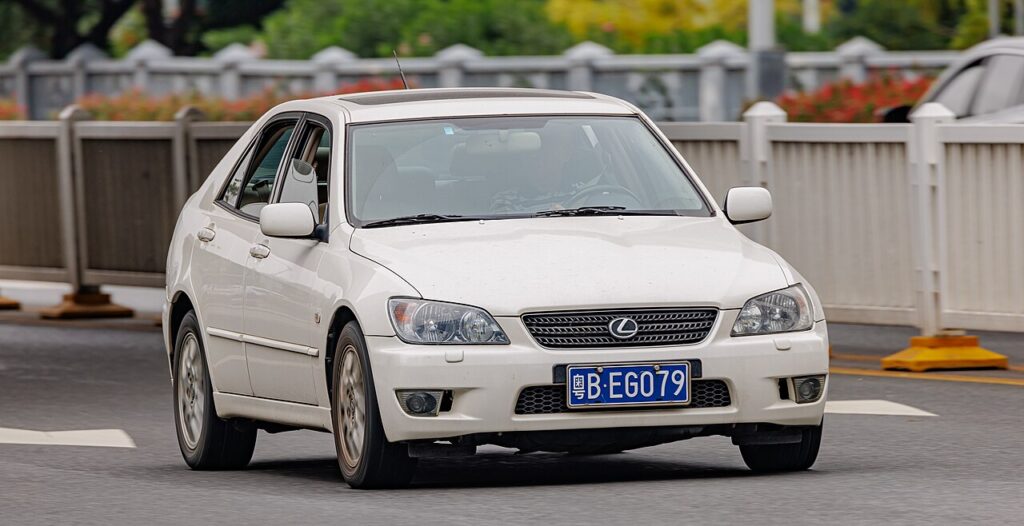
These instructions apply to the Lexus IS Mk1 (XE10) 1999-2005.
For other models, please choose your vehicle here.
If the remote for your first-generation Lexus IS (XE10, 1999–2005 — the original IS200 and IS300) only locks the car from a pace away, ignores the odd press, or has stopped flashing its little indicator light, the coin cell inside it has almost certainly run flat. The XE10 predates smart keyless-go, so this car uses a separate multi-button keyless-entry remote (built into the head of the ignition key on some, a standalone fob on others) with a slim metal emergency blade inside. It is one of the easiest fobs Lexus ever made to service — provided you fit the right cell and open the case the right way. Here is how, plus how to tell a dying battery from a real fault, and why cutting a new key is the one part you can’t do at home.
How to Tell the Fob Battery Is Dying
- Shrinking range. You have to be right beside the car — or almost touching the fob to the door — before it will lock or unlock. On a 20-plus-year-old remote this is the number-one sign.
- The indicator LED goes dim or dark. The XE10 remote has a small red light that blinks on each press. When the cell is weak it flashes faintly; when it’s flat it won’t light at all — a quick way to prove the fob, not the car’s receiver, is the problem.
- Buttons work only sometimes. Intermittent response, especially on cold mornings, is a near-flat lithium cell whose voltage sags under load and drops further in the cold.
- No dash warning to rely on. Unlike modern Lexus models, the XE10 has no “key battery low” message in the cluster, so you have to judge it by range and the LED alone.
A coin cell in an IS200/IS300 remote typically lasts two to four years. Given the age of these cars, if you don’t know when the battery was last changed, it is well worth fitting a fresh one before suspecting anything more serious.
The Battery You Need
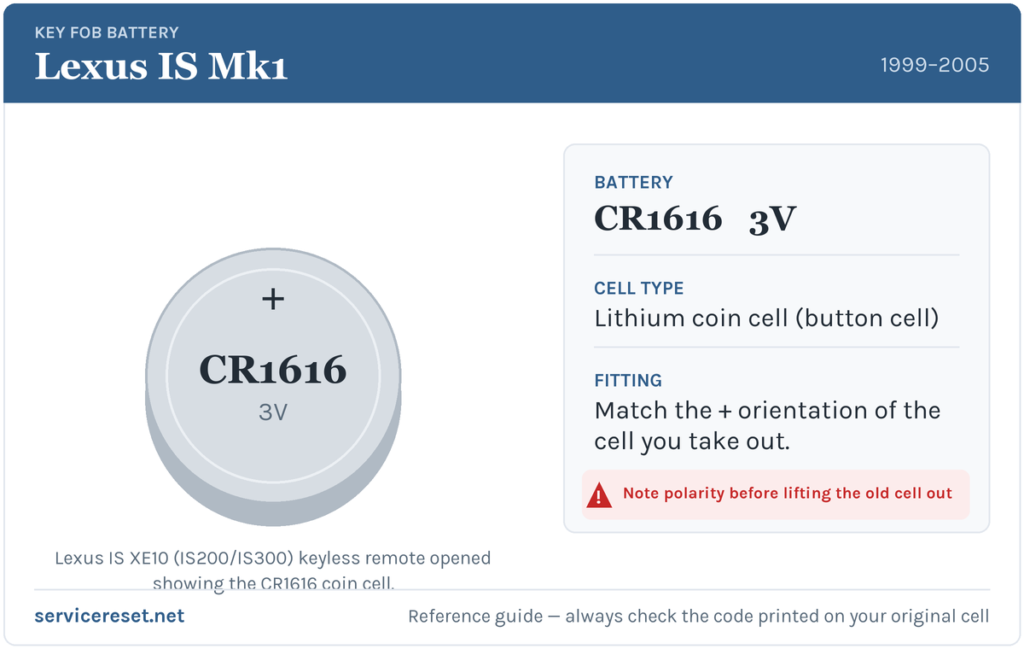
The XE10 remote takes a single CR1616 3-volt lithium coin cell. This catches a lot of owners out: the CR1616 is thin (1.6 mm), and it is easy to grab the chunkier, far more common CR2032 or a CR2016 by mistake — a cell that is too thick won’t let the case close, and the wrong diameter sits loose against the contacts and gives poor range. Helpfully, Lexus printed the battery code on the fob itself, so before you buy, split the case and read what’s stamped on the old cell. If the marking is worn, match the thickness of the cell you removed above all else. Buy a good branded lithium cell; cheap ones sag under the transmitter’s brief current draw and can read “new” yet still give weak range.
How to Change the Battery
- Slide out the emergency blade first. Most XE10 remotes carry a thin removable metal key. Release its catch and pull it straight out — it doubles as the perfect flat tool for the next step.
- Undo the retaining screw. Turn the fob over and remove the small cross-head (Phillips) screw on the back with a fine screwdriver. Keep it somewhere safe — it is tiny and easily lost.
- Pry the seam open. Slip the tip of the screwdriver (or the removable metal blade) into the seam between the two halves, twist gently while easing the back cover away from the front, and the case pops apart with very little force. Don’t force it — the plastic is over two decades old and can be brittle.
- Note how the old cell sits, then lift it out. Look at which face — flat + side or ringed − side — points up, or photograph it. That orientation is your reference.
- Drop the fresh CR1616 in the same way round. Handle it by the edges (skin oils shorten cell life) and seat it firmly under its clip against clean contacts.
- Close the case, refit the screw, and slide the blade home. Press the halves until the seam closes evenly, drive the little screw back snugly — don’t overtighten into old plastic — and push the blade back until it latches.
⚠️ Get the polarity right. A coin cell fitted the wrong way up will either do nothing or slowly discharge itself, and it can leave the remote dead even though the battery is brand new. The XE10 has no printed diagram to fall back on, so always copy the exact orientation of the cell you took out — that is why it’s worth noting or photographing it before removal.
Make Sure It Took
Stand back a few metres and press lock, then unlock. The indicator LED should flash brightly and the doors respond at full range straight away. If the light is bright but the car ignores it, walk closer — on a car this age the receiver’s own range can shorten — and confirm the doors lock and unlock from a normal distance. Full, instant response at several metres means the job is done.
If a Fresh Cell Doesn’t Fix It
- Re-check polarity and seating. The most common mistake is an upside-down or loosely-seated cell. Reopen the fob, confirm the orientation against your reference, and make sure the clip holds the battery firmly.
- Check the thickness. If you fitted a CR2016 or CR2032 by mistake, the case won’t close properly and the contacts may not meet. Confirm it is a true CR1616.
- Clean the contacts. Two decades of finger grease or light corrosion on the terminals is enough to cause dropouts. Wipe both the cell faces and the metal contacts with a dry cloth.
- Suspect the fob itself. If the LED still won’t light with a known-good CR1616, the ageing transmitter or a cracked solder joint inside may have failed — common on cars of this vintage, and usually cheaper to solve with a replacement remote shell and re-coding than a chase.
New Key or Spare — Why It’s a Dealer or Locksmith Job
Changing the CR1616 keeps the remote’s existing coding, so it works the moment you close the case — no reprogramming needed. A new key is different. The XE10’s ignition key carries a transponder chip the immobiliser must recognise, and the remote has to be paired to the car. Cutting a fresh blade and coding both needs the right equipment and, on many of these cars, the master key present — making a spare or a lost-key replacement a job for a Lexus dealer or an auto-locksmith. As these remotes are long out of production, keep your spare’s battery fresh too so you’re never down to one working key.
Frequently Asked Questions
What battery does a first-gen Lexus IS (IS200/IS300) remote take?
A single CR1616 3-volt lithium coin cell. It’s a thin cell — don’t substitute the thicker CR2016 or CR2032, which won’t seat or close correctly.
Why won’t a CR2032 work if it’s the same voltage?
Both are 3 volts, but a CR2032 is a different diameter and much thicker. It won’t fit the CR1616 holder in the XE10 remote — the case won’t shut and the contacts won’t line up. Always match the physical size, not just the voltage.
How do I open the XE10 remote?
Slide out the metal emergency blade, undo the small Phillips screw on the back, then pry the seam apart with the screwdriver or the blade itself. It separates with light pressure — no need to force old plastic.
Do I have to reprogram the remote after a battery change?
No. A battery swap doesn’t affect the coding, so the remote works straight away. Only a brand-new key or remote needs pairing to the car.
Which way up does the CR1616 go?
Match the cell you removed — the XE10 has no printed diagram, so note or photograph the orientation before you take the old one out. A cell fitted the wrong way round can flatten itself and leave the remote dead.
Can I still drive if the remote is completely dead?
Yes. Use the metal emergency blade to unlock the driver’s door, then start the car with the ignition key as normal — the immobiliser reads the transponder chip in the key, not the remote’s coin cell, so a flat fob battery won’t strand you.
If your remote stopped working suddenly — for instance right after the car’s 12 V battery was disconnected — rather than fading gradually, the cause is more likely a pairing or electrical issue than the coin cell, and it may leave a stored fault code behind. You can look up what any logged code means on autodtcs.com.
Independent guide — not affiliated with Lexus. Always follow your official service manual and safety precautions. Read our full disclaimer.