These instructions apply to the Subaru Outback Mk5 (BS) 2015-2019.
For other models, please choose your vehicle here.
A Subaru Outback (BS, 2015–2019) whose remote suddenly needs to be inches from the door, or that flashes an “Access key battery low” warning in the cluster, is telling you the coin cell in the fob has run down — not that the car has developed a fault. This fifth-generation Outback carries Subaru’s Keyless Access smart fob with push-button start on most trims: the black remote with lock, unlock and tailgate buttons and a metal emergency blade hidden inside. Renewing the cell is a two-minute job on the kitchen table. Below is the exact battery, how to crack the case open cleanly, and why cutting a genuinely new key stays a dealer task.

How to Tell the Fob Battery Is Dying
- The remote’s reach shrinks. Where it once locked the car from across the drive, you now have to be right beside it — the first and clearest warning.
- “Access key battery low” appears. The Outback puts this exact message in the instrument display when the smart fob’s cell weakens; treat it as a direct prompt.
- Push-button start plays up. If the car only fires when you hold the fob against the start button, the transmitter is short of power.
- Worse when it’s cold. A tired lithium cell loses voltage in low temperatures, so the fob turns flaky on frosty mornings and recovers as the day warms.
Expect a Keyless Access cell to last two to four years. If yours is around that age and showing any of these signs, change the battery before you start blaming the receiver or the immobiliser.
The Battery You Need
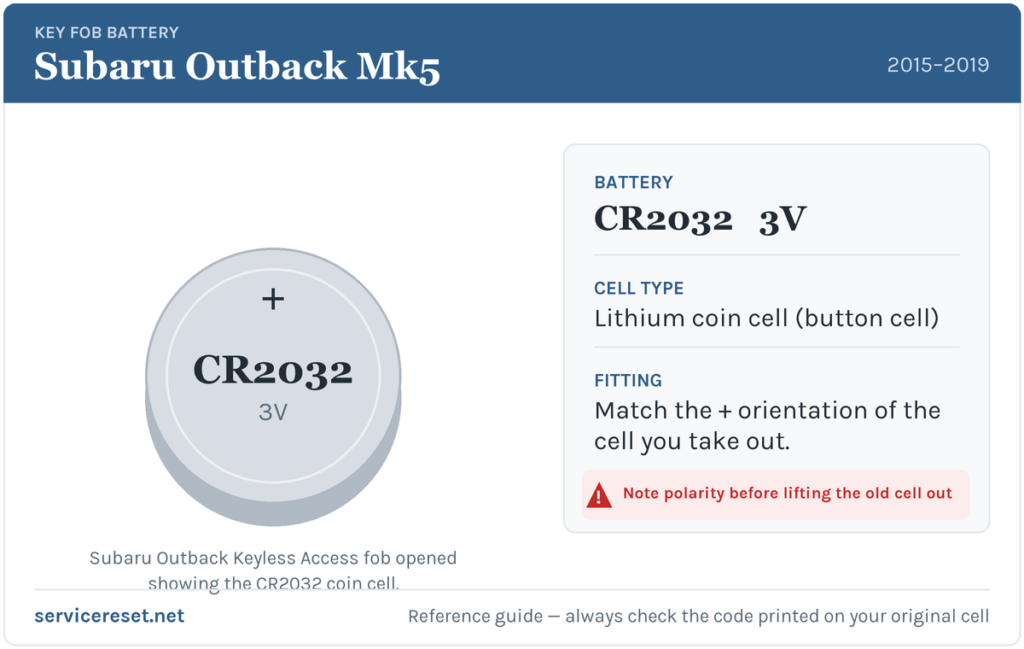
The Outback’s Keyless Access fob uses a single CR2032 3-volt lithium coin cell — the everyday 20 mm coin battery sold everywhere from supermarkets to hardware shops. It’s always worth a glance at the code stamped on the cell you take out to confirm, but on this generation it’s a CR2032. Fit a reputable branded cell; cheap batteries sag under the short, sharp current the transmitter pulls and can give disappointing range even straight out of the pack.
How to Change the Battery
- Free the emergency key. Slide the release catch on the back of the fob and draw the metal auxiliary blade straight out.
- Ease the case apart. Slip a small flat-blade screwdriver — ideally with its tip taped so it can’t scar the plastic — into the slot the blade left, or into the seam around the fob, and twist gently to pop the two halves.
- Open it up. Lift the back off to expose the circuit board and the coin cell held under a small metal clip.
- Take note, then swap. Look at which way the old CR2032 faces before you prise it out from under the clip, then slide the new cell in the same orientation, handling it only by the rim.
- Close and re-blade. Press the halves together until they click all the way round, then push the emergency key back in until it latches.
⚠️ Match the polarity. Guides for these Subaru fobs differ on whether the positive face points up or down, so don’t guess — copy the exact orientation of the cell you removed. A battery fitted the wrong way round won’t transmit and can slowly flatten itself against the contacts.
Make Sure It Took
Walk back a few paces and lock, then unlock, the car. Full range should return at once, and the push-button start should sense the fob normally. The “Access key battery low” message clears the next time the car reads a healthy fob — sometimes immediately, sometimes after a short drive.
If a Fresh Cell Doesn’t Fix It
- Re-check the cell and its orientation. Confirm it’s a CR2032 seated firmly under the clip and facing the same way as the one you removed.
- Wipe the contacts. A little corrosion or skin oil on the terminals is a common cause of dropouts — clean them with a dry cloth.
- Try the backup start. Hold the fob against the start button as you press it; if the car starts, the transponder is fine and the trouble is the battery or fob electronics, not the vehicle.
- Test the 12 V battery. A weak car battery can make the Keyless Access system sluggish and imitate a fob fault, so have it checked if the Outback is slow to wake generally.
New Key or Spare — Why It’s a Dealer Job
A battery swap leaves the fob’s pairing intact, so nothing needs reprogramming and the remote works straight away. A replacement or additional Keyless Access fob is another matter: Subaru’s immobiliser has to be accessed with diagnostic equipment to register the new key, blanks are ordered against the car’s VIN, and the emergency blade must be cut to the locks. That keeps adding a spare or replacing a lost key with a Subaru dealer or a qualified auto-locksmith. Keep the cell in your spare fob fresh as well, and one flat battery can never catch you out.
Frequently Asked Questions
What battery does a 2015–2019 Subaru Outback key fob use?
The Keyless Access smart fob takes a single CR2032 3-volt lithium coin cell. Check the code printed on the old cell to be sure before buying.
Which way up does the battery go?
Instructions vary between sources on these Subaru fobs, so the reliable approach is to note how the old cell sits and fit the new one exactly the same way.
Do I need to reprogram the fob after changing the battery?
No. Renewing the coin cell doesn’t affect the coding, so the remote works immediately. Only a brand-new key needs programming.
How long should the fob battery last?
Around two to four years. Leaving the fob close to the car so it constantly wakes the Keyless Access system tends to shorten that.
My Outback fob still won’t work after a new battery — why?
Re-check the cell’s orientation and seating, then the contacts. If a known-good CR2032 still won’t work, the fob’s transmitter may have failed — uncommon compared with a flat or upside-down cell.
Can I drive the car if the fob is completely dead?
Yes. Unlock the door with the emergency blade, then hold the fob against the start button as you press it — the transponder still works, so a dead cell won’t strand you.
If the remote quit the instant the 12 V battery was disconnected — rather than fading over weeks — suspect the pairing rather than the coin cell, and check any stored fault code first on autodtcs.com.
Independent guide — not affiliated with Subaru. Always follow your official service manual and safety precautions. Read our full disclaimer.