These instructions apply to the Tesla Model Y (2020-2024).
For other models, please choose your vehicle here.
The Tesla Model Y (2020–2024) is unusual: most owners never touch a traditional key at all. The car ships with two credit-card-sized key cards and is designed around a phone key that talks to the car over Bluetooth — and neither of those needs a battery you replace. The button key fob is an optional accessory Tesla sells separately, a small rectangular remote shared with the Model 3. If your Model Y has that fob and its buttons have gone weak, this page covers the exact cell it takes, how to prise it open without any tools, and why the card and phone are your no-battery backups the whole time.
How to Tell the Fob Battery Is Dying
- Shrinking range. You have to stand right next to the car for the lock, unlock or frunk button to register — the first and clearest sign the coin cell is fading.
- Buttons respond only sometimes. A single press no longer opens the charge port or boot reliably; you find yourself pressing twice.
- Cold-weather dropouts. A near-flat lithium cell loses voltage in the cold, so the fob that worked in a warm garage stops responding on a frosty morning.
- The car still lets you in. Because the Model Y also reads your phone and key cards, a dying fob rarely strands you — which is exactly why owners often ignore it until the range has shrunk to nothing.
Tesla rates the fob cell for a long service life, but real-world use of the remote buttons tends to give one to three years before the range noticeably drops. If yours is a couple of years old and behaving like the list above, fit a fresh cell before assuming the fob itself has failed.
The Battery You Need
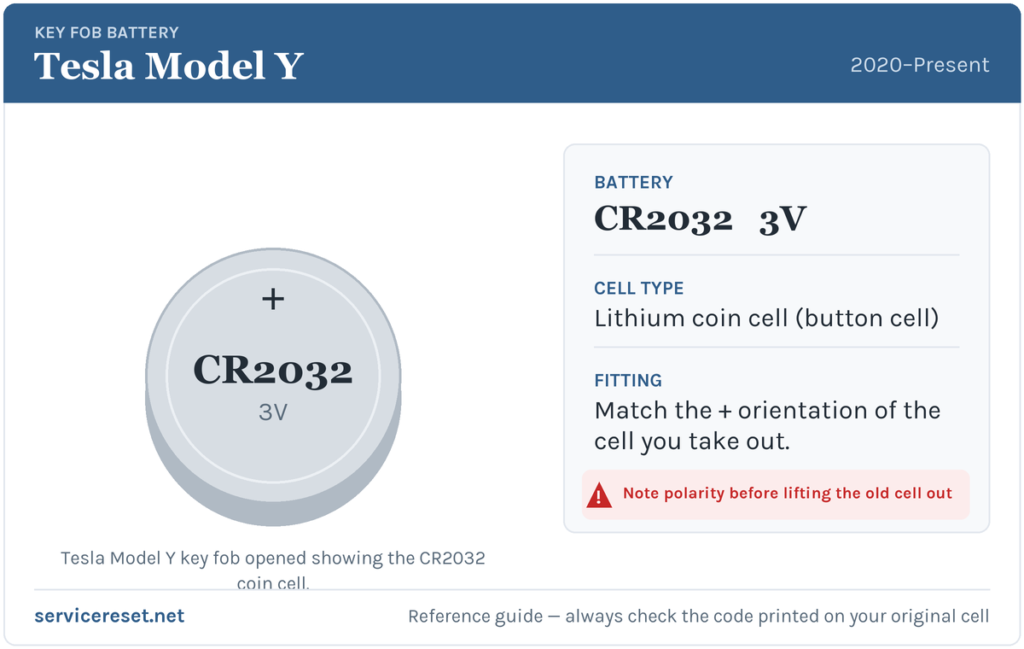
The Model 3/Model Y button fob takes a single CR2032 3-volt lithium coin cell — the flat, roughly 20 mm silver disc sold in every supermarket, pharmacy and hardware shop. Tesla suggests a good-quality branded cell (Panasonic, Energizer, Duracell); avoid the cheapest multipacks, as weak cells sag under the brief current spike the transmitter draws and can give short range even when “new”.
One important distinction: this is not the same battery as the older car-shaped Tesla fob used on the Model S and Model X, which takes the thicker CR2354. The rectangular Model Y remote is a CR2032 — check the marking on the cell you remove if you are ever unsure.
How to Change the Fob Battery
- Hold the fob with the buttons facing down and rest it on a soft surface — a cloth or a folded towel — so you do not scratch the top face.
- Release the bottom cover. There is no screw and no emergency blade to remove. Slip a fingernail or a thin, blunt plastic tool into the seam at the base of the fob and lift; the cover unclips from the body. Prise gently along the seam — never a metal knife blade, which will gouge the plastic or crack the case.
- Lift the old CR2032 out of its recess, easing it away from the small retaining clips. Try not to touch the flat faces of the new cell with bare fingers — skin oils can shorten its life.
- Drop the new cell in with the positive (+) side facing up, towards the cover you removed, so it sits flat under the clips.
- Refit the cover: hold it at a slight angle to line the tabs up with their slots, then press it firmly onto the body until it snaps home all the way round.
- Test every button — lock, unlock and the boot/frunk release — from a normal distance to confirm full range has returned.
⚠️ Mind the polarity. The CR2032 seats positive side up in this fob. Fitting a coin cell upside down means no contact at best, and a cell that quietly discharges against the wrong terminal at worst — so match the orientation of the one you took out.
Check It Worked
Stand back a few metres and press lock, then unlock. The mirrors should fold/unfold and the indicators flash as normal, with the buttons responding first time. Because the Model Y never showed a “low key” dash message for the fob in the first place, there is no warning to clear — restored range is your confirmation.
If a Fresh Cell Doesn’t Fix It
- Re-check the polarity and seating. A cell that is upside down, or not fully under its clips, is the single most common reason a “new” battery changes nothing.
- Wipe the contacts. A fingerprint smear or light corrosion on the terminals is enough to cause dropouts — clean them with a dry cloth and reseat the cell.
- Try the key card and phone. If the card unlocks the car from the door pillar and your phone key works but the fob still will not, the problem is the fob’s electronics, not the car — Tesla can replace the remote.
- Re-pair if needed. A fob that has lost its link (rather than just power) can be removed and added again from Controls > Locks on the car’s touchscreen.
New Key or Spare — How Tesla Handles It
Changing the coin cell keeps the fob’s existing pairing, so nothing needs reprogramming afterwards. Adding a new fob, card or phone is different but refreshingly simple on a Tesla: you pair extra keys yourself from the car’s touchscreen under Controls > Locks, authorising the new key with one you already have. There is no dealer immobiliser tool or VIN-coded blank involved — the Model Y manages up to nineteen keys in total, so keeping a spare card in your wallet and your phone set up as a key means a flat fob battery never leaves you locked out.
Frequently Asked Questions
What battery does the Tesla Model Y key fob take?
A single CR2032 3-volt lithium coin cell. That is the rectangular Model 3/Y button fob; the older car-shaped Model S/X fob uses a different CR2354, so don’t confuse the two.
Which way does the battery go in?
Positive (+) side up, facing the cover you removed. Always copy the orientation of the cell you took out.
Do I need to reprogram the fob after changing the battery?
No. A battery swap doesn’t affect the pairing, so the fob works straight away. You only pair a key from the touchscreen when adding a brand-new fob, card or phone.
How do I open the Model Y fob without breaking it?
Rest it buttons-down on a cloth and lift the bottom cover off at the base seam with a fingernail or a thin plastic tool. There is no screw and no blade — and no metal knife, which cracks the case.
My fob is dead — can I still get into and drive my Model Y?
Yes. Tap one of the key cards against the door pillar to unlock, then place the card on the centre console reader to enable driving. Your phone key does the same over Bluetooth. The fob is a convenience, not the only way in.
How long should the fob battery last?
Expect roughly one to three years of everyday button use. Because most owners rely on the phone key and only reach for the fob occasionally, a cell can also sit for years and simply age out — so if range is poor and you can’t remember the last change, just fit a fresh CR2032.
If your Model Y is throwing an unrelated warning on the touchscreen at the same time — rather than a simple weak-fob symptom — it’s worth checking what any stored fault code actually means before spending money; a plain-English lookup at autodtcs.com will tell you whether it’s related at all.
Independent guide — not affiliated with Tesla. Always follow your official service manual and safety precautions. Read our full disclaimer.