These instructions apply to the Polestar 2 (2021-2024).
For other models, please choose your vehicle here.
When the remote for a Polestar 2 (2021–2024) only works pressed against the door, drops out in cold weather, or stops responding altogether, the cause is almost always the coin cell inside the standard key. The 2 — built on the Volvo/Geely CMA platform this EV shares with the XC40 — normally ships with a button remote key whose covers slide off for a DIY battery change, and many owners also carry the slim, buttonless Key Tag (the “activity key”), which is sealed and not meant to be opened at home. Which of the two you are holding decides whether this is a two-minute driveway job or a call to Polestar. Here is how to tell a flat cell from a real fault, the exact battery the button key takes, and the correct way to open Polestar’s sliding case.
How to Tell the Fob Battery Is Dying
- Shrinking range. You have to stand right at the car, or touch the key to the door handle, before it locks or unlocks. This is the usual first warning that the cell is fading.
- Weaker button response. The remote buttons start working only intermittently, or need a firmer, repeated press to register.
- A key-battery message. The Polestar 2 can show a low key-battery notification on the centre display or driver display when it reads a weak key — treat it as a prompt to change the cell rather than an emergency.
- Cold-weather dropouts. A near-flat lithium cell sags further at low temperature, so a key that is fine in a warm garage can die on a frosty morning.
A CR2032 in a car remote typically lasts two to four years. If your key is around that age and showing any of these signs, fit a fresh cell before you suspect the car’s receiver or the key itself.
The Battery You Need
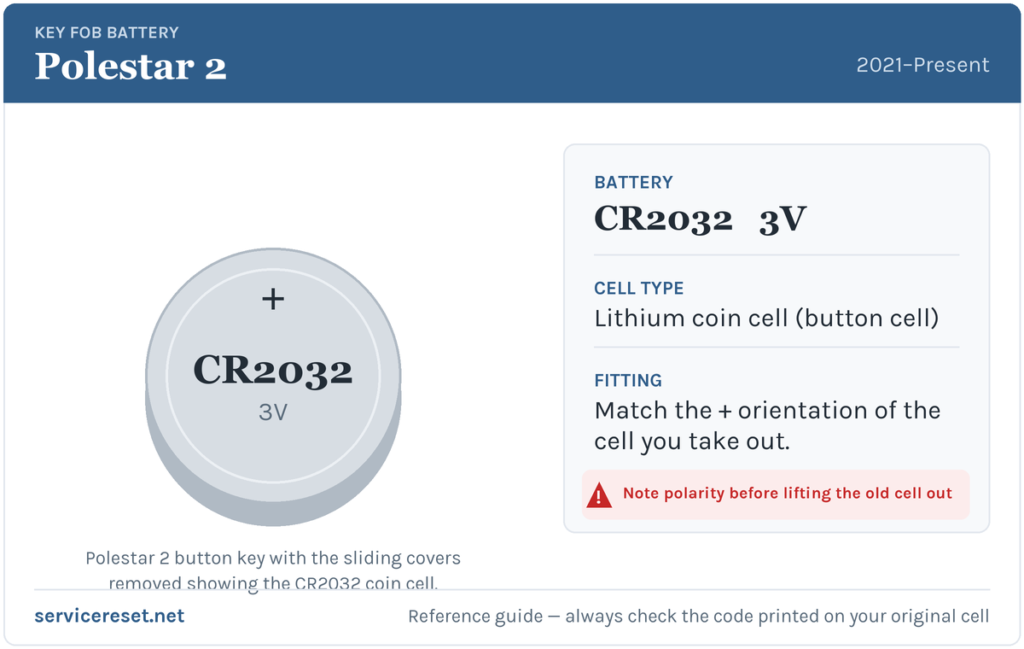
The Polestar 2’s standard button key takes a single CR2032 3-volt lithium coin cell — the most common fob battery made, and stocked by every supermarket, hardware shop and pharmacy. Buy a good branded cell rather than a bargain multipack; cheap cells sag under the short burst of current the transmitter draws and can give poor range even when factory-fresh. The slim buttonless Key Tag is a different story: Polestar states its battery cannot be replaced and that a flat Key Tag must go to a service centre, so nothing below applies to that version.
Method — Polestar 2 Button Key (Sliding Case)
Polestar’s key has no visible screw. Instead the front and rear covers each slide off after you nudge a small release button, and the cell then sits under a twist-lock battery cover. Work on a clean, well-lit surface so you don’t lose the covers.
- Hold the key with the front face (the side with the Polestar logo) pointing up and the key-ring end towards you.
- Slide the small release button on the key-ring section to the right, then push the front cover gently upward. It loosens and lifts away.
- Turn the key over, move the release button to the side again, and slide the rear cover upward to remove it, exposing the round battery cover.
- With a small flat screwdriver, turn the battery cover anticlockwise until its markers line up with the OPEN position, then carefully lift the cover off.
- Ease the old CR2032 out of its holder. Note that it sits positive (+) side up.
- Drop the new cell in positive (+) facing up, edge-first into the holder, and press it down until it clicks under the plastic catches. Try not to touch the flat faces with your fingers — skin grease dulls the contacts.
- Refit the round battery cover and turn it clockwise to the CLOSE position.
- Press the rear cover back on until it clicks, then slide it home for a second click; flip the key and do the same with the front cover. Two clicks per cover tells you it is fully seated.
⚠️ Get the polarity right. The Polestar 2 cell must go in positive (+) side up. A coin cell fitted upside down makes no contact — and can quietly discharge — leaving the key dead even though the battery is brand new, so copy the orientation of the cell you removed.
Make Sure It Took
Stand back a few metres and lock, then unlock, the car. Full range should return at once. If the display had shown a low-key-battery message, it clears the next time the car reads a healthy key — sometimes after you have unlocked and driven off once, rather than the instant you close the case.
If a Fresh Cell Doesn’t Fix It
- Re-check polarity and seating. Positive side up, pressed fully under the catches, with the twist cover turned to CLOSE. A cell sitting proud of its clip is the single most common reason a “new” battery does nothing.
- Wipe the contacts. A dry cloth over the battery terminals and the holder clears the finger grease or light corrosion that causes dropouts.
- Confirm it’s really a CR2032. A thinner CR2025 will fit loosely and lose contact as you handle the key; match the code on the cell you took out.
- Use a backup way in. The Polestar 2 key carries a detachable mechanical blade for the driver’s door, and the Polestar phone app can lock, unlock and start the car, so a stubborn key never strands you while you sort it out.
- Buttonless Key Tag gone flat? That version is sealed and not user-serviceable — it needs a Polestar service centre rather than a coin cell.
New Key or Spare — Why It’s a Dealer Job
Changing the cell keeps the key’s existing pairing, so nothing needs reprogramming and the remote works the moment you close the case. Adding a spare or replacing a lost key is different: a Polestar key has to be ordered and coded to your specific car’s security system, which can’t be done on the driveway — it is a job for Polestar or an authorised workshop. Keep the battery in your spare fresh and pair your phone as a digital key, and you are never down to a single way into the car.
Frequently Asked Questions
What battery does a Polestar 2 key take?
The standard button key uses one CR2032 3-volt lithium coin cell. The slim buttonless Key Tag is sealed and has no owner-replaceable battery.
Which way up does the cell go?
Positive (+) side up. The battery drops into its holder with the plus face towards the back cover; always match the orientation of the one you removed so it makes proper contact.
How do I open the Polestar 2 key without a screw?
There is no screw. Slide the small release button on the key-ring end to the right and push the front cover off, do the same with the rear cover, then turn the round battery cap anticlockwise to OPEN with a small screwdriver to reach the cell.
Do I need to reprogram the key after changing the battery?
No. A battery swap doesn’t affect the key’s coding, so it works straight away. Only a brand-new or replacement key needs pairing to the car.
How long should a Polestar 2 key battery last?
Usually two to four years. Frequent remote use, or leaving the key close to the car so it wakes repeatedly, shortens that.
Can I still get into and drive the car if the key is completely dead?
Yes. Use the detachable mechanical blade in the key to unlock the driver’s door, or use the Polestar app as a phone key to unlock and start the car, so a flat key won’t leave you stuck.
If your key stopped responding suddenly — for instance right after the 12 V battery was disconnected — rather than fading over weeks, the pairing rather than the cell may be at fault, and the car may have logged a related fault code you can look up on autodtcs.com.
Independent guide — not affiliated with Polestar. Always follow your official service manual and safety precautions. Read our full disclaimer.