These instructions apply to the ORA Funky Cat (2022-2024).
For other models, please choose your vehicle here.
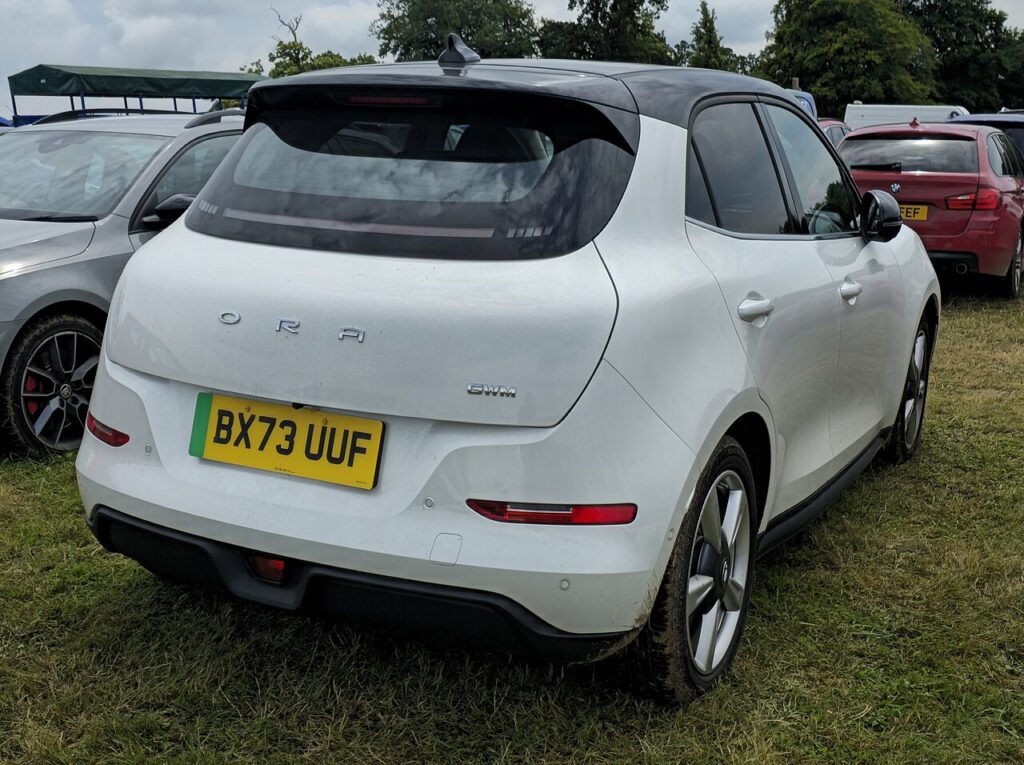
The Ora Funky Cat — sold as the Ora 03 in some markets and built by China’s Great Wall Motor (GWM) from 2022 to 2024 — ships with a single type of key: a rounded, pebble-shaped smart (keyless) fob with lock, unlock and a hidden mechanical blade. There is no traditional flip key on this car, so if your Funky Cat suddenly needs the fob held right against the door to respond, the coin cell inside is almost certainly flat. Because this is a new and uncommon EV in most markets, replacement guidance is thin online — so here is a careful walk-through of the battery, how to open the fob, and how to get into the car even if the cell is completely dead.
How to Tell the Fob Battery Is Dying
- Shrinking range. You have to stand almost on top of the car, or touch the fob to the door handle, before it will lock or unlock. This is usually the first sign.
- Keyless entry gets fussy. The car stops recognising the fob in your pocket as you walk up, so the door handles won’t wake and the push-button start hesitates until you hold the fob close.
- A key-battery warning. Like most keyless cars, the Funky Cat can show a low-key-battery message or symbol on the driver’s display when the fob voltage drops — treat that as your cue to change the cell.
- Cold-weather dropouts. A cell that is nearly flat struggles in the cold, so intermittent response on frosty mornings that improves once the fob warms up points to a tired battery.
A coin cell in a smart fob typically lasts two to four years. If yours is around that age and doing any of the above, fit a fresh battery before assuming the car’s receiver or the fob itself has failed.
The Battery You Need
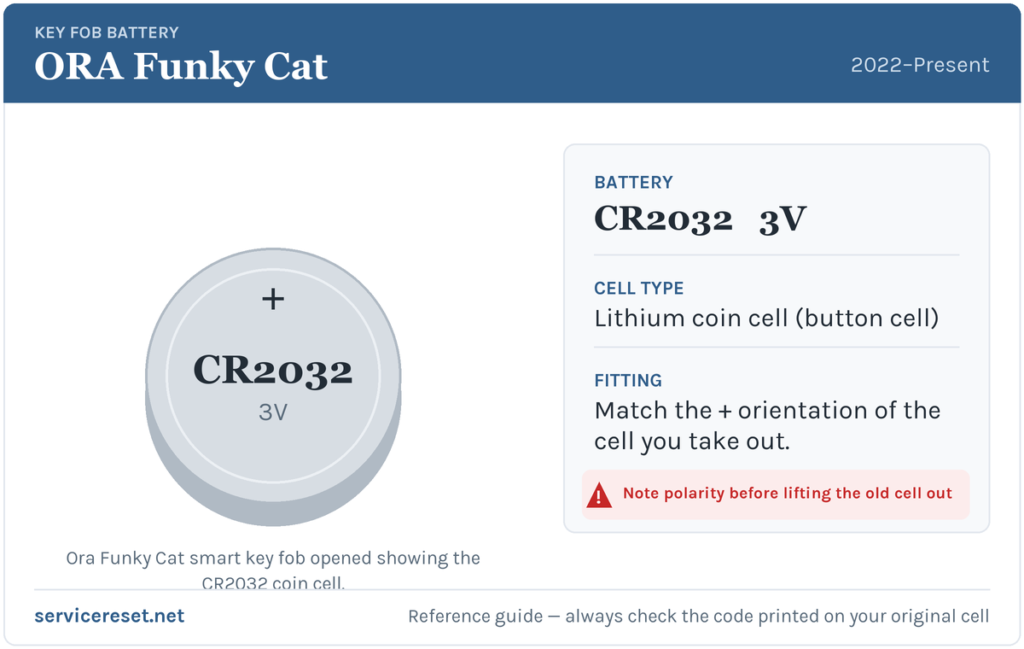
The Funky Cat’s smart fob uses a single 3-volt CR-series lithium coin cell. The widely reported size for this fob (and for its Chinese-market twin, the Ora Good Cat) is the CR2032 — the most common fob battery there is, sold in any supermarket, hardware shop or phone shop. GWM’s own handbook doesn’t print the code on the page, so the safest rule is simple: match the code printed on the cell you take out. If it reads CR2032, buy CR2032; the number is stamped right on the flat face. Choose a good-quality branded cell — cheap ones sag under the brief high current the transmitter draws and can give short range even when “new”.
How to Open the Funky Cat Fob and Change the Battery
- Slide out the mechanical blade first. Press the small release catch on the fob and pull the hidden metal emergency key straight out. This is the same blade you’d use to unlock the door by hand, and removing it exposes the seam of the case.
- Prise the case open. Slot a thin, flat plastic tool (a guitar pick or a trim tool is ideal) — or a small flat-blade screwdriver — into the seam where the blade came out, and gently work your way round to split the two halves. Take it slowly so you don’t crack the plastic clips.
- Note how the old cell sits, then lift it out. Look carefully at which face — the flat side with the writing (+) or the plain side (−) — is facing up before you disturb anything. On this fob the positive side is generally reported to face upward, but rather than trust that, copy exactly what you see.
- Drop in the fresh cell the same way round. Handle it by the edges — skin oils and moisture can corrode the contacts — and seat it firmly under its retaining clip. GWM’s handbook is explicit that the positive and negative poles must be fitted the correct way round, and advises drying your hands first.
- Click the halves back together and press round the edge until the seam closes flush, then slide the mechanical blade back in until it latches.
⚠️ Get the polarity right. A coin cell fitted upside down won’t power the fob, and in some keys it can slowly discharge against the contacts and leave the remote unusable. The fool-proof method is always the same: fit the new cell with the identical face-up orientation as the one you removed.
Make Sure It Took
Reassemble the fob, then stand back a few metres and lock, then unlock, the car. Full range should return straight away, and the keyless handles should wake as you approach again. If the display was showing a low-key-battery warning, it normally clears once the car has read a healthy fob — occasionally after a drive cycle rather than the instant you press a button.
If a Fresh Cell Doesn’t Fix It
- Re-check the orientation and seating. An upside-down or loosely seated cell is by far the most common reason a “new” battery does nothing. Pop the case back open and compare against the way it should sit.
- Clean the contacts. Wipe the battery terminals and the fob’s metal contacts with a dry cloth — a smear of finger grease or light corrosion is enough to cause dropouts.
- Confirm the cell is genuinely good. Coin cells can sit dead on a shelf for years. Try a second new branded cell before blaming the fob.
- Rule out the car. On an EV like the Funky Cat, a weak or flat 12-volt auxiliary battery can make the whole car slow to wake and mimic a key fault. If the car itself feels unresponsive, that low-voltage battery — not the fob — may be the real culprit.
New Key or Spare — Why It’s a Dealer Job
Swapping the coin cell doesn’t touch the fob’s coding, so the remote keeps working immediately with no reprogramming. A brand-new or spare key is a different story: the Funky Cat’s immobiliser has to be paired to the new fob electronically, and blank smart keys have to be ordered and coded against the car’s VIN. On a marque as new and as thinly supported as Ora, that realistically means a GWM/Ora dealer or a specialist auto-locksmith with the right software — independent locksmith coverage is still patchy. The practical takeaway: keep the battery in your spare fresh too, so you’re never down to a single working key.
Frequently Asked Questions
What battery does an Ora Funky Cat key fob take?
A single 3-volt lithium coin cell — commonly reported as a CR2032, the same as its Chinese-market sibling the Ora Good Cat. GWM’s handbook doesn’t print the code, so open the fob and match whatever is stamped on the cell you remove.
Which way up does the battery go?
Fit it the same way round as the cell you took out. On this fob the positive (+) face is generally the one facing up, but the reliable rule is to copy the original orientation exactly — fitting it upside down can leave the key dead.
Do I need to reprogram the fob after a battery change?
No. Changing the coin cell doesn’t affect the coding, so the remote works straight away. Only a completely new or replacement key needs pairing to the car.
How long should the fob battery last?
Usually two to four years. Leaving the fob sitting right next to the car so the keyless system keeps waking it — or heavy daily use of the buttons — will shorten that.
Can I still get in and start the car if the fob is completely dead?
Yes. Release the hidden mechanical blade from the fob and use it to unlock the driver’s door by hand. Keyless cars are also designed to still start with a flat fob — typically by holding the fob against or very close to the start button so the car can read it directly — so check your handbook for the exact backup-start spot, but a dead cell won’t strand you.
If your Funky Cat’s remote died suddenly right after the 12-volt battery was disconnected — rather than fading over weeks — the cause is more likely a pairing or low-voltage glitch than the coin cell, and the car may have logged a fault. You can look up what any stored trouble code means on autodtcs.com.
Independent guide — not affiliated with ORA. Always follow your official service manual and safety precautions. Read our full disclaimer.