These instructions apply to the Ford EcoSport Mk1 (B515) 2014-2022.
For other models, please choose your vehicle here.
If the remote on your Ford EcoSport (2014–2022) has gone dead and the car will not unlock or the dash flashes “Key not detected”, you are not stranded. The EcoSport was sold with two different starting setups, and the right backup depends on which one you have: lower trims twist a blade in a barrel, while keyless trims use a Ford Power button and a dedicated backup slot at the front of the centre console.
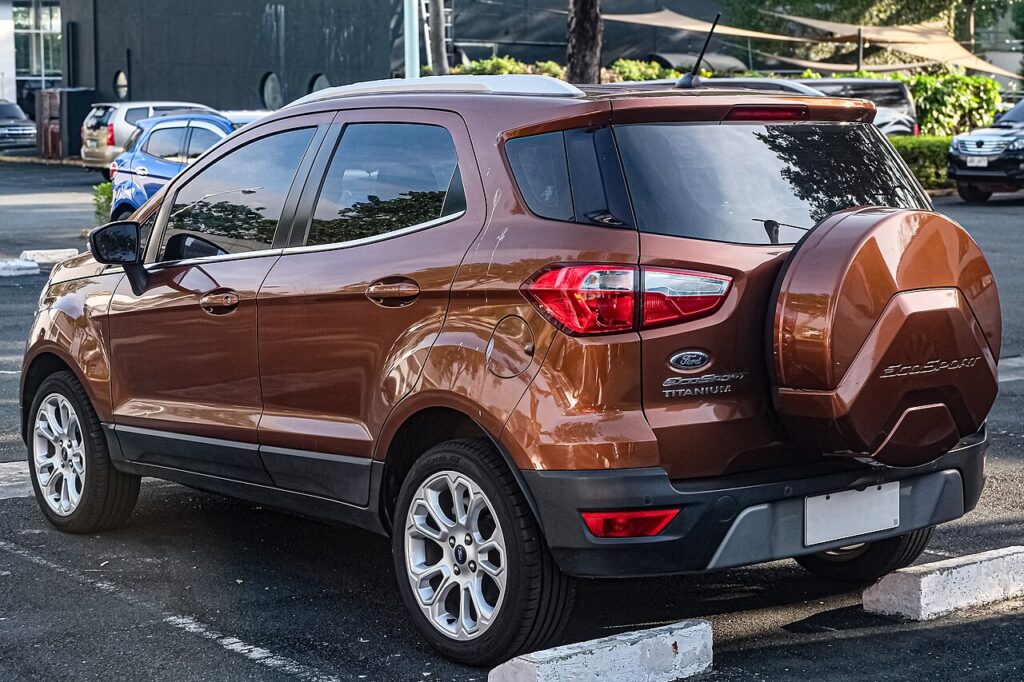
Identify your car first. If you have a key you physically slot in and turn, a flat fob battery only stops the remote locking — the car still starts on the blade. If you have a START/STOP button, use the slot method below.
Start a Keyless EcoSport With a Dead Fob (Backup Slot)
Keyless EcoSports have a backup pickup at the front of the centre console. Do this:
- Get into the car first using the emergency blade (see the next section) — the door buttons are dead on a flat fob.
- Find the slot at the front of the centre console (ahead of the gear lever, near the base of the dash).
- Drop the fob into the slot with the keyring facing up and the buttons facing the back of the car, so the transceiver can read the chip.
- Press the brake pedal, hold it, and press the START/STOP button. The immobiliser reads the passive chip and starts the engine.
- Once running you can take the fob back out; it does not need to stay in the slot.
If you cannot find the slot, the fallback is to hold the flat face of the fob against the START/STOP button and press it through the fob — the backup transponder coil sits behind the button too.
Unlock the EcoSport With the Emergency Key Blade
A metal blade is folded inside the fob for getting through the door.
- Slide the release on the back of the fob and pull or pivot the metal emergency blade out.
- Go to the driver’s door. The key slot on the handle is either on the bottom or the side, sometimes behind a small plastic cap. Prise the cap off if fitted to reveal the barrel.
- Insert the blade, press up and turn, then move the key towards the rear of the vehicle to release the lock — usually the driver’s door only; the interior central-locking button frees the rest once you are in.
- If you have the standard bladed ignition rather than Ford Power, slide that same blade into the ignition barrel and turn it to start the car as normal. A flat fob battery never stops a twist-key EcoSport starting.
Why a Flat Battery Does Not Lock You Out
The EcoSport’s immobiliser never relied on the coin cell to verify your key. Inside the fob is a passive transponder powered by induction from the car’s reader coil, just like a contactless card. The dead battery only kills the long-range radio that unlocks the car from a distance. Drop the fob in the console slot, hold it to the button, or twist the blade in the ignition, and the short-range coil powers the chip directly — so the car still recognises it as your key.
Replace the Key Fob Battery
- Slide out and remove the emergency blade first — this releases the case.
- Split the fob along its seam with a thin coin or plastic pry tool.
- Lift out the old cell. The EcoSport fob uses a single CR2032 3V coin cell.
- Fit the new battery + side facing the same way as the old one, handling it by the edges.
- Clip the case together, refit the blade and test the buttons. A fresh cell lasts roughly 2–3 years.
Frequently Asked Questions
Where is the backup fob slot on the EcoSport? At the front of the centre console, ahead of the gear lever. Drop the fob in keyring-up, buttons facing the rear, then press start with your foot on the brake.
My EcoSport has a normal turn key. Does the dead battery stop it starting? No. The flat battery only disables the remote locking. Get in with the blade in the door and start with the same blade in the ignition.
Where is the door lock on the EcoSport? On the driver’s door handle, on the bottom or side, sometimes behind a small plastic cap. Insert the blade, press up and turn towards the rear.
Does the fob have to stay in the slot while I drive? No. Once the engine is running you can take it out; the car only reads it at start-up.
Which battery does the EcoSport fob take? A CR2032, a standard 3V coin cell sold everywhere.
If a dashboard warning light stayed on after all this, you can look up what it means on our sister site autodtcs.com.
Independent guide — not affiliated with Ford. Always follow your official service manual and safety precautions. Read our full disclaimer.