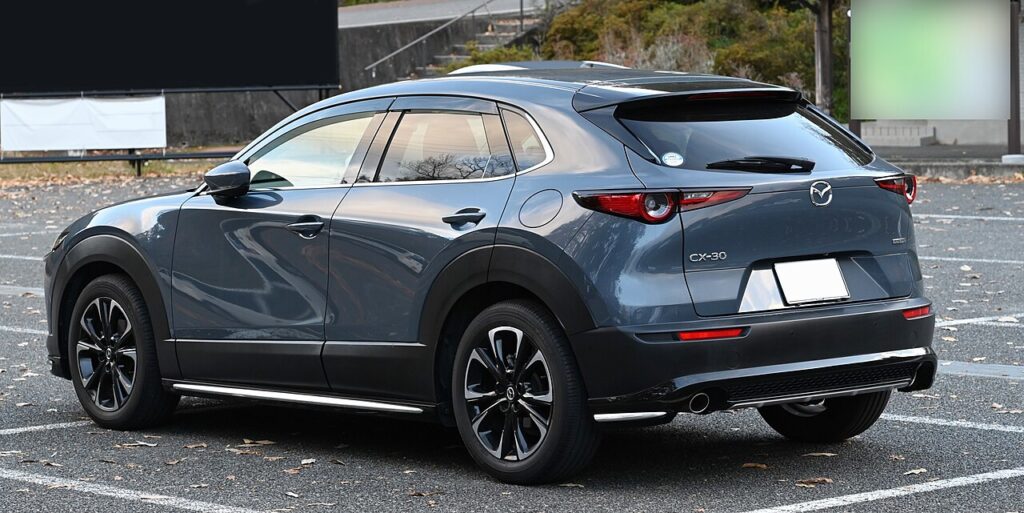
These instructions apply to the Mazda CX-30 Mk1 (DM) 2019-Present.
For other models, please choose your vehicle here.
When the smart key on your Mazda CX-30 (DM, 2019–Present) stops unlocking the doors and a key-warning symbol appears in the driver display, the coin cell inside the fob has run flat. The DM CX-30 is not stranded by this. A metal emergency key is tucked inside the fob to let you in, and Mazda builds a backup into the push-button start so the engine fires even when the remote has no power at all.
It works because the chip the immobiliser reads does not run off the coin cell. The battery only powers the long-range radio that pops the locks from a distance. Bring the fob to the right spot and the car reads it directly.
Start the CX-30 With a Dead Fob
The push-button start on the CX-30 can still read the fob at point-blank range. Once you are inside:
- Sit in the driver’s seat and press the brake pedal fully (depress the clutch on a manual). The starter will not engage otherwise.
- Hold the fob flat so the side carrying the Mazda “M” badge touches the START/STOP button on the dash.
- Keep the fob pressed against the button and wait for the push-start indicator to light, confirming the car has recognised the key.
- With the fob still touching the button, press START/STOP. The engine starts.
- If nothing happens, rotate the fob slightly and try again — and keep other metal keys clear, as they can stop the signal being received.
This is Mazda’s own listed fallback for a flat key battery on the CX-30; the car has no separate slot to drop the fob into. If the cell faded gradually the fob may be in power-saving mode, so hold it especially close.
Unlock the CX-30 With the Emergency Key
A metal auxiliary key is hidden inside the fob for exactly this.
- Press the auxiliary-key release button on the back of the fob and pull the metal emergency key out from the bottom.
- Go to the driver’s door. The lock barrel sits behind a small cap on the door handle — prise the cap off with the key tip to reveal it.
- Slide the key in and turn it to unlock the driver’s door, then use the central-locking button inside to free the rest.
- Climb in and use the touch-to-button method above to start the engine.
Why Touching the Button Works
Inside the fob is a passive transponder chip that needs no battery of its own. When you hold it against the START/STOP button, a short-range coil behind the button energises the chip by induction — the same way a contactless bank card draws power from a reader. The immobiliser reads the chip’s code, confirms it is your key and releases the engine. The flat coin cell only ever powered the radio that unlocks the doors from a distance, which is why proximity entry stops but starting does not.
Replace the Key Fob Battery
- Press the release button and slide out the emergency key to expose the case seam.
- Using the slots on either side, gently split the two halves of the fob with a thin coin or a tape-wrapped flat tool.
- Lift out the old cell and read the number printed on it. The CX-30 fob takes a CR2025 or, on some examples, a CR2032 — both 3V lithium — so match what is already fitted.
- Fit the new cell with the + side facing up, the same way as the old one, handling it only by the edges.
- Clip the case shut, push the metal key back in and test the buttons. A fresh cell lasts roughly 2–3 years.
Frequently Asked Questions
Where exactly do I hold the fob on a Mazda CX-30? Press the side with the Mazda badge flat against the START/STOP button. The backup reader coil sits directly behind that button.
Is my CX-30 fob a CR2025 or CR2032? It varies; many later cars ship with a CR2032. Open the fob and read the number on the old coin cell — that is the reliable way. Do not force a thicker CR2032 into a holder made for a CR2025.
Where is the hidden door lock? Behind a small cap on the driver’s door handle. Prise the cap off with the emergency key to reach the barrel.
The indicator lit but the engine did not crank — why? You almost certainly did not have the brake (or clutch) fully pressed. Push it all the way down and press the button again with the fob still touching it.
Will the car keep running once started? Yes. The engine runs normally once going; just fit a fresh coin cell before you next park somewhere awkward so keyless entry returns.
If a warning light stayed on after all this, you can look up what the code means on our sister site autodtcs.com.
Independent guide — not affiliated with Mazda. Always follow your official service manual and safety precautions. Read our full disclaimer.