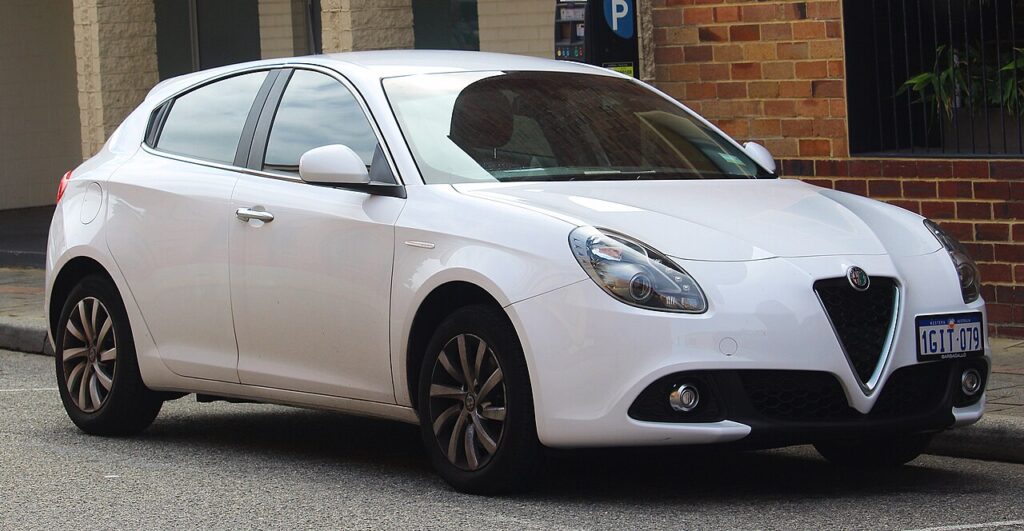
These instructions apply to the Alfa Romeo Giulietta Mk1 (940) 2010-2020.
For other models, please choose your vehicle here.
A remote on the Alfa Romeo Giulietta (Type 940, 2010–2020) that has to be waved right at the car before it locks, or that flashes its little red LED weakly and then not at all, is nearly always telling you the coin cell has run flat. The Giulietta uses the familiar Fiat-group folding “flip” key — the metal blade swings out of the plastic body at the press of a button, and the battery lives behind a small quarter-turn screw rather than a snap-off cover. That single detail trips people up, because prying at the Giulietta’s seam gets you nowhere. Here is the correct way in, the exact cell it takes, and why an extra key is the one thing you cannot sort on the driveway.
How to Tell the Fob Battery Is Dying
- Range keeps shrinking. You end up standing next to the Giulietta — or almost touching the door with the fob — for the central locking to answer. That gradual loss of reach is the classic first symptom.
- The LED dims or stops flashing. The red indicator on the front of the remote flashes with each button press when the cell is healthy; a weak flash, or none at all, points straight at the battery rather than the car.
- Locking works only sometimes. Intermittent response — fine one press, ignored the next — is a near-flat cell struggling to deliver the brief current the transmitter needs.
- It gets worse when it’s cold. A tired coin cell sags further in low temperatures, so a fob that just about coped through summer can give up on the first frosty morning.
A Giulietta remote cell usually lasts two to four years. If yours is around that age and showing any of these signs, fit a fresh battery before you start suspecting the receiver or the body computer.
The Battery You Need
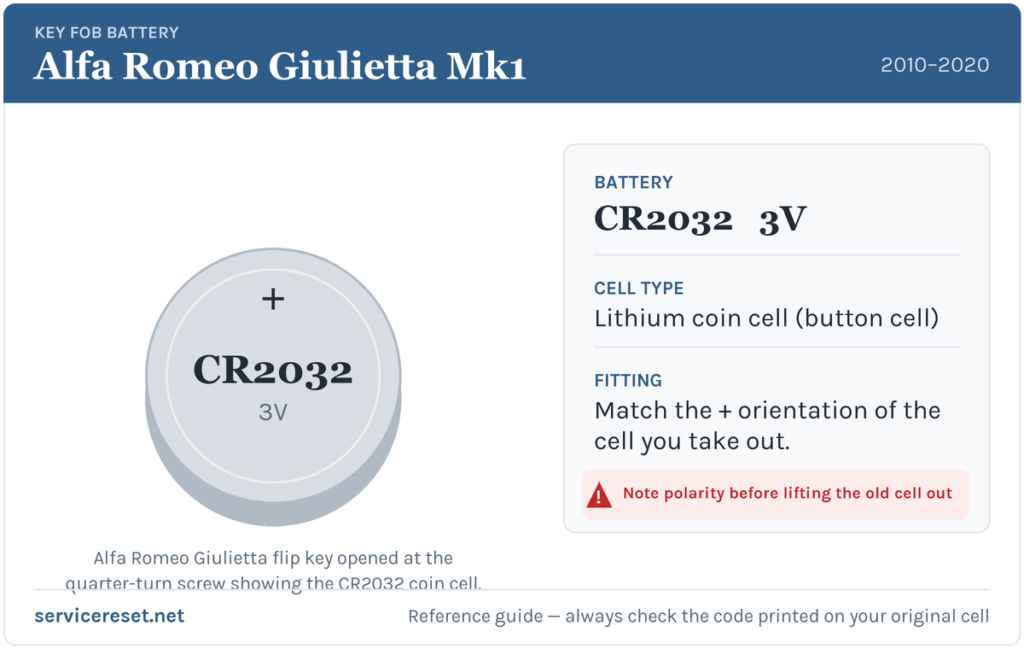
The Giulietta flip key takes a single CR2032 — a 20 mm, 3-volt lithium coin cell sold in any supermarket or hardware shop. Fit a good branded cell: budget batteries can read as full yet slump under the transmitter’s current pulse, leaving short range from the off. Glance at the marking on the cell you remove and match it — on this key it should read CR2032.
How to Change the Giulietta Flip-Key Battery
- Flip the blade out. Press the release button on the side of the fob so the metal key blade springs out of the body. Working with the blade extended keeps the case steady and reveals the retaining screw.
- Turn the little screw a quarter turn. Inside the housing sits a small screw — turn it clockwise about a quarter turn with a fine flat-blade screwdriver. This does not come all the way out; it simply releases the battery holder. Do not hunt for a snap-off cover, and do not lever at the case seam — that is not how this fob opens.
- Slide out the battery holder. With the screw released, the small battery compartment/tray lifts or slides free, carrying the old CR2032 with it.
- Fit the new cell. Note how the old battery sat, then drop the fresh CR2032 into the holder positive (+) side up, matching the original. Handle it by the edge — skin oil on the faces can corrode the contacts and shorten its life.
- Reassemble. Refit the holder, turn the screw a quarter turn back to lock it, fold the blade away, and test lock and unlock from a few paces.
⚠️ Watch the polarity. A CR2032 fitted upside down will not power the remote, and left reversed it can slowly discharge against the wrong contacts. If you are unsure which way it faced, copy the orientation of the cell you just took out before closing the holder.
Confirm It Worked
Stand back a few metres and lock, then unlock, the Giulietta. The LED should flash crisply again and full range should return at once. If the remote had been badly out of range while the cell was dying, one press of the button close to the car re-synchronises it with the receiver, after which normal reach resumes.
If a Fresh Cell Doesn’t Fix It
- Re-check the holder and polarity. The most common slip is the cell going in upside down or the tray not seating fully — reopen it, confirm + is up, and make sure the holder is locked by the screw.
- Clean the contacts. Wipe the holder terminals with a dry cloth; grease or light corrosion is enough to cause dropouts even with a good battery.
- Re-sync the remote. After a spell with a flat cell the fob can fall out of step with the car. Manually unlock with the blade, switch the ignition on, and press the lock button once — that usually pairs it back up.
- Rule out the car’s 12 V battery. A weak vehicle battery can make the Giulietta slow to respond and mimic a key fault; if the car itself is sluggish to wake, check that before condemning the fob.
New Key or Spare — Why It’s a Dealer Job
Changing the battery leaves the remote’s existing coding untouched, so nothing needs reprogramming afterwards. A replacement or additional key is different: the Giulietta’s immobiliser is managed by the car’s body computer (the Marelli BSI/proxy system), and a new transponder key must be cut and coded to the vehicle with the correct diagnostic equipment and the car’s security data. That makes a spare or lost-key job one for an Alfa Romeo dealer or an experienced auto-locksmith — so keep the cell in your second key fresh too, and never let yourself drop to a single working remote.
Frequently Asked Questions
What battery does an Alfa Romeo Giulietta key fob use?
A single CR2032 3-volt lithium coin cell — the standard 20 mm size found in any supermarket or hardware shop.
How do I open the Giulietta flip key?
Press the button to flip the blade out, then turn the small screw inside the housing a quarter turn clockwise to release the battery holder. It does not pry apart at the seam like a clip-together fob.
Which way up does the battery go?
Positive (+) side up, matching the cell you removed. Fitted the wrong way, the remote will not transmit.
Do I need to reprogram the key after changing the battery?
No. Swapping the cell does not touch the coding, so the remote works as soon as it is back together. Only a genuinely new key needs cutting and coding.
My Giulietta remote still won’t lock the car after a new battery — why?
Re-check the cell’s orientation and that the holder is properly seated and screwed home. If it is right, the remote has likely lost sync — unlock with the blade, turn the ignition on and press lock once to re-pair it.
Can I still drive the Giulietta if the fob is completely dead?
Yes. Use the flip-out metal blade to unlock the driver’s door, then start the car as normal — the transponder in the key is powered by the ignition ring, not the coin cell, so a flat fob battery will not stop the engine starting.
If your Giulietta lit a warning lamp or logged a fault around the same time the remote stopped — rather than the fob fading gradually — the two may be separate issues, and reading the stored code will show which system is really complaining. You can decode any logged fault on autodtcs.com.
Independent guide — not affiliated with Alfa Romeo. Always follow your official service manual and safety precautions. Read our full disclaimer.