These instructions apply to the Alpina B5 / D5 (G30/G31) 2017-2024.
For other models, please choose your vehicle here.
The Alpina B5 and D5 (G30, 2017–2024) are built on BMW’s G30 5 Series, and they carry BMW’s own keyless-entry hardware unchanged — so the key you hold is the same G-chassis remote fitted to a 530i or 540i, just wearing an Alpina badge. Almost all cars left the factory with the standard smart (comfort-access) remote, which takes a single replaceable coin cell. A smaller number were specified with the optional BMW Display Key — the fatter fob with a colour touchscreen — and that one is a different animal entirely: it has no user-replaceable cell at all. When a B5 or D5 remote only works with the car a step away, or has died completely, a flat coin cell is almost always the cause on the standard key. Here is how to tell, what to buy, and how to open the case without cracking it.
How to Tell the Fob Battery Is Dying
- Shrinking range. You end up standing right against the car, or pressing the fob to the door handle, before it locks or unlocks. This gradual loss of range is the classic first sign.
- Comfort Access gets fussy. Walk-up unlocking and the boot-under-the-bumper kick sensor become unreliable before the buttons themselves fail, because passive detection needs more signal strength than a deliberate button press.
- A dash message. The G30 cluster shows a “Remote control battery low” (or “Key battery low”) warning when the cell is weak — a clear prompt to change it before you get stranded.
- Cold-morning dropouts. A near-flat lithium cell sags in the cold, so a fob that works by day can go dead on a frosty start.
A coin cell in a G30 remote typically lasts two to four years. If yours is older than that and doing any of the above, fit a fresh cell before you start suspecting the car’s aerials or the immobiliser.
The Battery You Need
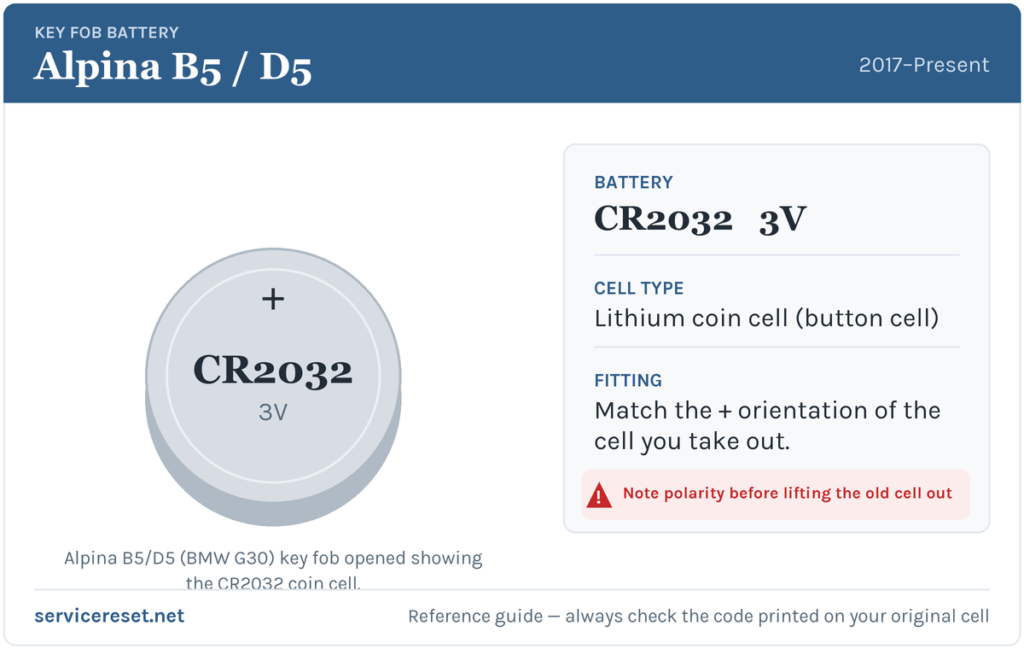
The standard B5/D5 comfort-access remote takes one CR2032 3-volt lithium coin cell — the most common fob battery there is, on the shelf in any supermarket or hardware shop. Use a good branded cell (Panasonic, Sony/Murata, Duracell, Varta); cheap no-name cells sag under the brief high current the transmitter draws and can give short range even fresh out of the packet. It is a plain CR2032 — not a CR2025, and not a rechargeable BR-code equivalent.
Method 1 — Standard Comfort-Access Remote
- Slide out the integrated blade. Press the small release catch on the side of the fob and pull the metal emergency key blade straight out. It comes fully clear of the body.
- Find the gap the blade leaves. Removing the blade exposes a slot at the base of the fob. Insert the tip of the blade itself (or a thin flat plastic tool) into that slot.
- Ease off the back cover. Gently lever and lift — the rear plastic panel unclips from the body along the seam. Work slowly around the edge rather than forcing one corner, so you don’t snap a clip.
- Note the orientation, then swap the cell. Look at how the old CR2032 sits before you lift it out. On the G30 remote the new cell goes in positive (+) side facing up, towards the back cover you removed.
- Reassemble. Press the back cover firmly back on until the clips click all the way round, then slide the metal blade home until it latches.
⚠️ Get the polarity right. Seat the CR2032 positive-up, matching the cell you took out. A cell fitted upside down won’t power the transmitter and can discharge against the contacts, so always copy the orientation of the old one rather than guessing.
The Display Key — Don’t Look for a Coin Cell
If your B5 or D5 came with the optional BMW Display Key — the thicker fob with a small colour touchscreen on the front — there is no coin cell to change. It runs on a built-in rechargeable battery. You top it up by sitting it in the car’s wireless charging tray, or via its charging socket, rather than opening it. If a Display Key is going flat quickly, that’s a charging or battery-ageing issue, not something a CR2032 will fix — most owners of these cars simply keep the standard remote as the everyday key and leave the Display Key on charge.
Confirm It Worked
Stand back a few metres and lock, then unlock, the car. Full range should return straight away, and Comfort Access walk-up should behave again. The “remote control battery low” message clears once the car next reads a healthy fob — usually immediately, occasionally after one drive cycle.
If a Fresh Cell Doesn’t Fix It
- Re-check polarity and seating. Positive side up, sitting flat under its clip against clean contacts — an upside-down or loose cell is the most common reason a “new” battery seems dead.
- Wipe the contacts. A smear of finger grease or light corrosion on the terminals is enough to cause dropouts; clean them with a dry cloth.
- Try the backup start. Comfort Access cars can still start with a flat fob by holding it against the marked spot on the steering column and pressing Start — if that works but the buttons don’t, the transmitter, not the car, is at fault.
- Weak car battery. A tired 12 V battery in the car itself can mimic key faults by making the vehicle slow to wake — worth ruling out if several other electrical niggles appear together.
New Key or Spare — Why It’s a Dealer Job
Changing the cell keeps the fob’s existing coding, so the remote works straight away with no re-sync needed — the car retains the key’s ID and rolling code in memory. Cutting and coding a new key is a different matter: a blank G30 remote has to be ordered against the car’s VIN and married to the immobiliser with BMW-level diagnostic access. Because these are low-volume Alpina cars, that means a BMW/Alpina dealer or a specialist auto-locksmith rather than a driveway job. Keep the battery in your spare fob fresh too, and you’re never down to a single working key.
Frequently Asked Questions
What battery does an Alpina B5 or D5 (G30) key take?
The standard comfort-access remote uses one CR2032 3-volt lithium coin cell. The optional BMW Display Key has no replaceable cell — it’s rechargeable.
Which way up does the cell go?
Positive (+) side up, facing the back cover you removed. Always match the orientation of the cell you took out.
Do I have to reprogram the key after changing the battery?
No. A battery swap doesn’t affect the coding, so the fob works immediately. Only a brand-new key needs programming to the car.
How do I open the fob without breaking it?
Pull out the metal emergency blade first, then use the slot it leaves to unclip the rear cover. Working slowly round the seam avoids snapping the plastic clips.
My Display Key keeps going flat — do I put a CR2032 in it?
No. The Display Key uses an internal rechargeable battery and has no coin cell. Charge it in the car’s wireless tray or via its charging socket; if it still drains fast, the built-in battery may simply be ageing.
Can I still drive the car if the fob is completely dead?
Yes. Use the emergency blade hidden in the fob to unlock the driver’s door, then hold the fob against the marked spot on the steering column and press Start — the car is designed to start even with a flat fob battery.
If the remote stopped responding suddenly — right after the car battery was disconnected, say, rather than fading gradually — the cause is more likely a sync or stored-fault issue than the cell; you can check any logged code for context on autodtcs.com.
Independent guide — not affiliated with Alpina. Always follow your official service manual and safety precautions. Read our full disclaimer.