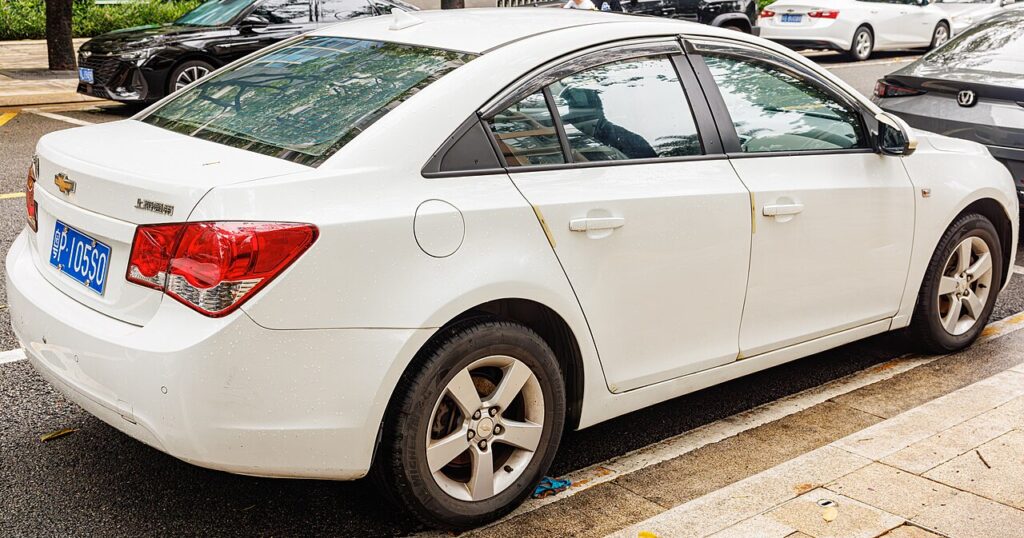
These instructions apply to the Chevrolet Cruze Mk1 (J300) 2009-2014.
For other models, please choose your vehicle here.
Disconnecting the 12 V battery on your Chevrolet Cruze (J300, 2009–2014) is a job most owners can handle at home with a single spanner. You would normally do it to fit a fresh battery, to power the car down before working near the airbags or on the electrics, or to prevent a slow drain flattening the battery during a long winter lay-up. Done in the right order the Cruze wakes up cleanly — it just forgets a few learned settings that you restore in a couple of minutes. This is straightforward 12 V work; there is no high-voltage system on this car.
Where the 12 V Battery Is
The 12 V battery sits in the engine compartment, in the usual front corner under a cover. Lift the cover to reach the two terminals. The negative post is marked − with the black earth lead, and the positive post is marked + under a red flip-up cap. Wipe the top clean if it is dirty so the markings are easy to read before you touch a clamp.
Getting Ready
- Turn the ignition fully off and take the key out of the car.
- Make sure the headlights, heater fan, radio and any accessories are all switched off, and close the doors so nothing is drawing current.
- Note the radio code and preset stations and the clock now, in case they need re-entering.
- Wait a couple of minutes after switching off so the control modules go to sleep before you slacken a terminal.
- Have the right spanner ready (usually a 10 mm), plus gloves and eye protection.
Disconnecting
- Double-check the ignition is off and every electrical consumer is switched off.
- Slacken the clamp on the negative (−) terminal first, lift the lead clear of the post and tuck it aside so it cannot flick back.
- Now slacken and remove the positive (+) lead.
- If you are working near the airbags or seat-belt pretensioners, wait a few minutes after disconnecting before starting.
Reconnecting
- Refit the positive (+) lead first and tighten its clamp.
- Refit the negative (−) lead last and tighten it.
- Check both clamps are firm — a loose earth is the usual cause of strange electrical faults after the job.
What You’ll Need to Reset Afterwards
- Clock and radio — re-set the time, your preset stations and the security code if the car prompts for it.
- Power windows — the one-touch function needs re-initialising; see our Cruze power-window initialisation guide.
- Warning lights — a few dash lamps may glow at first and clear after a short drive as the systems relearn.
If a Warning Light Stays On or the Car Feels Off
- Re-check that both terminal clamps are properly tight.
- Take a short drive so the modules can relearn and any transient lights can settle.
- Re-do the window re-initialisation if the one-touch or auto-up has stopped working.
- If a light will not clear, it has stored a code — look it up on autodtcs.com.
- If the car is slow to wake at all, suspect a genuinely flat or worn-out battery rather than the disconnection.
Frequently Asked Questions
Where is the battery on a Chevrolet Cruze?
It is in the engine compartment, in the usual front corner under a cover. Lift the cover and the negative (−) and positive (+) terminals are on top of the battery.
Which terminal do I disconnect first?
The negative (−) terminal first, then the positive. Reconnect in reverse — positive on first, negative on last. This order avoids shorting a spanner against the body.
What needs resetting afterwards?
Typically the clock and radio presets, and the one-touch power windows. A few warning lights may show briefly and clear themselves once you have driven the Cruze for a few minutes.
Do I need to recode a new battery on the Cruze?
A like-for-like replacement usually needs no coding. Just fit the correct size and rating — and the correct AGM or EFB type if your car has stop/start — and the car relearns as normal.
Will disconnecting the battery reset the service light or clear fault codes?
It can drop some temporary codes but will not reset the scheduled service reminder, and it is not a repair — a real fault simply logs its code again. The service interval is reset by its own procedure.
Can I jump-start it instead of taking the battery off?
Yes, if you only need to recover from a flat. Jump-start from the marked terminals. You only need to disconnect the battery when replacing it or working near the airbags and electrics.
To relearn the windows after reconnecting, follow our Cruze power-window initialisation guide. If a warning light stays on, decode it on autodtcs.com.
Independent guide — not affiliated with Chevrolet. Always follow your official service manual and safety precautions. Read our full disclaimer.