These instructions apply to the DS 3 Mk1 (A56) 2015-2019.
For other models, please choose your vehicle here.
When the remote for a DS 3 (2015–2019) starts working only at arm’s length, needs several presses to lock the car, or shows a low-battery warning, the cause is almost always the coin cell inside the fob rather than a fault with the car. The DS 3 — the standalone DS-brand supermini that grew out of the Citroën DS3 and still shares that car’s PSA electronics — uses a folding remote key with a slide-off chrome finisher, and unusually for a coin-cell swap it may ask you to briefly re-initialise the remote afterwards. That’s all easy to do on the driveway. Here is the exact cell it takes, how to get into the case without marking the chrome, the re-sync step to know about, and why a completely new key is a dealer job.
How to Tell the Fob Battery Is Dying
- The range keeps shrinking. You have to stand closer and closer to the DS 3, eventually almost pressing the fob to the door, before it responds. This gradual loss of distance is the earliest sign.
- A low-battery message or symbol. The DS 3 can flag a weak remote battery on the dash display — a clear prompt that the cell, not the car, is fading.
- Intermittent response. The remote works one moment and not the next, which is a nearly-flat cell struggling to deliver the brief current the transmitter needs.
- Worse in the cold. Lithium coin cells lose voltage at low temperature, so a tired battery often fails first on a frosty morning.
A coin cell in a DS 3 remote usually lasts two to four years. If yours is older and behaving like this, fit a fresh one before suspecting the receiver or the immobiliser.
The Battery You Need
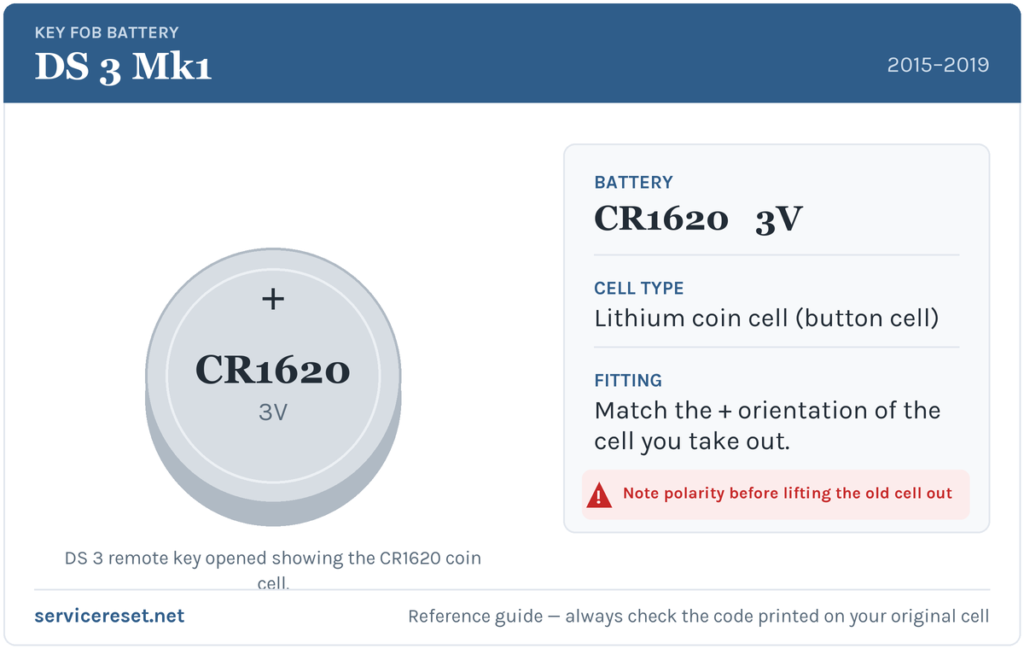
The DS 3’s folding remote uses a CR1620 3-volt lithium coin cell — the same slim cell PSA fitted across the Citroën C-range flip keys of this era. It is noticeably thinner than the familiar CR2032, so check the code printed on the old cell before you buy: a CR2032 will not fit. If your DS 3 has the optional keyless entry-and-start fob, confirm the cell by the marking on the one you remove. Choose a good branded battery; cheap cells can sag under load and give short range even when new.
How to Change the Battery
- Unfold the metal key blade so the fob is easier to hold.
- Release the chrome finisher: press on the small lug at the base of the trim, keep the pressure on, and slide the chrome piece off at roughly a 45-degree angle.
- With the finisher removed, find the notch in the casing and insert a coin. Twist the coin gently to unclip the two halves of the shell.
- Note which way the old cell sits, then slide the flat battery out of its holder.
- Slide the new CR1620 in the same direction as the one you removed — the holder is designed for one orientation, so match it exactly rather than guessing.
- Clip the casing back together, then slide the chrome finisher home until it clicks.
⚠️ Match the original orientation. Slot the CR1620 in the same way round as the cell you took out. A coin cell fitted the wrong way makes no proper contact and can appear dead on arrival, so copy the direction of the old battery rather than assuming which face goes up.
Re-initialise the Remote (If Needed)
After the battery is in, the DS 3 may need the remote re-syncing before it locks and unlocks at range again. With the doors shut, put the key in the ignition and turn it to position 2 (ignition on), then press and hold the central lock (closed padlock) button for a few seconds. Switch the ignition back off and remove the key — the remote should be fully operational again. If your DS 3 has keyless start, a couple of normal lock/unlock cycles close to the car usually re-establishes the link.
Did It Work?
Step back several metres and lock, then unlock, the DS 3. Full range should return and any low-battery message should clear once the car next reads a healthy fob — occasionally after a drive cycle rather than instantly.
If a Fresh Cell Doesn’t Fix It
- Run the re-initialisation again. On PSA remotes the re-sync step is often what a “new battery that didn’t help” actually needed.
- Recheck the cell and its seating. Make sure it’s a CR1620 the right way round and pressed firmly into the holder against clean contacts.
- Wipe the contacts. Finger grease or light corrosion on the terminals can cause dropouts; a dry cloth usually sorts it.
- Rule out the car’s 12 V battery. A weak main battery can make the DS 3 slow to wake and imitate a key fault; if the whole car feels sluggish, check that too.
New Key or Spare — Why It’s a Dealer Job
Changing the coin cell doesn’t disturb the fob’s existing coding, so the remote keeps working the moment the battery is in (bar the quick re-sync above). A brand-new key is another matter: the blade must be cut to the car and the transponder coded to the DS 3’s immobiliser with PSA-capable diagnostic equipment before it will start the engine, and blanks are ordered against the VIN. That makes adding a spare or replacing a lost key a job for a DS/Citroën dealer or an auto-locksmith — so keep your spare’s battery fresh too, and you’ll never be down to one working key.
Frequently Asked Questions
What battery does a DS 3 key fob take?
The standard folding remote uses a CR1620 3-volt lithium coin cell. It is thinner than the common CR2032, so check the code printed on the old cell before buying a replacement.
Which way does the battery go in?
Slide the new CR1620 in the same direction as the one you removed — the holder is shaped for a single orientation. Noting how the old cell sat before you lift it out is the surest way to get it right.
Do I have to reprogram or re-sync the remote?
You don’t reprogram it, but the DS 3 may need a quick re-initialisation: ignition on, hold the lock button for a few seconds, ignition off. That re-establishes the link without any tools.
How long should a DS 3 key battery last?
Around two to four years. Frequent remote use, or a keyless fob left sitting near the car so it wakes constantly, will shorten that.
My DS 3 remote still won’t work after a new battery — what now?
Run the re-initialisation step first, then confirm you fitted a CR1620 the correct way round on clean contacts. If it still won’t respond, the fob’s transmitter may have failed and the remote needs replacing.
Can I still drive the DS 3 with a dead fob?
Yes. Use the mechanical key blade folded inside the remote to unlock the driver’s door, and the car can still be started once you’re in. A flat coin cell won’t strand you.
If the remote stopped working suddenly right after the battery was disconnected — rather than fading gradually — the pairing or a stored fault is a more likely cause than the cell; you can look up what any logged code means on autodtcs.com.
Independent guide — not affiliated with DS. Always follow your official service manual and safety precautions. Read our full disclaimer.